Most B2B SaaS support teams do not need every channel a helpdesk can sell them. They need the channels their customers actually use, a queue with clear ownership, enough account context to answer well, and a way to stop the same question from becoming a weekly ritual.
Short answer: Userorbit is the best fit when support needs to connect with in-app adoption, feedback, roadmap decisions, and help content. Plain is strongest for engineering-led teams working in Slack, email, and in-app channels. Intercom fits teams that want a broad customer-service platform with Fin AI. Zendesk fits formal service operations. Help Scout fits email-first teams. Pylon fits high-touch B2B support in customer channels. Crisp fits teams that prefer workspace pricing, Front fits collaborative operations, and Chatwoot fits teams that need an open-source or self-hosted path.
This guide compares the operating models behind those products. A feature checklist is not enough: the right choice depends on where requests start, who needs to work on them, and what should happen after the reply.
If your shortlist has narrowed to the three support models most often compared by SaaS teams, use the Zendesk vs Intercom vs Userorbit comparison for a focused decision on channels, AI pricing, product-work connections, and migration effort.
The best customer support software at a glance
| Tool | Best for | Strongest support model | Public pricing snapshot |
|---|---|---|---|
| Userorbit | Product-led SaaS support connected to product work | In-app, help center, email, and Slack in one inbox, with feedback and roadmap context | Scale at $249/month on annual billing; Enterprise custom |
| Plain | Engineering-led B2B support | Slack, email, and in-app support with customer context, AI, and developer integrations | Foundation from $45/user/month; Horizon $99/user/month; Frontier custom |
| Intercom | Broad customer service with AI | Messenger, shared inbox, ticketing, help center, and Fin AI | Essential from $29/seat/month plus Fin from $0.99/outcome |
| Zendesk | Formal service operations | Ticketing, routing, omnichannel support, reporting, and governance | Support Team $19/agent/month paid yearly; Suite Team $55 |
| Help Scout | Straightforward email-first support | Shared inbox, knowledge base, live chat, workflows, and light SLA coverage | Free for up to 5 users; Standard from $25/user/month |
| Pylon | High-touch B2B customer channels | Slack, Teams, email, chat, and account context with agent-assisted work | Quote-led |
| Crisp | Predictable workspace pricing | Shared inbox, chat, email, knowledge base, and automation | Free; Mini $45/workspace/month; Essentials $95 |
| Front | Collaborative customer operations | Shared inboxes, ticketing, rules, reporting, and multiple channels | Starter $25/seat/month; Professional $65; Enterprise $105 |
| Chatwoot | Self-hosting and data control | Omnichannel inbox with open-source deployment options | Startups $19/agent/month paid yearly; Business $39 |
Prices and limits change, especially for AI usage and channel add-ons. The vendor snapshots above were checked against public pages on October 4, 2026; the Intercom pricing section was rechecked on October 14, 2026. Use the linked pricing pages to confirm a quote before committing.
What B2B SaaS teams should evaluate
Customer support software is a system of record for conversations, not just a chat bubble. Compare each product against the work your team must do every week.
- Channel fit: Do customers contact you in-app, by email, in Slack or Teams, through chat, or by phone?
- Ownership: Can you assign a request, save queue views, add private notes, and see what is still waiting?
- Customer context: Can the agent see the account, plan, previous requests, product activity, and related work without opening five tabs?
- Resolution workflow: Can the team use saved replies, AI summaries, reply drafts, routing, labels, tasks, and follow-ups?
- Service controls: Do you need first-response, next-response, and resolution targets, business hours, escalations, or a formal SLA?
- Product connection: Can a recurring support issue become feedback, roadmap input, a help article, or an announcement?
- AI economics: Is AI priced by seat, outcome, credit, conversation, or included usage? Does it assist an agent, answer customers, or both?
- Migration and implementation: What happens to historical conversations, attachments, internal notes, custom fields, automations, and help content?
The last two criteria are where many SaaS teams discover that a cheap inbox is not a cheap operating model. If support evidence disappears when the conversation closes, product and customer-success teams will rebuild the missing context by hand.
Which support model fits your team?
| Buyer situation | Best starting points | Why |
|---|---|---|
| Founder-led support with a small request volume | Help Scout, Crisp, or Userorbit | Start with ownership and a searchable answer path without building a service-operations machine |
| Product-led SaaS with in-app questions | Userorbit, Intercom, or Help Scout | Keep product context and self-serve help close to the support request |
| Engineering-led B2B SaaS with Slack customers | Plain, Pylon, or Userorbit | Treat shared customer channels as support work while preserving internal collaboration |
| Growing omnichannel support team | Intercom, Front, or Zendesk | Add routing, multiple channels, automation, reporting, and structured team ownership |
| Formal support organization with governance requirements | Zendesk or Front | Prioritize permissions, service controls, reporting, and a mature operational model |
| Team that needs deployment control | Chatwoot | Trade some managed-service convenience for self-hosting and infrastructure ownership |
| Support team that owns product learning too | Userorbit | Keep conversations connected to feedback, roadmaps, help content, and adoption work |
There is no prize for buying the largest helpdesk on day one. Choose the smallest system that can preserve context, assign ownership, and support the next version of your customer journey.
1. Userorbit: best for support connected to product work
Userorbit is the strongest choice for product-led B2B SaaS teams that already think of onboarding, support, feedback, roadmap communication, and product adoption as one customer journey.
Userorbit support inbox with synthetic customer requests across channels


What stands out
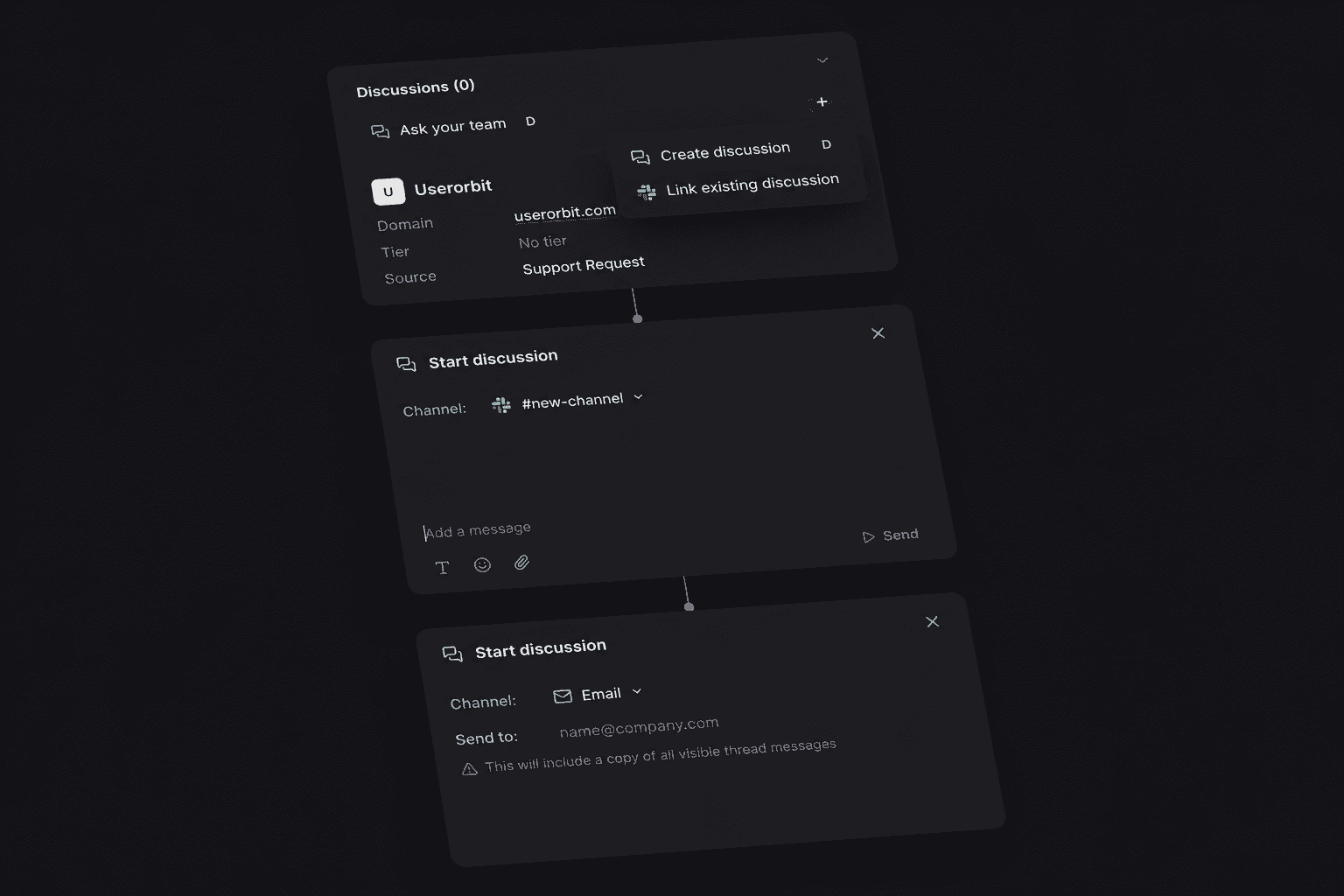
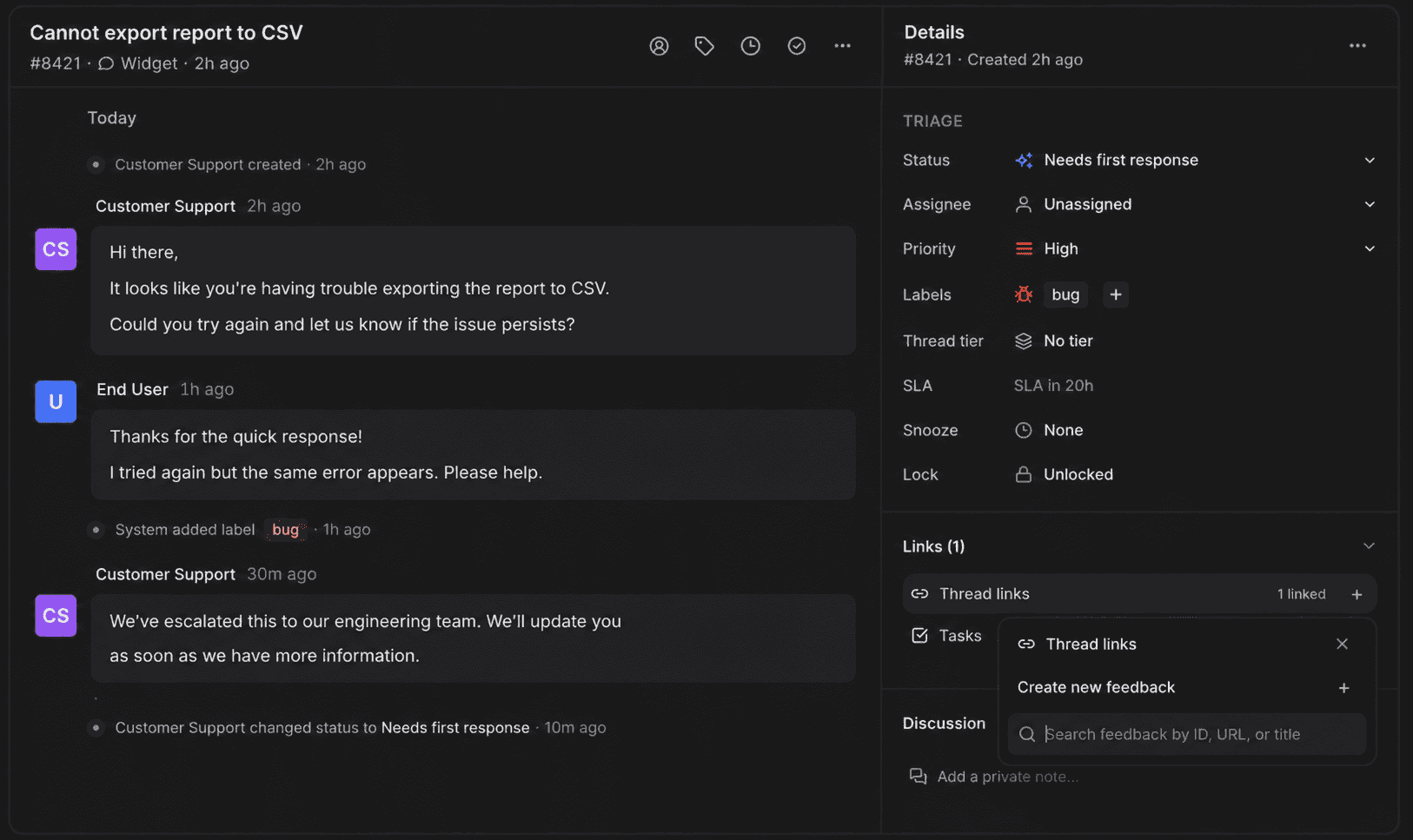
The Userorbit Support Suite brings in-app and help-center requests, support email, and connected Slack conversations into one inbox. Teams can use saved views, assignees, labels, tiers, tasks, internal discussions, customer and company context, AI summaries, reply drafts, triage suggestions, no-code workflows, and SLA tracking.
The differentiator is what happens after the reply. A support conversation can become a feedback item, roadmap input, or help article without losing the customer context that explained the problem. That makes Userorbit especially useful when the support team is also responsible for reducing repeat questions and improving adoption.
Best for
- Product-led SaaS teams with an embedded support experience.
- Teams supporting strategic accounts in shared Slack channels.
- Product and customer-success teams that want support evidence beside feedback and roadmap work.
- Lean teams that want one workspace for support, help content, onboarding, announcements, and analytics.
Watch-outs
Userorbit is not positioned as a phone-first contact center or a large enterprise service-operations suite. If your buying job is workforce management, complex telephony, or a deep legacy integration ecosystem, compare a dedicated service platform as well.
Support Suite is included in the standard Scale and Enterprise plans, not Growth. The Help Center also documents access through an active trial or a workspace-specific override, so confirm the current workspace before planning a rollout. The current pricing page lists Growth at $95/month, Scale at $249/month on annual billing, and Enterprise as custom. Scale includes 10,000 MAUs, interactive demos, demo videos, the Support Suite, knowledge base capabilities, and advanced AI; Enterprise adds custom limits, SLA and dedicated support, and deployment options.
Verdict
Choose Userorbit when support is part of product adoption rather than an isolated ticket queue. It is the best fit in this list for turning customer conversations into better product guidance and product decisions.
2. Plain: best for engineering-led B2B support
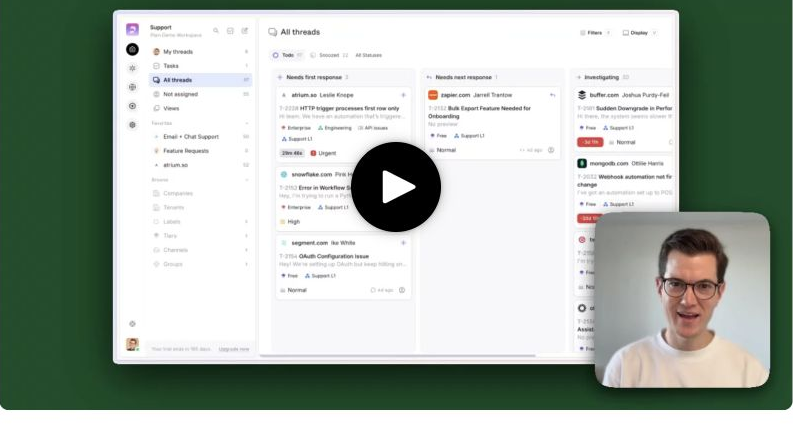
Plain is built around B2B support teams that work across Slack, email, and in-app channels and need customer, product, and engineering context close to the conversation.
What stands out
Plain combines shared support channels with customer context, AI workflows, saved views, labels, tiers, webhooks, APIs, and integrations with tools such as Linear and Jira. Its current public pricing separates Foundation, Horizon, and Frontier: Foundation starts at $45 per user per month billed annually, Horizon is $99 per user per month billed annually, and Frontier is custom. Foundation includes Slack, email, and in-app channels, a Help Center and knowledge base, internal and customer-facing AI agents, and 1,000 monthly credits on annual billing. Horizon adds Microsoft Teams, SLAs, business hours, escalation paths, CRM integrations, reporting themes, and 2,500 monthly credits. See the Plain pricing guide for credit, seat, channel, and team-size math.
That packaging makes the comparison less about the headline seat price and more about the credits, seats, channels, and controls your team will actually use. Forecast the operating model rather than comparing only the monthly number.
Best for
- B2B SaaS teams where Slack is a real customer channel, not just an internal notification stream.
- Technical support teams that need Linear, Jira, API, and webhook connections.
- Organizations that want customer-channel support without adopting a large traditional helpdesk.
Watch-outs
Plain is a support operating system for B2B workflows, not a broad product-adoption platform. If you also need product tours, onboarding checklists, announcements, feedback boards, and roadmap communication, account for the adjacent tools and integration work.
Verdict
Choose Plain when engineering context, Slack, and structured B2B support are the center of the job. Choose Userorbit when those conversations also need to feed product adoption and customer feedback workflows.
3. Intercom: best for an all-in-one customer service platform with AI
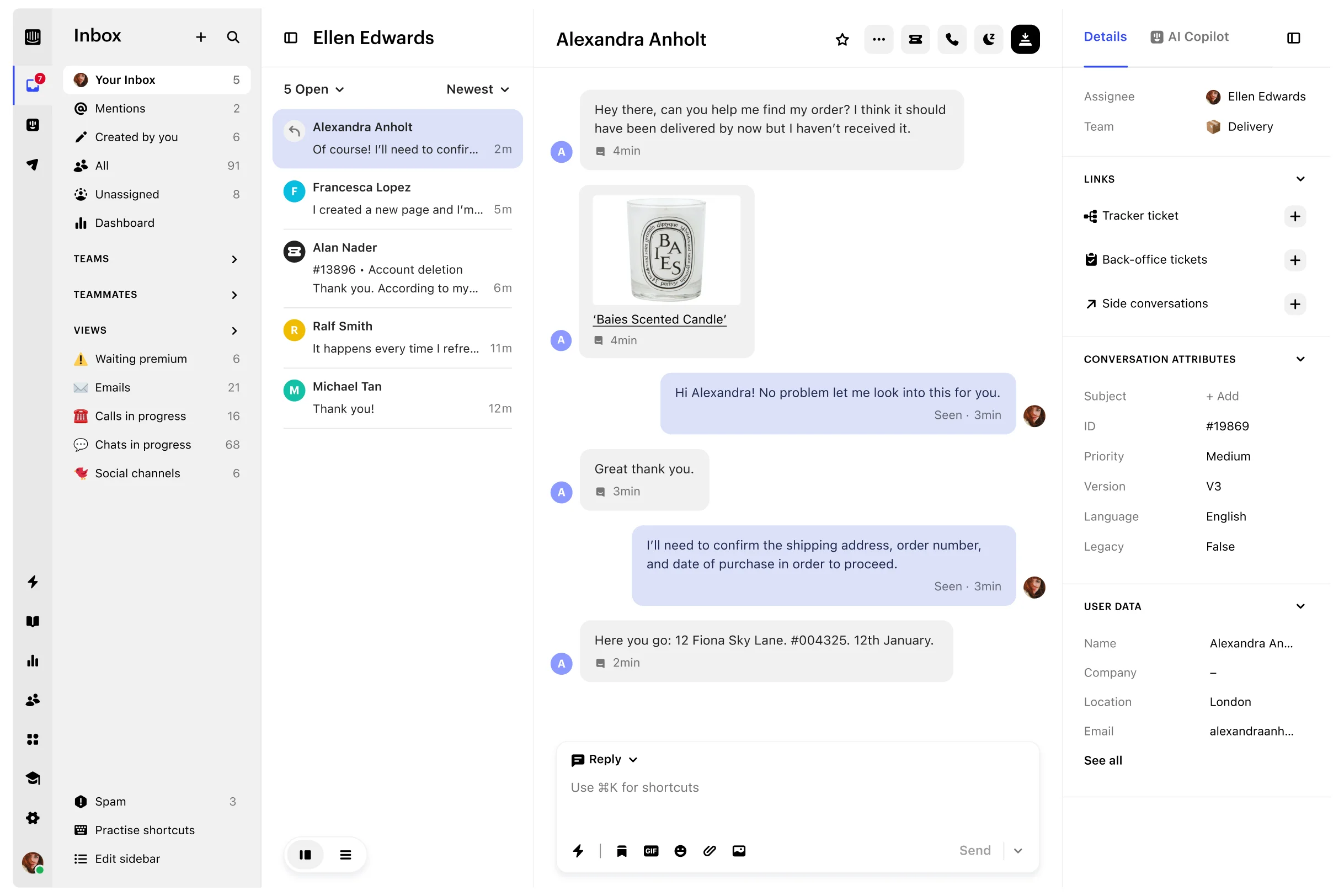
Intercom remains a strong choice for teams that want customer messaging, shared inbox and ticketing, a help center, automation, and customer-facing AI in one established platform.
What stands out
Intercom's current public plans are Essential, Advanced, and Expert. The pricing page lists annual seat equivalents of $29, $85, and $132, while the monthly rates are $39, $99, and $139. Fin AI is priced by outcome, starting at $0.99 for service resolutions and some handoffs. Essential includes Messenger, a shared inbox and ticketing system, prebuilt reports, and a public help center. Advanced adds multiple team inboxes, workflow automation, round-robin assignment, and a private or multilingual help center. Expert adds SSO, HIPAA support, SLAs, and multibrand capabilities.
That combination makes Intercom attractive when the support team owns both inbound conversations and proactive customer messaging. It also creates a more complicated bill: seats, Fin outcomes, campaigns, SMS, WhatsApp, phone, and add-ons should be modeled separately.
Best for
- Teams that want one customer-service platform for messenger, email, help content, and AI.
- Support organizations with a meaningful proactive messaging program.
- Companies that value a mature ecosystem and are willing to pay for broader scope.
Watch-outs
Intercom can be more platform than a small SaaS team needs. Its pricing model also makes low-volume and high-volume AI scenarios look very different. Ask whether your primary problem is customer messaging, agent workflow, AI resolution, or product-connected support before choosing the full platform.
Verdict
Choose Intercom when customer messaging and AI resolution are the center of the customer-service program. See the Intercom pricing guide for plan and team-size cost scenarios, then compare Intercom alternatives for B2B SaaS when support must connect more directly to product work or when you want a different pricing model.
4. Zendesk: best for formal service operations
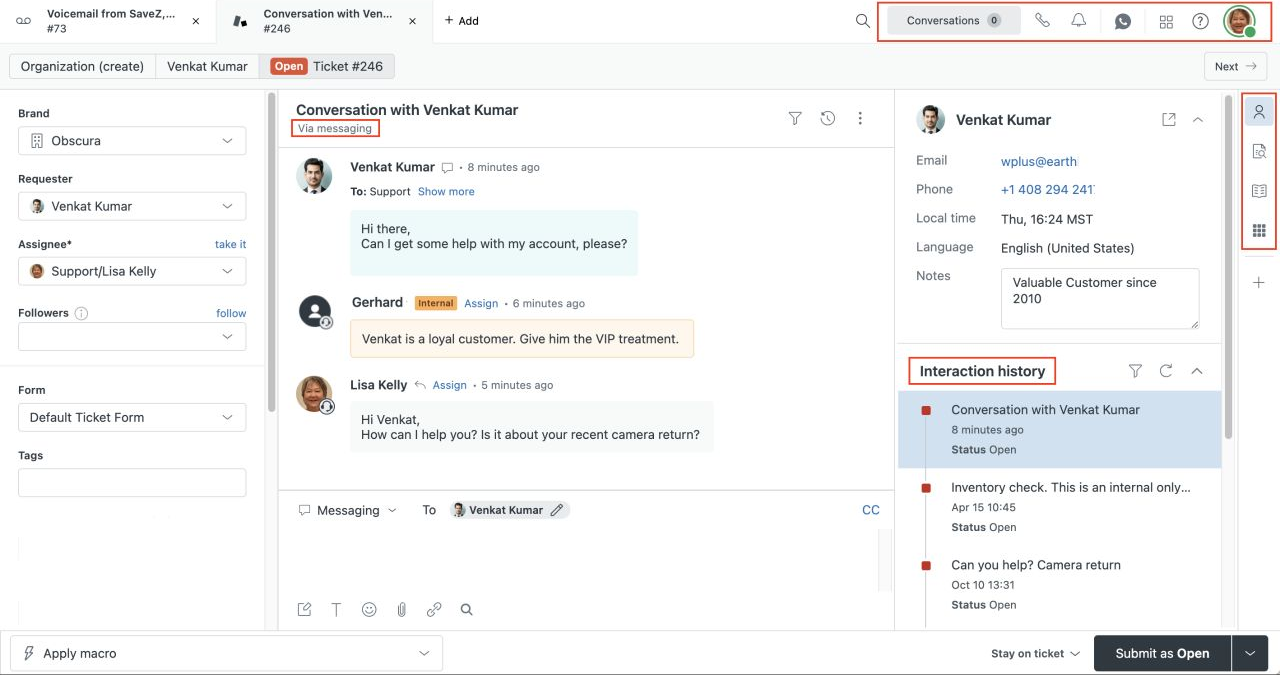
Zendesk is the safe shortlist choice for support organizations that need mature ticketing, routing, omnichannel channels, reporting, permissions, and governance.
What stands out
Zendesk's current public pricing starts with Support Team at $19 per agent per month paid yearly. Suite Team is $55 per agent per month, Suite Professional is $115, and the Enterprise tier is quote-led. Support Team includes email and ticketing, ticket routing, prebuilt analytics dashboards, customer context, and automations. Suite Team adds AI Agents, a knowledge base, omnichannel routing, messaging and live chat, and telephony.
This is a conventional service-operations model: define forms, groups, routing, service targets, reports, and escalation rules, then manage a queue at scale. It is a strength when governance and repeatability matter more than keeping the system small.
Best for
- Support teams with formal queues, roles, SLAs, and reporting requirements.
- Organizations that need a wide channel and integration ecosystem.
- Larger teams where dedicated support operations justify implementation and administration.
Watch-outs
Zendesk can be heavy for a product team that mainly answers in-app questions and shared Slack threads. AI, workforce, phone, and other capabilities can also expand the total bill beyond the advertised seat price. Our Zendesk pricing guide models those seat, add-on, and team-size costs, while the Userorbit vs Zendesk comparison focuses on the workflow tradeoff.
Verdict
Choose Zendesk when support operations are the product. Choose a lighter platform when your team needs to preserve customer context and connect support signals to product decisions without a long administration runway.
5. Help Scout: best for simple, email-first support
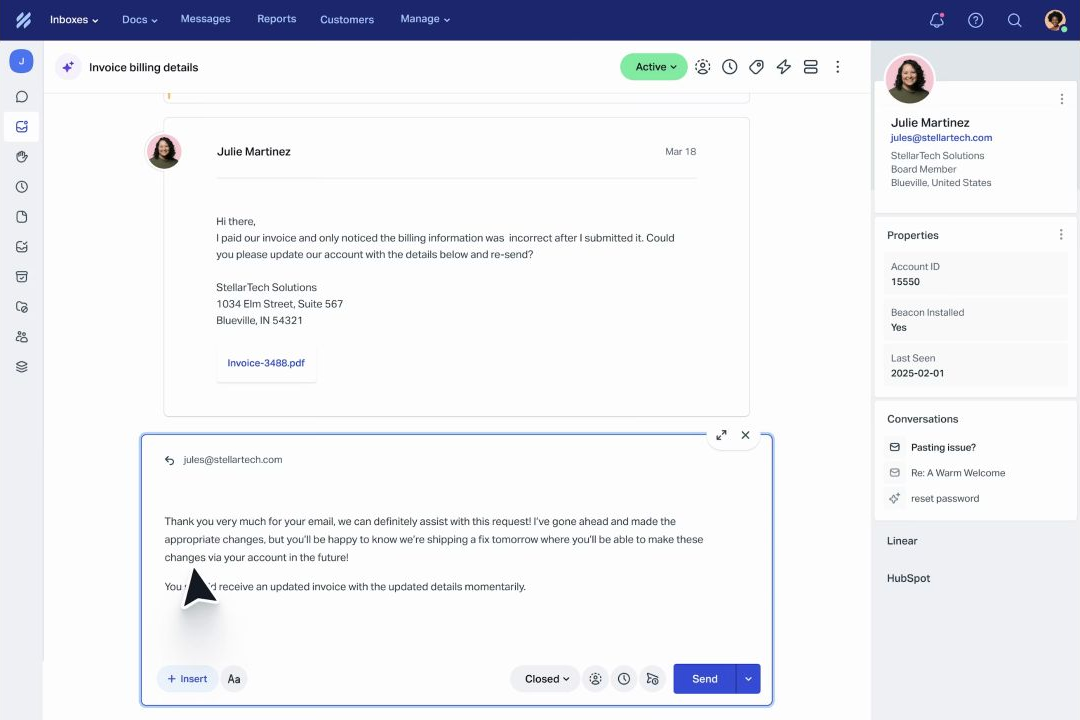
Help Scout is a good starting point for small and midsize SaaS teams that want a familiar shared mailbox, knowledge base, saved replies, and a manageable support workflow.
What stands out
Help Scout's public plans include Free for up to five users, Standard from $25 per user per month, Plus at $45, and Pro at $75. Standard includes multiple inboxes, live chat and SMS, additional messaging channels, a knowledge base, one basic SLA policy, workflows, tags, saved replies, and an AI inbox assistant. AI Answers is a separate outcome-priced add-on listed at $0.75 per resolution. See the Help Scout pricing guide for plan limits, add-ons, and team-size scenarios.
The product keeps the operating model understandable. A team can start with one inbox and a docs site, then add more channels, workflows, SLAs, permissions, and reporting as the support motion grows.
Best for
- Founders and small teams moving off a shared Gmail inbox.
- Email-led SaaS support with a useful knowledge base.
- Teams that want a lower-ceremony system before investing in a larger service platform.
Watch-outs
Help Scout is less differentiated for customer support that lives in shared Slack channels or must connect directly with product feedback and roadmap work. It can still be a good inbox, but the product loop may require integrations or manual handoffs.
Verdict
Choose Help Scout when email and self-serve documentation are the main support jobs. Choose Userorbit when the starting point is in-app or Slack support and the ending point is product learning.
6. Pylon: best for high-touch B2B customer channels
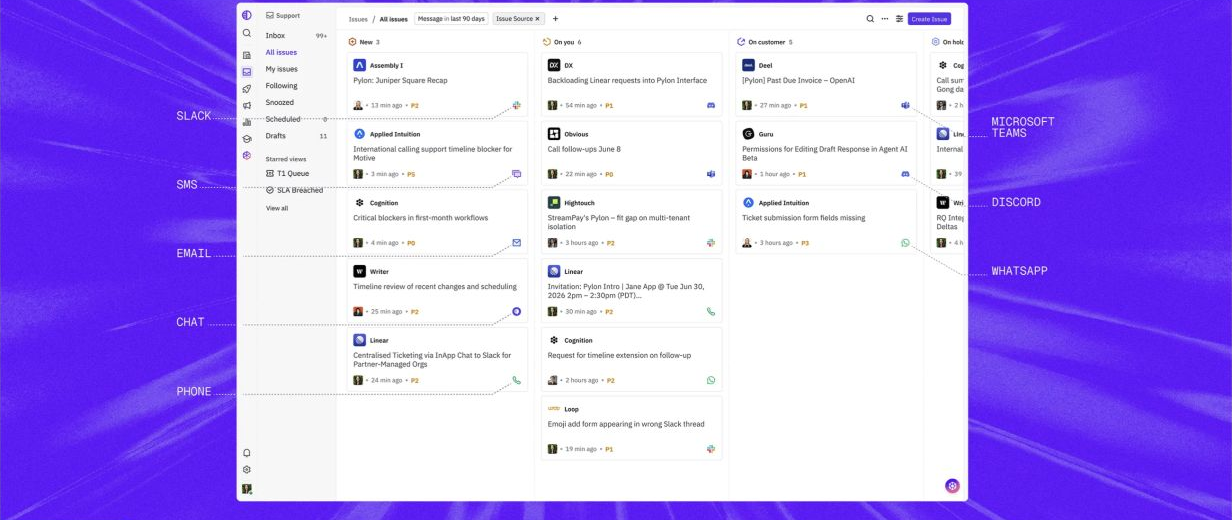
Pylon is designed for B2B support where customers already expect help in Slack, Microsoft Teams, email, chat, SMS, WhatsApp, or phone.
What stands out
Pylon treats the customer channel as part of the support system. Its current product positioning covers intake across business messaging and traditional support channels, account context, routing, agent-assisted investigation, and follow-up work. That is a different starting point from a classic email inbox: the support team is meeting customers where account relationships already happen.
Best for
- B2B SaaS companies supporting strategic accounts in Slack Connect or Teams.
- Customer-success-led support where account context matters as much as ticket fields.
- Teams that want agents to investigate across connected systems before replying.
Watch-outs
Pylon uses a quote-led buying motion, so a public price comparison is not available. Ask the quote to separate seats, channel coverage, AI usage, implementation, migration, and support. Also validate whether your team needs a customer-channel platform or a broader product-adoption system.
Verdict
Choose Pylon when high-touch customer communication is the primary support surface. Choose Userorbit when those conversations must also become feedback, roadmap input, help content, and adoption work.
7. Crisp: best for predictable workspace pricing
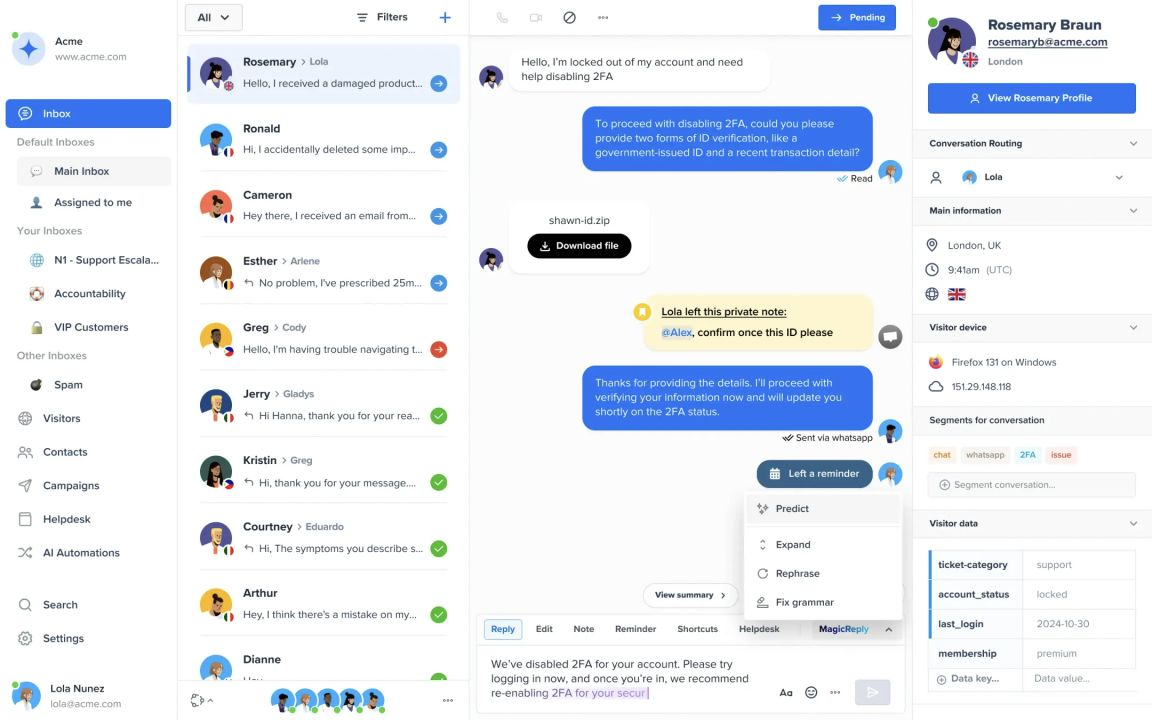
Crisp is a practical option for startups and small teams that want chat, a shared email inbox, a knowledge base, automation, and AI without buying every occasional collaborator as a full seat.
What stands out
Crisp prices its main plans by workspace. The current public page lists Free, Mini at $45 per month with four seats, Essentials at $95 with ten seats, and Plus at $295 with 20 or more seats. Mini adds a shared email inbox, while higher tiers add more customer data, automation, AI credits, and team capacity.
Workspace pricing can be easier to forecast for a small team where support, success, and product colleagues all need to collaborate occasionally. It is also worth checking the included customer-profile, automation, and AI-credit limits before assuming the workspace price is the whole bill.
Best for
- Early-stage companies that want chat and email in one collaborative workspace.
- Teams that prefer workspace pricing to a large seat-by-seat bill.
- Support programs that do not need deep product feedback or service-operations controls.
Watch-outs
Crisp is not the obvious choice for formal SLA governance, complex service operations, or a support-to-roadmap workflow. Teams replacing a more established helpdesk should test reporting, permissions, migration, and channel coverage with real conversations.
Verdict
Choose Crisp when a small team wants an approachable chat-and-inbox workspace. Choose Help Scout for a more email-and-docs-centered model, or Userorbit when the support queue needs product context.
8. Front: best for collaborative customer operations
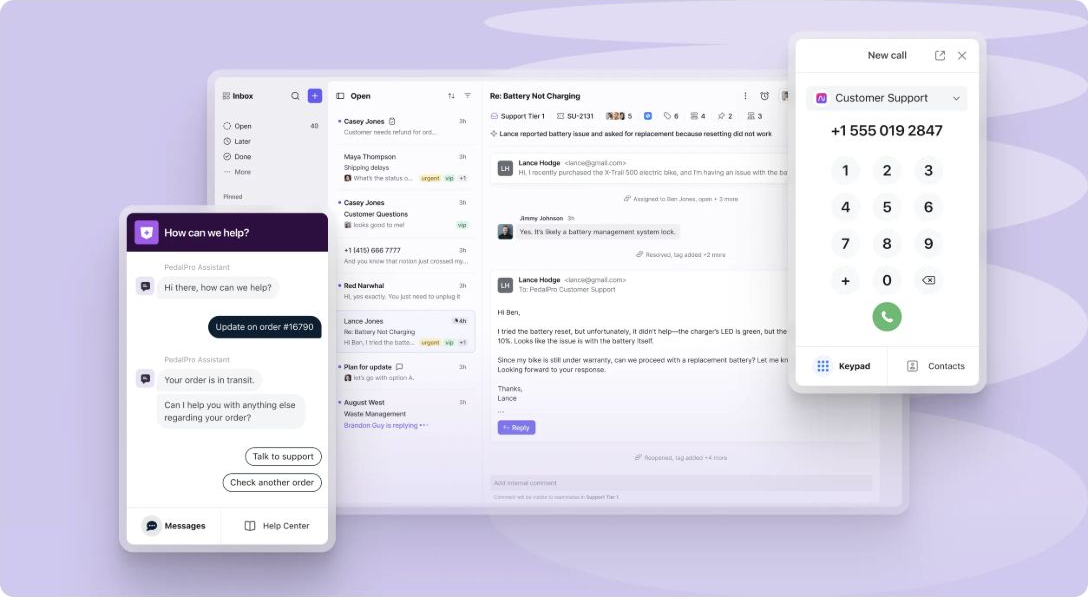
Front fits support, success, operations, and account teams that need shared inboxes, ticketing, internal collaboration, and multiple communication channels in one workspace.
What stands out
Front's current pricing lists Starter at $25 per seat per month for up to ten seats, Professional at $65 for up to 50 seats, and Enterprise at $105. Starter supports a single channel type and includes a shared inbox, ticketing, basic analytics, a no-code public knowledge base, and up to ten automation rules. Professional adds omnichannel support, advanced analytics, more rules, multiple workspaces, SSO, and SCIM. Enterprise adds unlimited rules and macros, custom roles, multilingual knowledge base support, and bundled AI capabilities.
Front is particularly good at bringing non-support teammates into customer work without making every interaction feel like a formal ticket. Its guest accounts, internal comments, shared drafts, assignments, views, and rules support cross-functional collaboration.
Best for
- Customer operations teams with support, success, and account-management overlap.
- Email-led support that is becoming more collaborative and multichannel.
- Companies that want operational flexibility and strong workspace controls.
Watch-outs
Front is a customer-operations workspace, not a native product feedback and roadmap system. If support evidence should directly influence product prioritization and adoption measurement, budget for the connection or evaluate a platform with that loop already attached.
Verdict
Choose Front when the hard problem is cross-functional customer coordination. Choose Zendesk when formal service operations dominate, or Userorbit when product context and feedback are the next step.
9. Chatwoot: best for self-hosting and data control
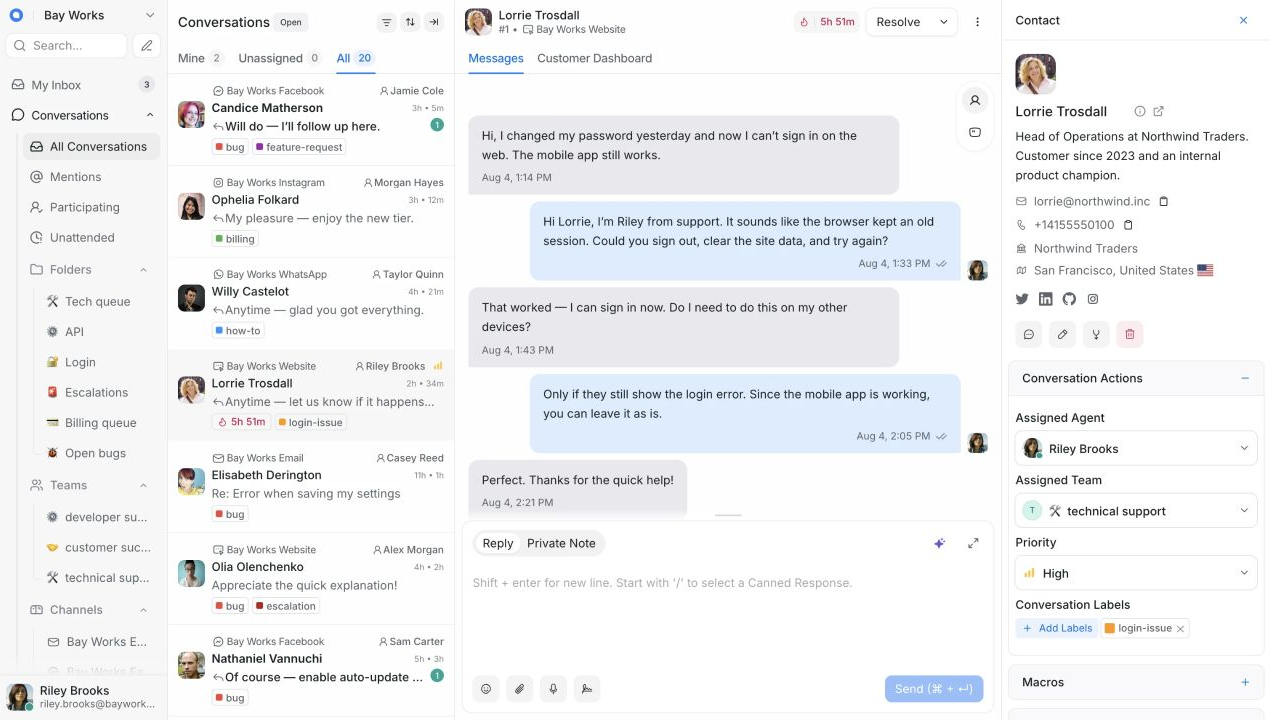
Chatwoot is the strongest option here for teams that want an omnichannel support inbox and are willing to own more of the infrastructure.
What stands out
Chatwoot offers a managed cloud product and a self-hosted path. Its current public pricing lists Startups at $19 per agent per month billed annually and Business at $39. The plans cover channels, a help center, private notes, labels, custom views, reports, and automation at different tiers. The self-hosted Community Edition is the relevant choice for teams that need open-source deployment and data ownership.
Self-hosting is a real operating model, not a checkbox. Someone must own deployment, upgrades, monitoring, backups, security, data retention, and incident response.
Best for
- Technical teams with a genuine deployment or data-residency requirement.
- Companies that want to customize or extend an open-source support platform.
- Teams that can fund infrastructure ownership instead of treating it as free software.
Watch-outs
Chatwoot requires a more technical evaluation than a managed SaaS inbox. Compare the total cost of operations, not only the license price. Also confirm whether the self-hosted version covers the permissions, reporting, automation, and AI capabilities your support team expects.
Verdict
Choose Chatwoot when self-hosting is a requirement. Choose a managed platform when the team would rather spend its time improving customer support than operating the support infrastructure.
Support software is not the same as a shared inbox
A shared inbox solves one narrow problem: multiple people can see and reply to messages from a common address or channel. Customer support software should solve the problems that appear immediately after that.
You need to know:
- Who owns the request?
- What is the customer waiting for?
- What plan, account, or product context changes the answer?
- Is this a one-off question, a bug, a feature request, or a documentation problem?
- What should happen if nobody replies?
- Can the answer go back through the channel where the customer asked?
- Can the team learn from the conversation after it is resolved?
If the answer to those questions lives in separate spreadsheets, Slack messages, and ticket tags, the inbox is only hiding the coordination cost. A good platform makes the next action visible and keeps the evidence attached to it.
Shared-inbox functionality to compare
For SaaS teams comparing shared inbox software, the useful answer is not simply “one queue.” The inbox must turn customer messages into owned, searchable work and preserve the context needed for the next reply and the next product decision. Before comparing logos, check whether each platform covers the full path from intake to learning:
| Capability | What the team should be able to do | Userorbit example |
|---|---|---|
| Intake | Bring customer requests into one queue without copying messages by hand | Receive widget, help-center, portal, email, Slack, API, and admin-created conversations in Support |
| Ownership | Make the next action visible and prevent requests from sitting unassigned | Work from My threads, Tasks, All threads, Not assigned, and saved Views; assign teammates and set status or priority |
| Context | See the evidence that changes the answer without opening several systems | Review the customer, company, source channel, timeline, linked work, prior conversations, and internal discussions from the thread |
| Collaboration | Let product, engineering, and success teammates contribute privately | Add an internal note or discussion while keeping the customer-facing reply separate |
| Reply path | Answer in the place where the customer started the conversation | Reply through the originating channel instead of forcing every customer into a new portal |
| Follow-up | Route, label, snooze, escalate, and measure work consistently | Use labels, tiers, saved views, SLAs, and trigger-based workflows for routing and follow-up |
| Learning | Preserve what the conversation teaches after it is resolved | Link related feedback, roadmap work, help content, and tasks to the support thread |
The important distinction is between a shared mailbox and a support operating system. A mailbox gives several teammates access to the same messages. Functionality such as ownership, customer context, private collaboration, service targets, automation, and linked product work determines whether the team can operate the queue as volume grows.
For Userorbit, the Support Suite overview documents the live queue and thread model, while the Support Suite product page shows how in-app, email, and Slack support sit beside feedback, help content, and roadmap work. The Support Suite launch guide gives the longer workflow story; check the pricing page for current plan access before planning a rollout.
Slack customer support functionality to compare
Slack support is not the same as sending internal ticket notifications to Slack. A real customer-channel workflow has to preserve the customer conversation while giving the support team operational controls.
| Slack job | What to verify in a product demo |
|---|---|
| Choose the intake boundary | Can the team select which connected channels create support work, and decide whether to capture a whole channel, one thread per top-level message, or only requests the team explicitly sends into support? |
| Keep the conversation intact | Are the source channel, thread context, attachments, edits, and deletions represented in the support record? |
| Triage in one queue | Can an agent assign the request, set status and priority, apply labels, see account context, and start an internal discussion without losing the Slack source? |
| Reply to the customer | Does a customer-facing reply return to the originating Slack conversation and remain saved in the support system? |
| Notify the internal team | Can new-thread alerts, personal notifications, and daily or weekly queue digests go to a chosen internal Slack channel without turning every alert into customer-facing support? |
| Close the product loop | Can the team connect a support thread to feedback, a task, roadmap work, or a help article, while avoiding duplicate feedback records? |
Customer-channel Slack versus internal Slack alerts
Use this distinction when evaluating a Slack integration:
| Situation | Correct operating model |
|---|---|
| A customer asks for help in a connected Slack channel | Create or route a support thread, triage it in the shared inbox, and send the final answer back through that Slack conversation. |
| The support team needs to know that a new email or widget request arrived | Send an internal alert or digest to Slack; the alert is a notification about support work, not the customer conversation itself. |
| A teammate replies directly inside an internal notification thread | Treat it as an internal note unless they deliberately choose the customer-reply action. This prevents internal coordination from leaking to a customer. |
| A Slack message contains a product request | Send the message or full thread to feedback, check for a duplicate, and keep the support-channel rules in mind so one customer message does not become two records. |
Userorbit documents these boundaries in its guides for choosing how Slack messages become support threads, Slack support notifications and digests, and replying to a customer from a Slack support notification. The practical test is simple: ask a vendor to demonstrate one customer-originated Slack thread and one internal queue alert, then verify that their reply permissions, history, and ownership rules remain distinct.
A lightweight Slack-support rollout
- Start with one customer segment or one connected channel, not every Slack space at once.
- Decide which messages should become support threads and which remain informal conversation.
- Define an owner, response target, escalation path, and internal discussion rule before turning on alerts.
- Test a customer reply, an internal note, an attachment, an edited message, and a reopened request.
- Add a small set of labels and a saved view for Slack-originated work; avoid building a taxonomy nobody maintains.
- Connect repeated issues to feedback or help content, and review duplicate handling before expanding the rollout.
Teams that want automatic acknowledgements should also verify channel-specific rules. Userorbit's automatic support reply guide supports Chat, Email, Slack, and API rules and allows published help articles to be suggested with the first response.
A practical customer-support software bake-off
Do not compare tools with a generic demo. Give each vendor the same small test.
Use five representative conversations:
- an in-app setup question that needs account context;
- a Slack request from a strategic customer;
- an email that needs an internal product discussion;
- a repeated question that should become a help article;
- a feature request that belongs beside feedback and roadmap work.
Then score each platform on:
| Test | What to verify |
|---|---|
| Intake | Does the request enter the right queue without manual copying? |
| Context | Can the agent see the account, history, plan, and relevant product evidence? |
| Ownership | Can the team assign, label, prioritize, snooze, and save a useful view? |
| Collaboration | Can teammates discuss privately without exposing internal notes? |
| Reply path | Does the answer return through the originating channel? |
| Automation | Can repetitive routing and follow-up happen without hiding the customer? |
| Learning | Can the conversation become a feedback item, roadmap input, or help article? |
| Cost | What is the bill at the current team size, next team size, and expected AI volume? |
| Migration | What happens to messages, attachments, notes, fields, automations, and history? |
Keep the same sample data and success criteria for every vendor. A polished demo is not evidence that your team can operate the queue on a busy Tuesday.
How to implement the choice without creating another support silo
The software is only half the implementation. Define the operating contract before you move channels.
1. Write down the sources of truth
List every place a customer can ask for help: in-app, help center, support email, Slack, Teams, chat, phone, sales, and customer-success channels. Decide which sources should create a trackable support thread and which remain informal.
2. Define ownership and service targets
Choose who owns triage, who owns technical investigation, and who can send the final reply. Set first-response and resolution targets only where the team can actually honor them. An SLA without an owner is just a more formal way to miss a message.
3. Create a small taxonomy
Start with a few useful fields: product area, request type, urgency, customer segment, plan, and outcome. Avoid creating 60 labels before the team has used the first six.
4. Give AI a safe job
Use AI first for summaries, classification, suggested replies, duplicate detection, and routing. If it answers customers directly, define which sources it can trust, when it must hand off, and how a human reviews uncertain cases.
5. Pilot before migrating everything
Run the new workflow on one channel or one customer segment. Review missed requests, duplicate threads, incorrect routing, stale help content, and replies that lost the original context.
6. Connect support to product work
When the same issue appears repeatedly, keep the evidence. Link it to feedback, a roadmap decision, a help article, a product tour, or an announcement. The point is not to turn every support conversation into a feature request; it is to stop losing the pattern.
7. Measure the first month
Track first-response time, next-response time, resolution time, reopen rate, backlog age, escalation rate, self-serve deflection, AI handoff quality, and the number of recurring issues that became product or documentation work.
For a deeper feedback workflow, see the complete guide to customer feedback collection and the guide to building a closed customer feedback loop.
Customer support software FAQ
Short answers for B2B SaaS teams choosing a support inbox, helpdesk, or customer-channel platform.
The verdict
The best customer support software for B2B SaaS is the platform that matches the way customers ask for help and the work your team needs to do afterward.
- Choose Userorbit when support should improve product adoption and feed feedback, roadmap, and help content.
- Choose Plain when technical B2B support lives in Slack and needs developer context.
- Choose Intercom when customer messaging and Fin AI are the center of the program.
- Choose Zendesk when formal service operations, governance, and channel breadth dominate.
- Choose Help Scout when email-first support and documentation should stay simple.
- Choose Pylon when strategic customers already expect high-touch support in Slack or Teams.
- Choose Crisp when a small team wants workspace pricing and chat.
- Choose Front when support and customer operations need shared drafts, views, and cross-functional collaboration.
- Choose Chatwoot when self-hosting and data control justify owning the infrastructure.
Start with the five-conversation bake-off, not a feature-counting exercise. The right support platform should make the next customer answer faster and make the next product decision better informed.
Give your support queue a product loop
Bring customer conversations, feedback, roadmap work, help content, and adoption signals into one Userorbit workspace.