Zendesk is the strongest fit for governed service operations, Intercom is the strongest fit for AI-first customer messaging, and Userorbit is the strongest fit when a product-led SaaS team wants support connected to feedback, roadmap, onboarding, help content, and adoption work. The right choice depends on whether your main problem is service-operations depth, omnichannel engagement, or the customer-to-product loop around each conversation.
Verified on October 15, 2026. Prices are in USD and use each vendor's public pricing view; confirm the live quote, usage meters, and plan availability before buying.
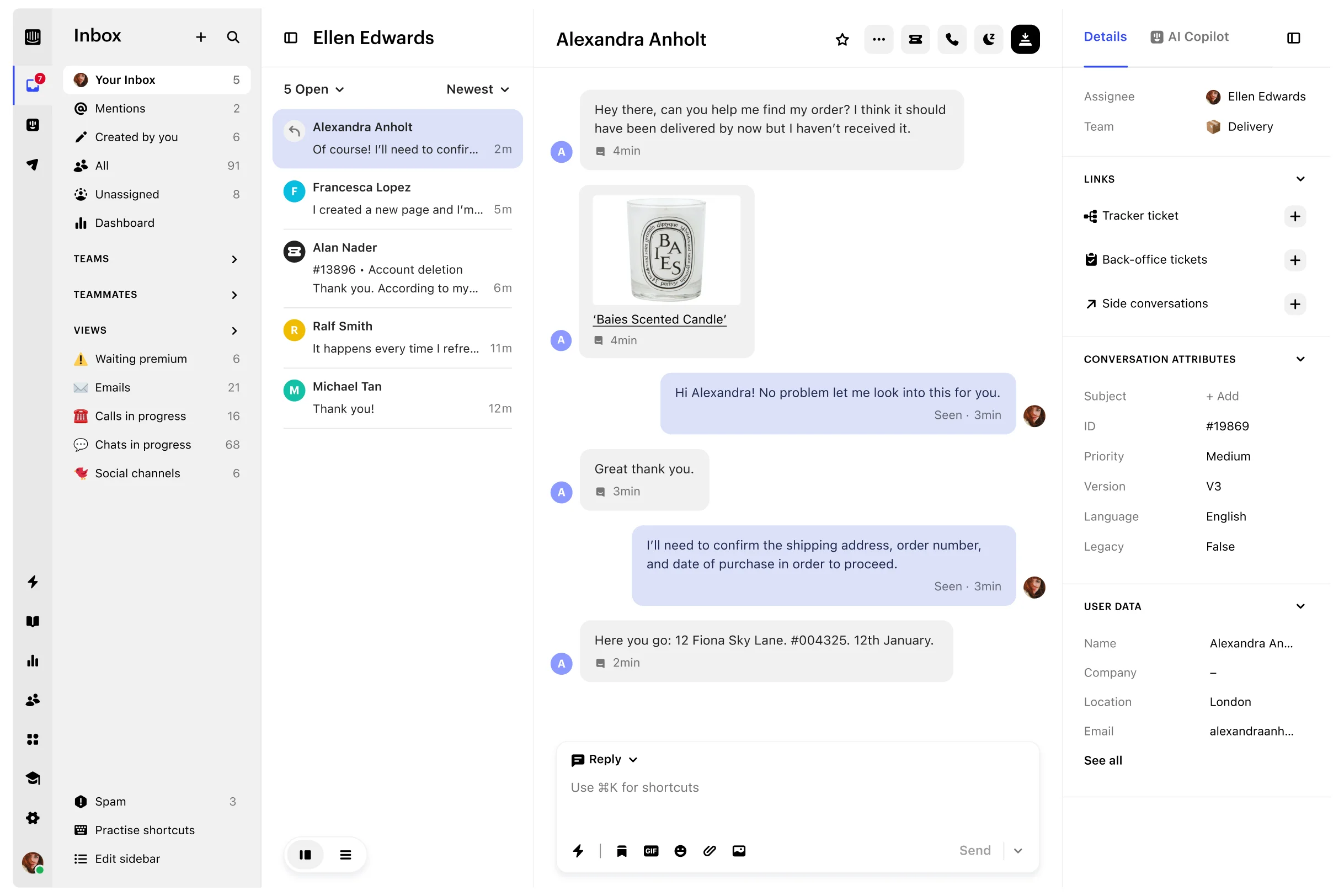
Userorbit Support Suite inbox with saved views and customer conversations

Zendesk vs Intercom vs Userorbit at a glance
| Platform | Best fit | Core pricing unit | Public starting point | Main trade-off |
|---|---|---|---|---|
| Zendesk | Formal service operations and governed omnichannel support | Agents, AI outcomes, and add-ons | Support Team: $19/agent/month annually; Suite Team: $55 | Deep routing, reporting, governance, and channels add administration and usage complexity |
| Intercom | Customer messaging, shared Inbox, and AI-first resolution | Full seats, Fin outcomes, and channel usage | Essential: $29/seat/month annually; Fin from $0.99/outcome | Strong engagement and AI depth, but the bill grows with seats, outcomes, channels, and add-ons |
| Userorbit | Product-led SaaS support connected to product work | Workspace plan and MAU allowance | Scale: $249/month annually; 10,000 MAUs | Support Suite starts on Scale, so a support-only buyer should compare the broader workflow value |
The short version is useful, but it hides the decision. Zendesk and Intercom are primarily support-service platforms. Userorbit includes a support inbox inside a broader product-experience workspace. Compare the operating model, not just the logo or lowest entry price.
The three products solve different support problems
Zendesk: service operations as the system of record
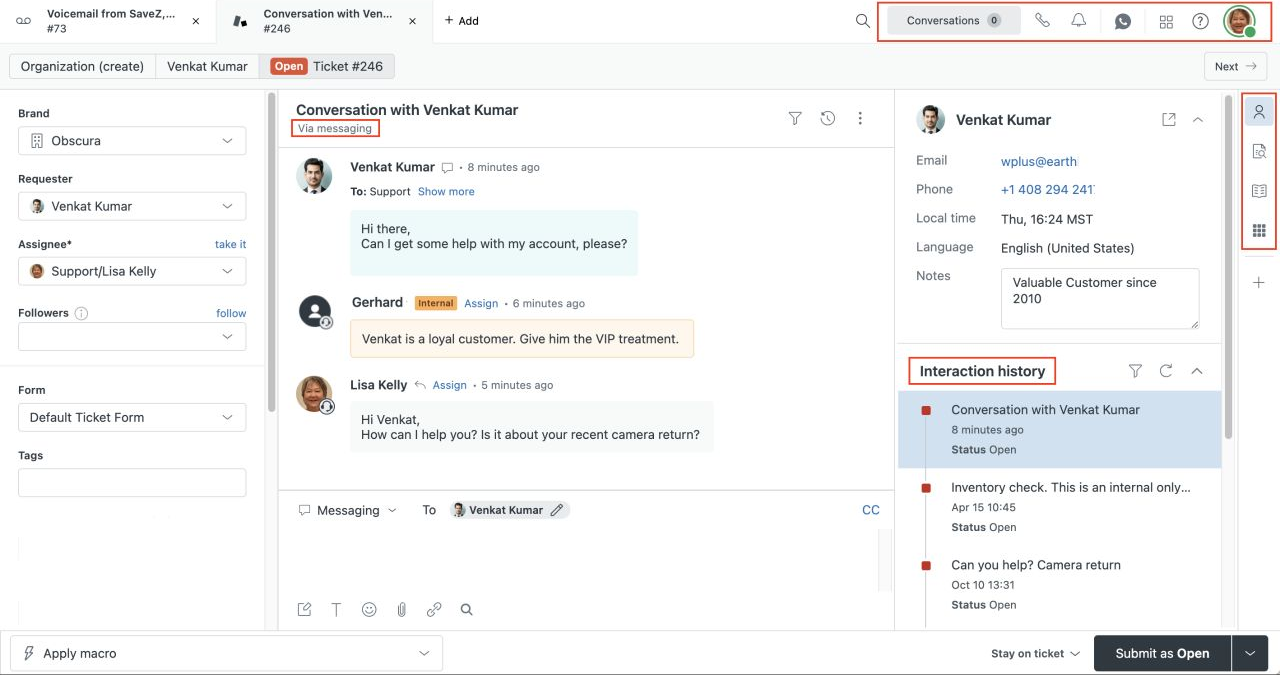
Zendesk is built for teams that need a formal ticketing and service-management operation. Support Team covers email and ticketing, routing, prebuilt analytics, customer context, automations, and triggers. Suite Team adds AI agents, a knowledge base, Action Builder, omnichannel routing, messaging, live chat, and telephony. Suite Professional adds skills-based routing, IVR, deeper AI assistance, and operational reporting; Enterprise is quote-led and adds stronger governance controls.
Choose Zendesk when support needs repeatable queues, complex routing, phone or broad channel coverage, service reporting, permissions, and a mature marketplace. Its depth is valuable when support operations are the product. It can be more system than a product team needs when customers mostly ask in-app questions, email, or Slack and the team also owns onboarding and product learning.
Intercom: customer messaging plus outcome-priced AI
Intercom puts Messenger, the shared Inbox, ticketing, help content, outbound engagement, and Fin in one customer-service platform. Essential starts at $29 per full seat per month on the public annual view. Advanced is $85 and adds multiple team Inboxes, workflow automation, round-robin assignment, a private or multilingual Help Center, and 20 Lite seats. Expert is $132 and adds SSO, HIPAA support, SLAs, multibrand capabilities, and 50 Lite seats.
Fin is a separate usage dimension: Intercom lists it from $0.99 per outcome. Email campaigns, SMS, WhatsApp, phone, Copilot, Proactive Support Plus, and other products can add more usage or subscription cost. This model works well when customer messaging and automated resolution are central; it requires a realistic forecast of seats, outcomes, channels, and add-ons.
Userorbit: support inside a customer-product loop
Userorbit Support Suite brings in-app, Help Center, email, and connected Slack requests into one shared inbox. It adds channel-aware replies, AI-assisted summaries and drafts, no-code routing and follow-up workflows, customer and company context, internal discussions, tiers, SLA tracking, saved views, and direct handoffs into feedback, roadmap, and help content.
The distinction is important: Userorbit is not positioning itself as a phone-first contact center or a full enterprise service-management replacement. It is a stronger fit when the same SaaS team owns support, onboarding, feedback, roadmap communication, help content, analytics, and adoption. The Support Suite overview documents the inbox and thread model, while the Support Suite product page shows the connected workflow.
Pricing: compare the meters before the totals
Public plan comparison
| Platform | Entry plans relevant to this decision | What is included in the headline price | What can change the real bill |
|---|---|---|---|
| Zendesk | Support Team $19 annual / $25 monthly; Suite Team $55 annual / $69 monthly; Suite Professional $115 annual / $149 monthly per agent | Ticketing and routing on Support; AI agents, knowledge base, omnichannel routing, messaging, live chat, and telephony on Suite Team | Automated resolutions, Copilot at $50/agent/month annually, Workforce Engagement at $50/agent/month, Contact Center at $83/agent/month, phone usage, and implementation |
| Intercom | Essential $29 annual / $39 monthly; Advanced $85 / $99; Expert $132 / $139 per full seat | Inbox, ticketing, Fin, reports, and public Help Center on Essential; deeper workflows, inboxes, security, and multibrand features on higher plans | Fin at $0.99/outcome, Copilot, Pro and Proactive Support Plus add-ons, email campaigns, SMS, WhatsApp, and phone usage |
| Userorbit | Growth $95/month annual view; Scale $249/month annual view; Enterprise custom | Growth includes product tours, checklists, announcements, analytics, feedback, and 5,000 MAUs; Scale adds Support Suite, knowledge base, demos, advanced AI, and 10,000 MAUs | MAU and event limits, plan scope, custom Enterprise requirements, and whether the team would otherwise buy separate feedback, roadmap, onboarding, help, analytics, or demo tools |
Userorbit's price is not directly comparable to an agent seat: Scale is a workspace plan with a 10,000-MAU allowance, while Zendesk and Intercom primarily meter the support team by agents or full seats. Conversely, Zendesk and Intercom's headline numbers do not include every AI or channel meter. Make the pricing unit explicit in the business case.
What would a 10-person team pay before usage?
This illustration multiplies public annual-billing seat prices for ten full-time support seats. It is not a feature-equivalent quote and excludes taxes, implementation, AI outcomes, paid channels, and negotiated discounts.
| Platform or plan | Base monthly equivalent | What the number means |
|---|---|---|
| Zendesk Support Team | $190 | 10 agents × $19; email-and-ticketing baseline |
| Zendesk Suite Team | $550 | 10 agents × $55; broader channels and AI-agent capability |
| Zendesk Suite Professional | $1,150 | 10 agents × $115; advanced routing, reporting, and IVR |
| Intercom Essential | $290 | 10 full seats × $29; Fin and paid channel usage are extra |
| Intercom Advanced | $850 | 10 full seats × $85; includes deeper workflow and inbox features |
| Intercom Expert | $1,320 | 10 full seats × $132; includes enterprise-oriented controls |
| Userorbit Growth | $95 | Workspace plan, but Support Suite is not included |
| Userorbit Scale | $249 | Workspace plan with 10,000 MAUs and Support Suite; not priced per seat |
For a small email-only queue, Zendesk Support Team can be the cheaper narrow tool. For a product-led SaaS team comparing the whole operating stack, Userorbit Scale may replace more adjacent systems. For a team with high Fin resolution volume or paid messaging channels, Intercom's seat total is only the first line in the model.
Feature and workflow comparison
| Capability | Zendesk | Intercom | Userorbit |
|---|---|---|---|
| Shared inbox and ticketing | Mature ticketing, unified agent workspace, routing, views, and service controls | Inbox, ticketing, multiple team Inboxes on Advanced+, and customer messaging | Shared inbox with My threads, Tasks, All threads, Not assigned, Views, labels, tiers, and tasks |
| In-app and email support | Strong email, messaging, and web/mobile support; plan and channel details vary | Messenger, inbound support email, in-app chats, and outbound engagement | In-app, Help Center, and connected email requests in the same queue |
| Slack customer support | Check the exact connector and reply workflow for the intended Slack model | Slack integration mirrors connected channels into Inbox; test customer-channel ingestion, reply behavior, and ownership in your workspace | Connected Slack messages and mentions become support threads; replies return to the originating Slack conversation |
| AI | AI agents are included in Support and Suite plans and billed by successful automated outcomes; Copilot is an add-on | Fin is available across plans and priced by outcome; Copilot and operational AI add-ons are separate | Ask AI answers from published help content; agent assistance summarizes, drafts, classifies, and suggests fields for human review |
| Automation and triage | Triggers, automations, routing, Action Builder, skills-based routing, and IVR at higher tiers | Workflows, assignment, round robin, bots, ticketing, and workload controls | No-code workflows route, assign, label, prioritize, wait, notify Slack, and call webhooks |
| Help content | Knowledge base and Help Center depth grows with Suite plan | Public Help Center on Essential; private, multilingual, and multibrand options on higher tiers | Knowledge base on Scale and Enterprise, connected to Ask AI, inbox context, and product communication |
| SLAs and governance | Strong service operations, reporting, permissions, sandbox, and enterprise governance | SLAs, SSO, HIPAA, multibrand, and Lite seats on Expert | Support tiers and SLA targets on the Support Suite; custom SLA, dedicated support, and deployment options on Enterprise |
| Product adoption loop | Support and service reporting are the center of gravity | Product tours, surveys, and outbound formats are available through Proactive Support Plus | Native tours, checklists, announcements, feedback, roadmap, analytics, demos, help, and support in one workspace |
The product-adoption row is the main reason this is not a simple three-way helpdesk scorecard. A support platform is part of a wider SaaS system: decide whether the next action after a conversation is another ticket, an automated resolution, or a product change that should be documented and adopted.
Which platform fits each SaaS buying situation?
Choose Zendesk when service operations are the product
Zendesk belongs on the shortlist when you need:
- formal ticketing, routing, queues, roles, and service reporting
- voice, messaging, and omnichannel coverage managed as a support operation
- mature governance, sandboxing, marketplace integrations, or enterprise controls
- an operating model where support administration and specialization justify the setup
Do not choose it solely because your team has a shared inbox problem. First estimate the configuration, migration, training, AI, channel, and renewal work required to use the depth you are buying.
Choose Intercom when messaging and autonomous resolution are central
Intercom belongs on the shortlist when you need:
- Messenger, inbound support, outbound customer communication, and Inbox in one platform
- Fin to resolve customer requests across supported channels with outcome-based pricing
- multiple team inboxes, workflow automation, round-robin assignment, and customer-service campaigns
- higher-tier security, SLA, multibrand, or Lite-seat capabilities
Model Fin outcomes separately from human-seat cost. If your team mainly needs a product-connected support queue and does not use Intercom's messaging or AI depth, compare whether the additional pricing layers are buying a real operating advantage.
Choose Userorbit when support should improve what you build next
Userorbit belongs on the shortlist when you need:
- in-app, Help Center, email, and Slack support with the reply returning to the source channel
- customer context, internal discussions, AI-assisted triage, no-code workflows, tiers, and SLA tracking
- recurring support conversations to become feedback, roadmap input, help content, or adoption work
- one workspace for support, onboarding, feedback, announcements, analytics, demos, and product adoption
The pricing page lists Support Suite on Scale and Enterprise. Scale is $249/month in the annual view with 10,000 MAUs; Enterprise adds custom limits, SLA, dedicated support, and self-hosting options. Growth is $95/month in the annual view but does not include the Support Suite inbox, so do not position Growth as the support plan.
Implementation and migration: the decision after the demo
The most expensive mistake is choosing a platform by its feature list, then discovering that the team cannot reproduce the working support process. Run the same proof-of-concept across all three products:
- Map real intake. Use one in-app request, one support email, one Slack customer thread, and one escalated or high-priority case.
- Test ownership. Assign the cases, add internal discussion, apply a label or tier, set a target, and confirm what another teammate can see.
- Test the reply path. Reply from the agent workspace and verify that the customer receives the answer in the expected channel with the expected identity.
- Test AI boundaries. Separate customer-facing autonomous answers from agent summaries and drafts. Record the unit charged for each automated outcome or add-on.
- Test the product handoff. Turn a recurring issue into a help article, feedback item, roadmap decision, or announcement. Confirm whether that handoff is native, integrated, or manual.
- Export before cutover. Preserve conversations, contacts, companies, attachments, internal notes, custom fields, automations, reports, and help content. Do not assume an importer preserves every object or timestamp.
- Pilot before retiring history. Run a small queue, keep the old system read-only, check first-response and resolution targets, and measure manual work created by the migration.
Zendesk publishes migration and export guidance for tickets, users, and organizations. Intercom documents conversation exports through its API or cloud-storage path as well as contact and company exports. Userorbit does not advertise a public one-click Zendesk or Intercom importer on the sources checked for this guide, so confirm exact import assistance and object coverage before signing.
The practical decision rule
Use this sequence with your buying team:
- If phone, broad omnichannel governance, complex routing, or a large service organization is the center of gravity, start with Zendesk.
- If Messenger, outbound engagement, Fin, and customer-service campaigns are the center of gravity, start with Intercom.
- If support must share context with onboarding, feedback, roadmap, help, announcements, analytics, or demos, start with Userorbit.
- If two models still fit, compare the full cost at current and next-year volume, including seats, MAUs, outcomes, channels, add-ons, implementation, and adjacent tools you can remove.
- Keep the incumbent when the migration does not solve a material operating problem.
For a broader shortlist, read Best Customer Support Software for B2B SaaS. For the larger Intercom replacement landscape, see Best Intercom Alternatives. The direct Userorbit vs Intercom comparison covers the pairwise workflow details; this page keeps the three-way support decision on one canonical URL.
Sources and update note
Pricing, plan features, AI usage, and channel boundaries were checked on October 15, 2026 against Zendesk pricing, Zendesk Suite plan types, Intercom pricing, Intercom's pricing calculator, Intercom's Slack channel guide, Userorbit pricing, the Userorbit Support Suite page, and the Support Suite overview. Migration statements were checked against Zendesk migration guidance, Zendesk account exports, Intercom conversation exports, and Intercom contact and company exports. Verify live pricing and workspace entitlements before purchase.
Zendesk vs Intercom vs Userorbit FAQ
Short answers for SaaS teams comparing support operations, AI pricing, product workflows, and migration effort.