

In-App Help Center & Knowledge Base
Empower users to find answers instantly with a searchable, contextual help center embedded right in your product. Reduce support tickets and improve user satisfaction.
Start for free, no credit card required
Reduce Support Tickets with Self-Service Help
Build a comprehensive knowledge base that answers user questions before they need to contact support. Keep your documentation organized, searchable, and always up-to-date.
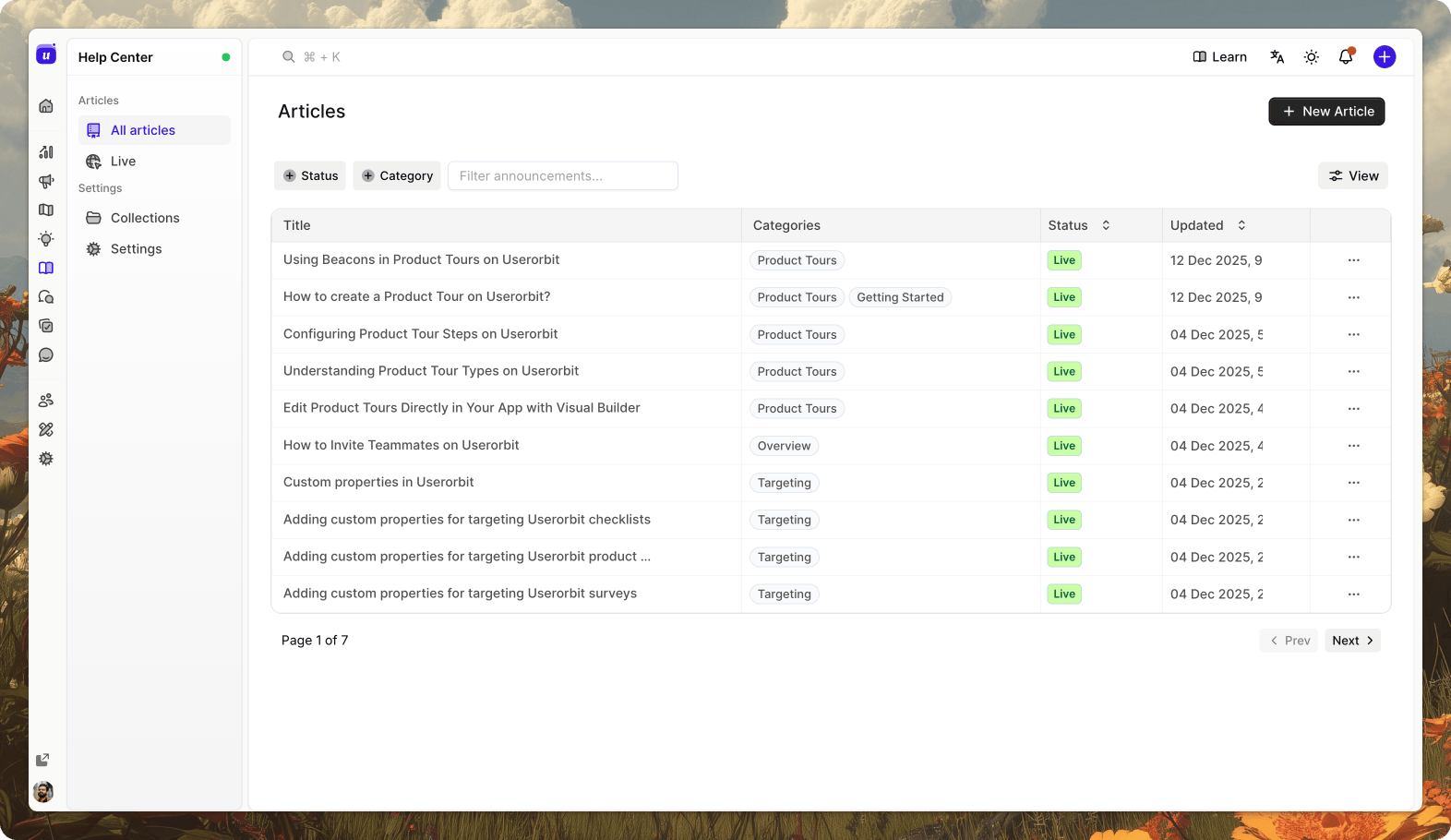
Create and Organize Content Easily
Write help articles with our rich text editor. Organize content into categories, add images and videos, and keep everything up-to-date. No coding required.
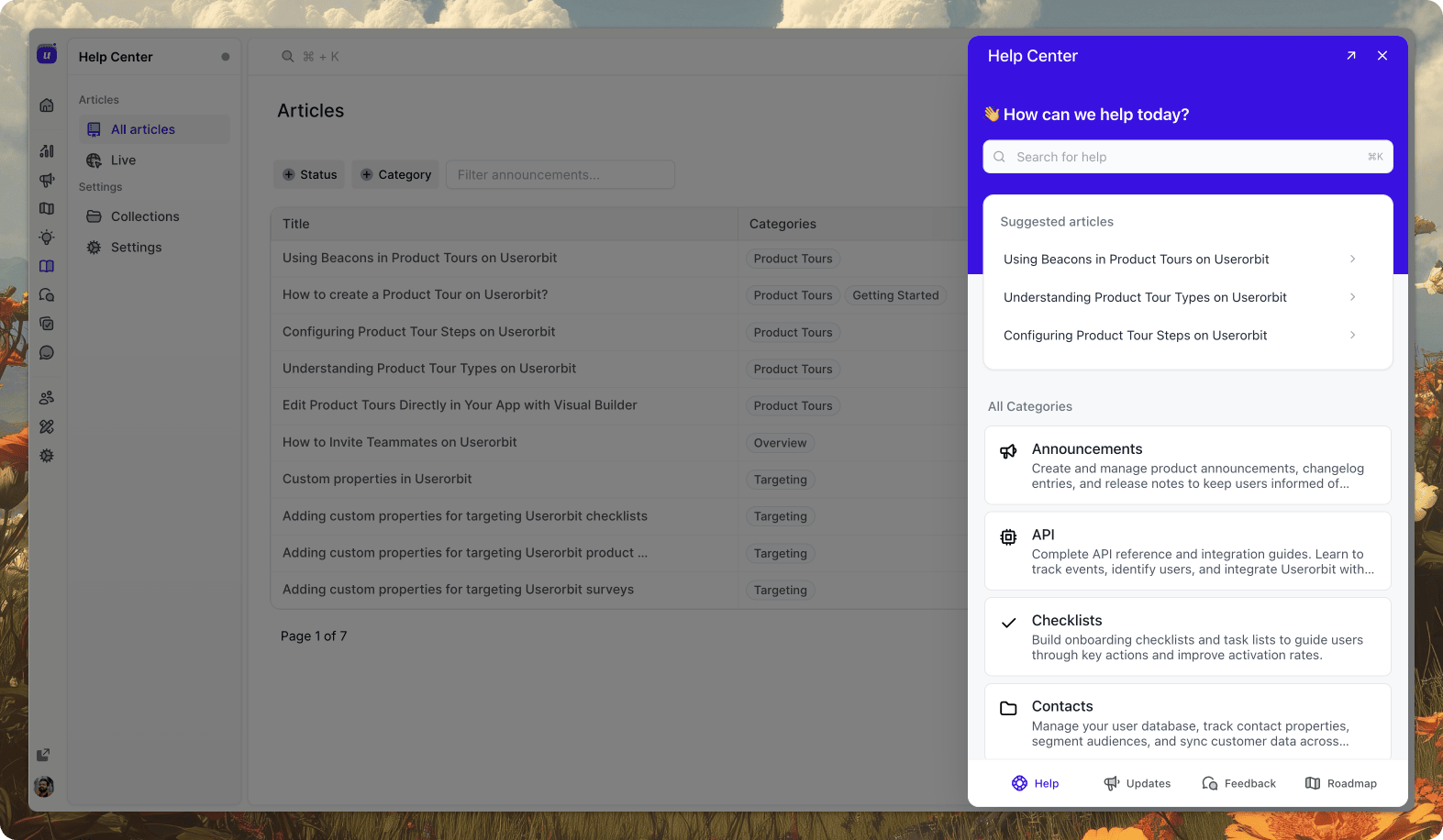
In-App Help Center Widget
Embed a contextual help widget directly inside your app. Users get relevant answers without leaving the page—access articles and search knowledge base from anywhere.
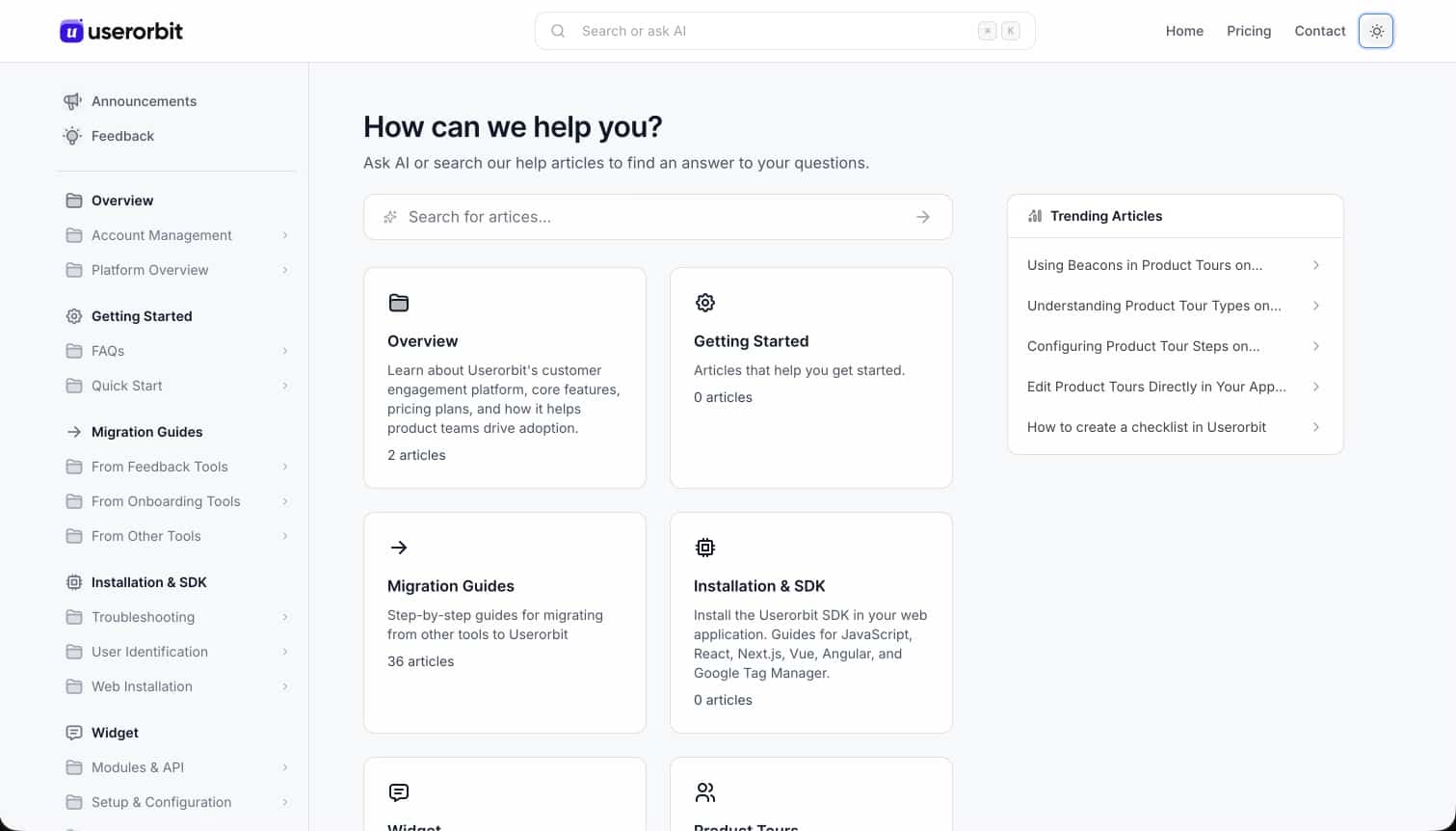
Public Portal for Self-Service
Launch a fully branded public help center so users can access guides without logging in. Make answers discoverable via search engines.
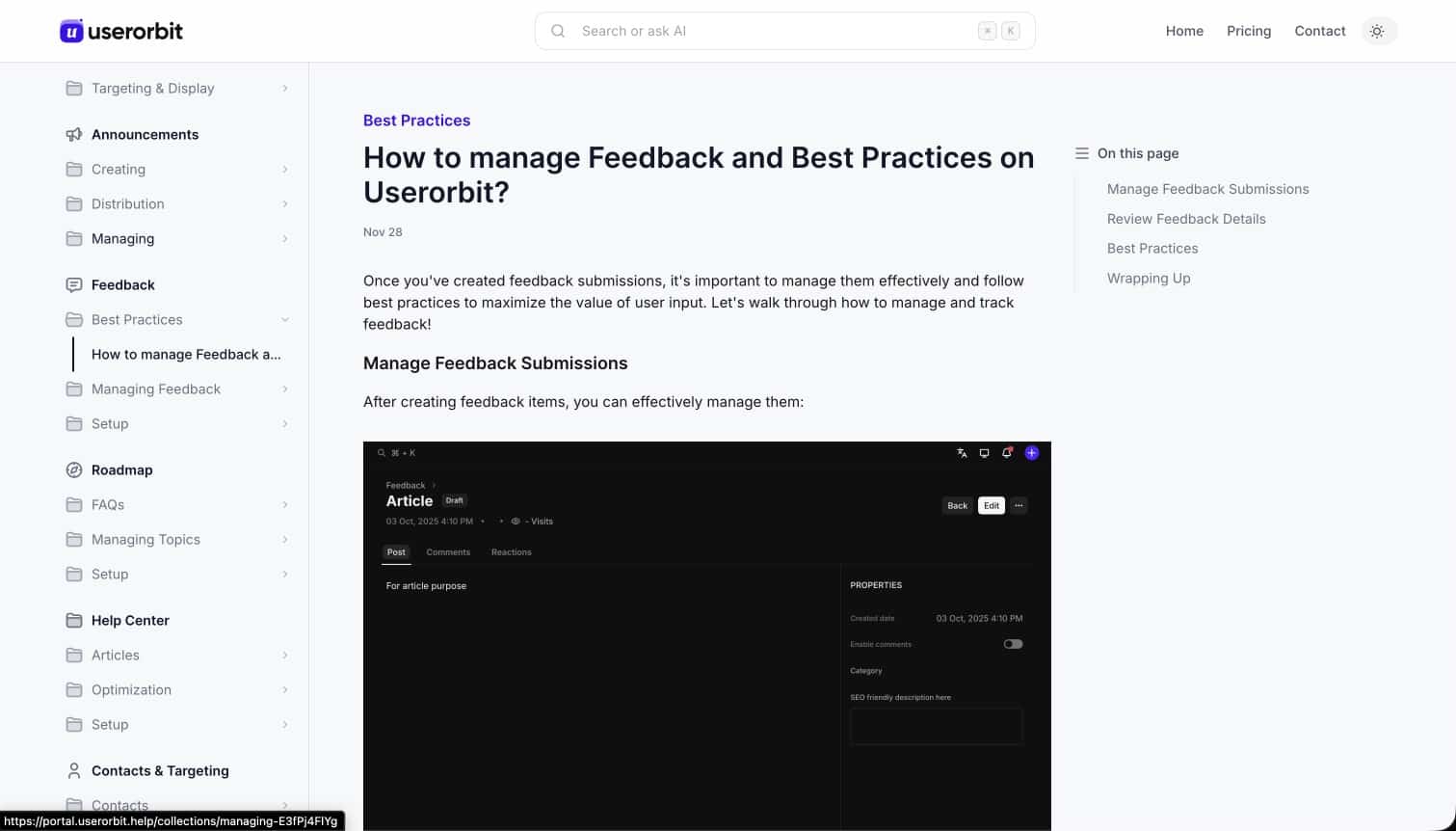
Analytics & Content Insights
Track article views, search queries, and feedback ratings. Identify content gaps and continuously improve your documentation.
Everything you need for effective self-service support
Knowledge Base
Create a comprehensive library of help articles, guides, and documentation that users can browse and search.
Powerful Search
Help users find answers instantly with intelligent search, auto-suggestions, and fuzzy matching.
Category Organization
Organize articles into categories and subcategories. Create a clear structure for easy navigation.
Rich Content Editor
Write articles with a powerful editor. Add images, videos, code blocks, and formatted text.
Contextual Help
Show relevant articles based on where users are in your app. Provide help exactly when needed.
Analytics & Insights
Track article views, search queries, and user feedback. Identify gaps in your documentation.
Article Feedback
Let users rate articles and provide feedback. Continuously improve your content based on user input.
Instant Updates
Publish and update articles instantly. Changes go live immediately without any deployment.
Full Customization
Match your brand with custom colors, fonts, and layouts. Make the help center feel native to your app.
Your Own Domain
Host your help center on a userorbit.help subdomain or your own domain via CNAME. Articles ship with automatic SEO metadata.
Drag-and-Drop Organization
Reorder articles within collections, move them between collections, and nest subcategories from one Organize page.
Multi-Language Articles
Translate articles per language from the same editor. Readers get the right language, with your default as the fallback.
AI Writing Assistant
Describe what you want to say and get a first draft that uses your workspace context. Edit inline, then publish.
Agent-Ready Content
Every article is available as clean markdown, so AI assistants and support agents can read and cite your docs accurately.
What is the Help Center feature?
The Help Center provides an in-app knowledge base where users can find answers, documentation, and guides without leaving your product. It reduces support tickets by enabling self-service.
Can I customize the Help Center appearance?
Yes, you can fully customize the look and feel to match your brand, including colors, layout, fonts, and content organization.
How do I organize my help articles?
Articles can be organized into categories and subcategories. You can also tag articles and set up search functionality for easy navigation.
Can I track which articles are most helpful?
Yes, our analytics dashboard shows article views, search queries, feedback ratings, and helps identify content gaps where users need more help.
Can I host the help center on my own domain?
Yes. Publish to a userorbit.help subdomain or connect your own domain with a CNAME record. The help center includes full-text search, responsive layouts, and automatic SEO metadata.
Does the help center support multiple languages?
Yes. Write articles once and translate them per language from the same editor. Readers see the right language automatically, and missing translations fall back to your default language.
Empower users to find answers instantly
Reduce support tickets with a searchable, contextual help center embedded in your product. Free to start, upgrade when you're ready.