

Interactive demo software for SaaS teams
Capture a real product workflow, turn it into a no-code interactive demo, then publish it by link or embed and measure what viewers do.
Start for free, no credit card required
This embedded content uses optional tools. Enable analytics and embedded content to load it.
Interactive demos that do not stop at the sale
Show users what is possible before signup, guide them after signup, and measure whether they actually adopt the feature.
Show product value before signup
Embed interactive demos on landing pages, comparison pages, launch pages, and sales follow-ups so buyers can understand the workflow without waiting for a call.
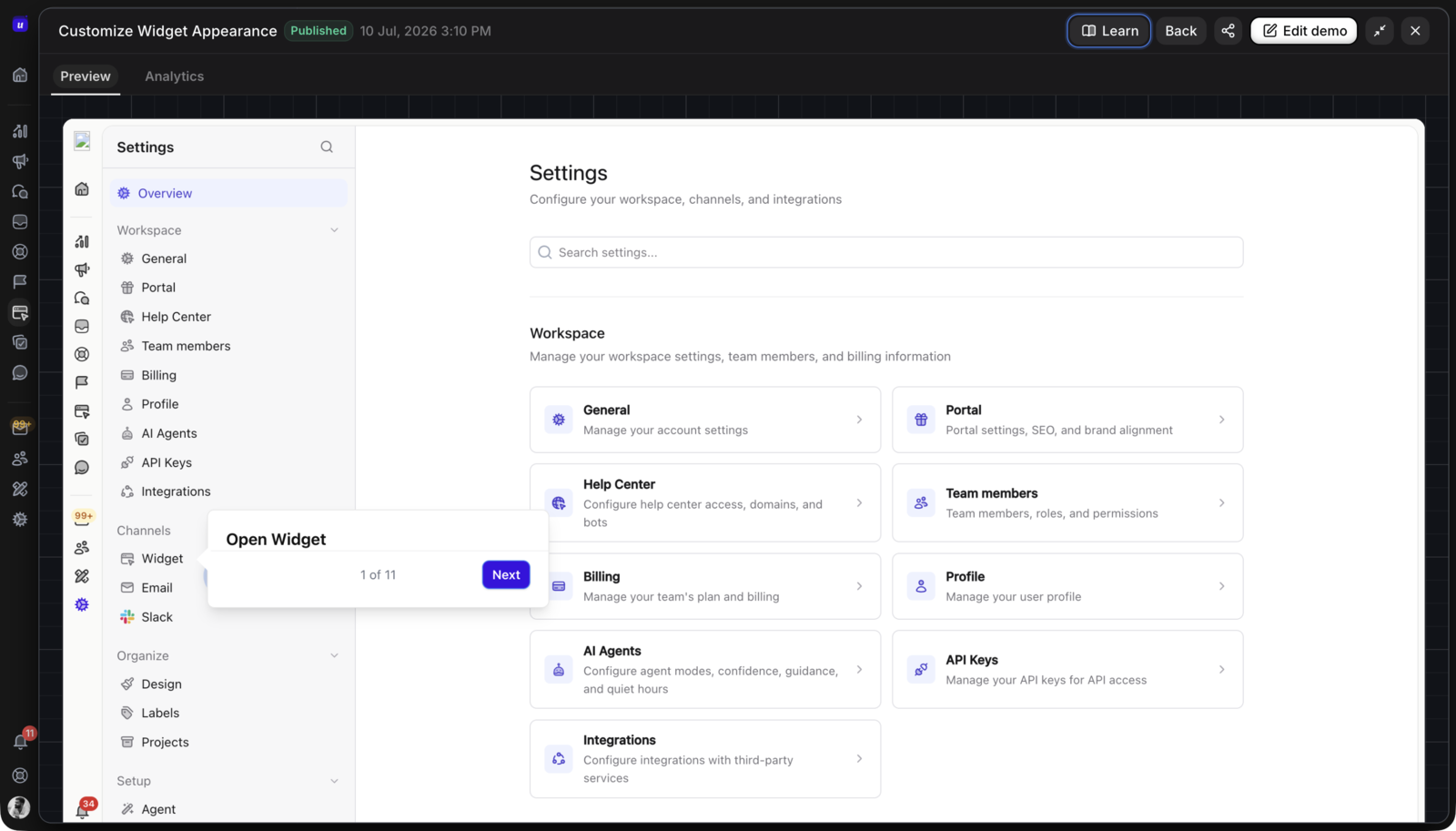
Reuse the same demo after signup
Turn demo assets into onboarding aids, help-center walkthroughs, and in-app education. Users can revisit key workflows whenever they need context.
Launch features with a guided story
Attach demos to announcements, changelogs, and roadmap updates so every shipped feature comes with a clear path from awareness to first use.
Measure whether demos drive adoption
Go beyond views. Connect demo engagement to tour completion, feature usage, feedback, and adoption reporting across the Userorbit workspace.
One product demo builder from first click to adoption.
Most demo tools stop once a prospect books a call. Userorbit connects demos to the product experience system your team already uses to onboard, announce, support, and measure adoption.
Build your first demo
Follow the live Help Center guides from capture through publishing, collections, and analytics.
Before signup
Let prospects click through your core workflows from the website, comparison pages, and launch campaigns.
During onboarding
Pair demos with product tours and checklists so new users can learn before they commit inside the live product.
After every launch
Add demos to announcements, changelogs, and roadmap updates so shipped work turns into visible adoption paths.
Inside support
Embed demos in help articles and resource centers to answer workflow questions without another support ticket.
The interactive demo builder for the full customer journey
Capture, edit, publish, and measure interactive product demos in the same workspace as tours, checklists, announcements, help docs, feedback, and analytics.
Product demo builder and embeds
Build and publish demos for your website, docs, product pages, help center, changelog, and in-app resource center.
Chrome extension capture
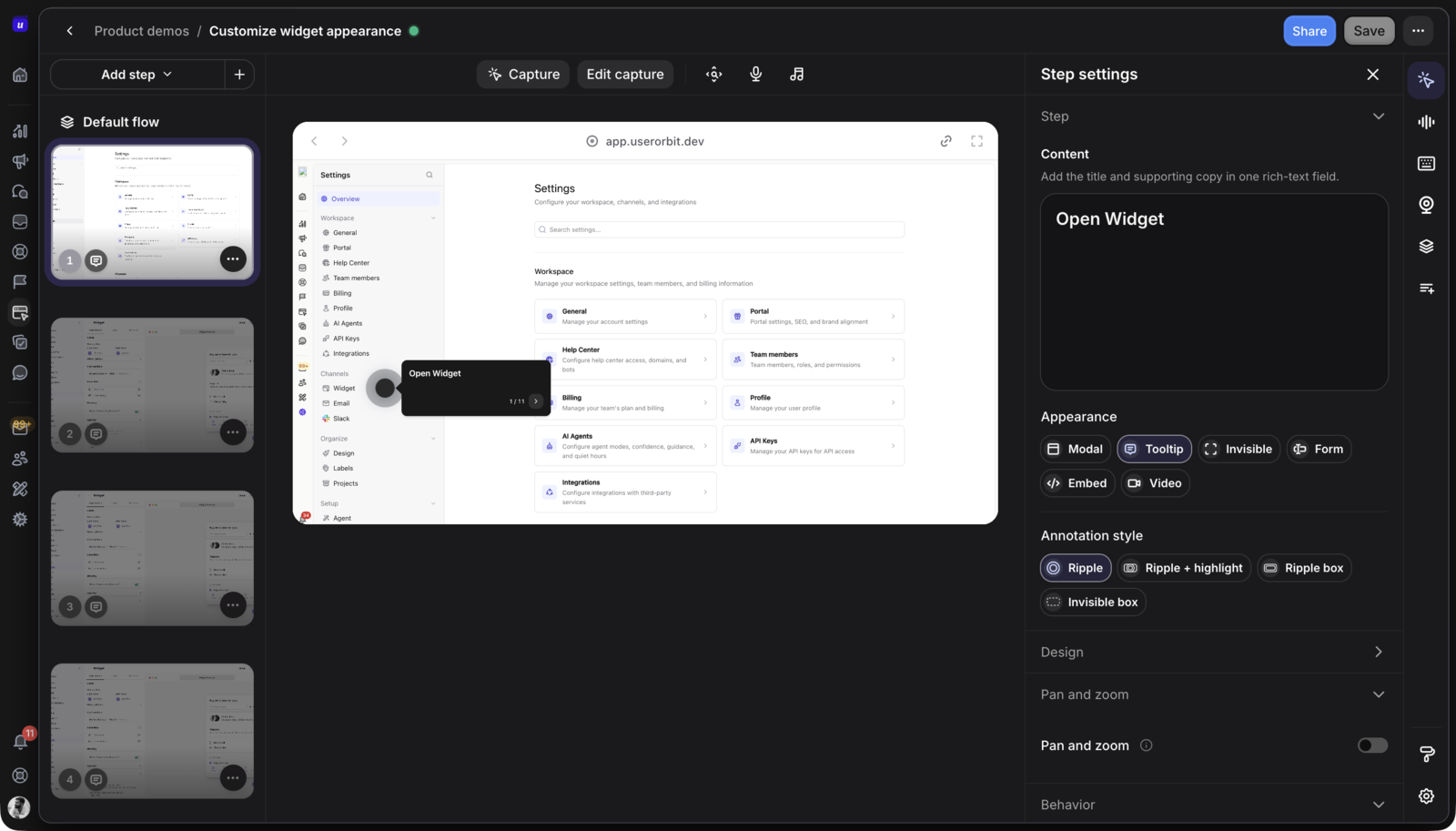
Record a workflow in your product with the Userorbit extension and get editable demo screens, no video editing required.
Hotspots and guided steps
Turn captured screens into a guided click path with hotspots, prompts, and step-by-step playback.
Editable captured screens
Demos capture real page HTML, so you can blur customer data, fix copy, and update screens without recapturing.
Forms and lead capture
Collect leads inside a demo with optional company-email validation. Configure forms to prefill saved answers or skip for returning visitors in the same browser.
Demo collections
Group related demos into one public hub for feature libraries, onboarding paths, or role-specific demo centers.
Feature launch demos
Attach demos to launch announcements and changelogs so users can see what changed and how to use it.
Segment-aware distribution
Send the right demo to the right users based on lifecycle stage, plan, role, behavior, or launch eligibility.
Interactive demo analytics
Measure views, completions, drop-offs, CTA clicks, leads, sessions, and downstream product usage to see which demos move users forward.
What is interactive demo software?
Interactive demo software turns a real product workflow into a clickable, guided experience that prospects or customers can explore without a live call. Userorbit captures product screens, lets teams add hotspots, steps, forms, and videos, then publishes the demo by link or embed with engagement and adoption reporting.
Can demo forms qualify leads and recognize returning visitors?
Yes. Enable company-email validation on email fields to request a work address. Choose whether returning visitors see prefilled answers or skip a previously completed form, using information saved in their browser.
Where can I use interactive product demos in Userorbit?
Use demos on your website, in onboarding, inside help-center articles, in announcements, in changelogs, and as follow-up material for prospects or customers.
Is this only for sales demos?
No. Userorbit demos are built for the full customer lifecycle. They help prospects understand the product before signup, then help users learn and adopt features after signup.
How do I create an interactive demo?
Record the workflow in your product with the Userorbit Chrome extension. The capture becomes editable demo screens where you add hotspots, guided steps, forms, and videos, then publish with a share link or embed.
Can I group demos into a demo library?
Yes. Demo collections group related demos on one public page. Teams use them for feature libraries, onboarding paths, sales enablement, and role-specific demo centers.
Can I measure demo performance?
Yes. Track demo views, completion, drop-offs, CTA clicks, and downstream product adoption so your team can see which demos drive real behavior.
Do interactive demos replace product tours?
They work best together. Demos are great for showing value in a controlled experience, while product tours and checklists guide users inside your live product.
Turn product moments into interactive demos
Create demos for marketing, onboarding, support, launches, and adoption workflows from the same Userorbit platform.