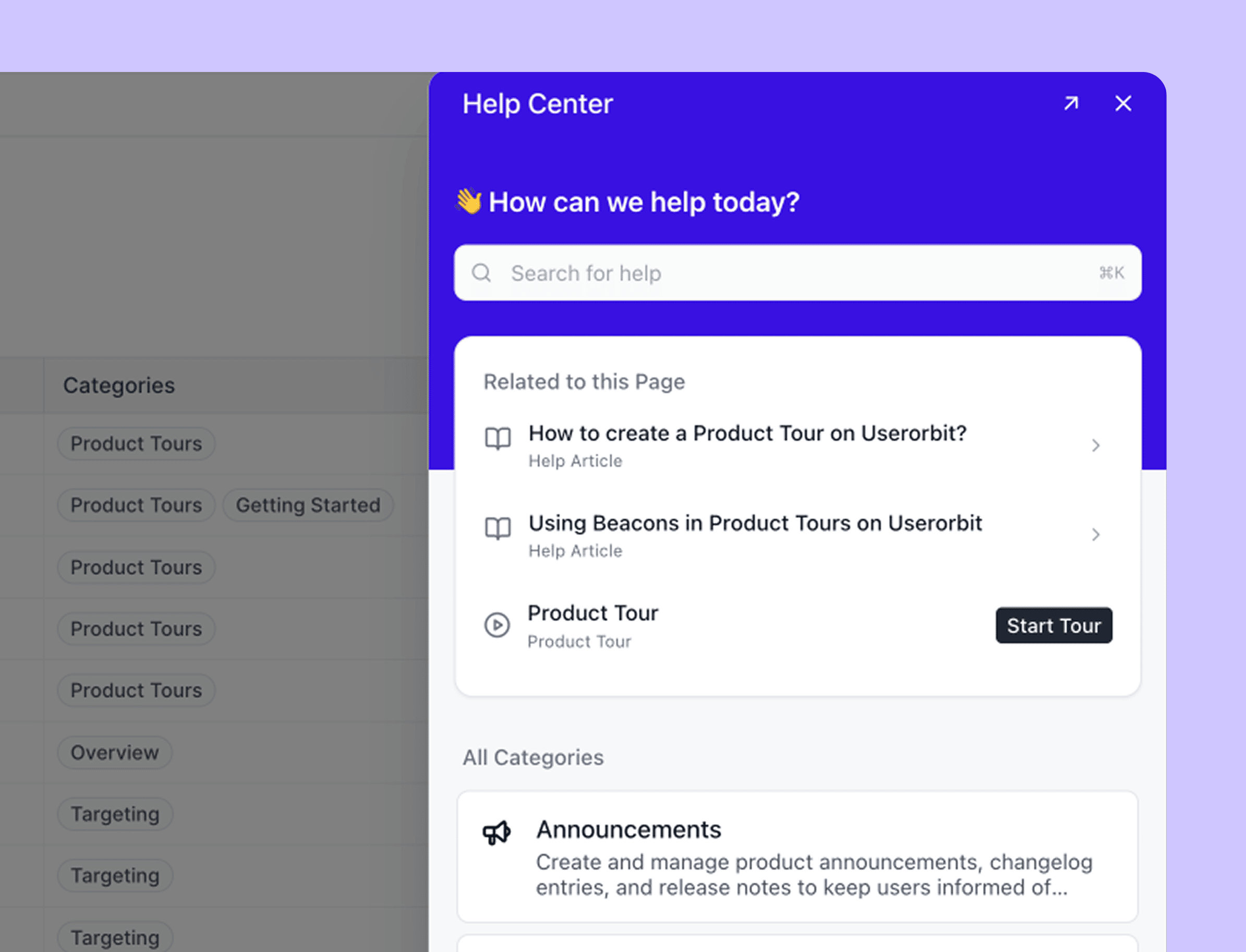
Support conversations rarely stay in one place.
A customer asks a question inside your product. Another replies to an email thread. A strategic account posts in a shared Slack channel. The support team switches between tools to answer, then copies the useful context into a feedback system and hopes someone connects it to the roadmap.
Today, we are introducing Userorbit Support Suite: one shared inbox for customer conversations across in-app support, email, and Slack.
It is more than a place to collect tickets. Your team works from one queue with customer context, AI assistance, and support workflows. Customers receive the reply in the channel where they asked. Recurring questions can become structured feedback, roadmap context, or better help content without losing the original conversation.
One queue for in-app, email, and Slack
Every conversation enters the same Support Suite inbox, regardless of its source.

The inbox includes Todo, Mine, Unassigned, Snoozed, Done, and All views, so each teammate can focus on the work that needs attention. Teams can use assignees, labels, tiers, and tasks to organize the queue without building a complicated support process first.
This gives SaaS teams one place to manage:
- Requests started through the in-app support experience or help center.
- Messages sent to a connected support email address.
- Customer messages and mentions from connected Slack channels.
- Follow-up work created while resolving a conversation.
Customers can revisit their request history from the embedded support experience or help center. When Ask AI cannot resolve a question, it can hand the conversation to the team with the recent context attached.
Reply where the customer asked
Support teams should not need to keep Slack, email, and an admin inbox open just to preserve the right reply path.

In Userorbit, a teammate opens the thread, reviews the customer context, and replies from the shared inbox. The response goes back through the originating channel, so the customer can continue the conversation in-app, by email, or in Slack.
The team gets one operating view without forcing customers into a new portal.
Discuss privately before replying
Some questions need product, engineering, or customer-success context before the support team can answer.
Support Suite includes internal discussions on the thread. Teammates can work through a problem, coordinate a handoff, or confirm a fix without exposing that conversation to the customer.
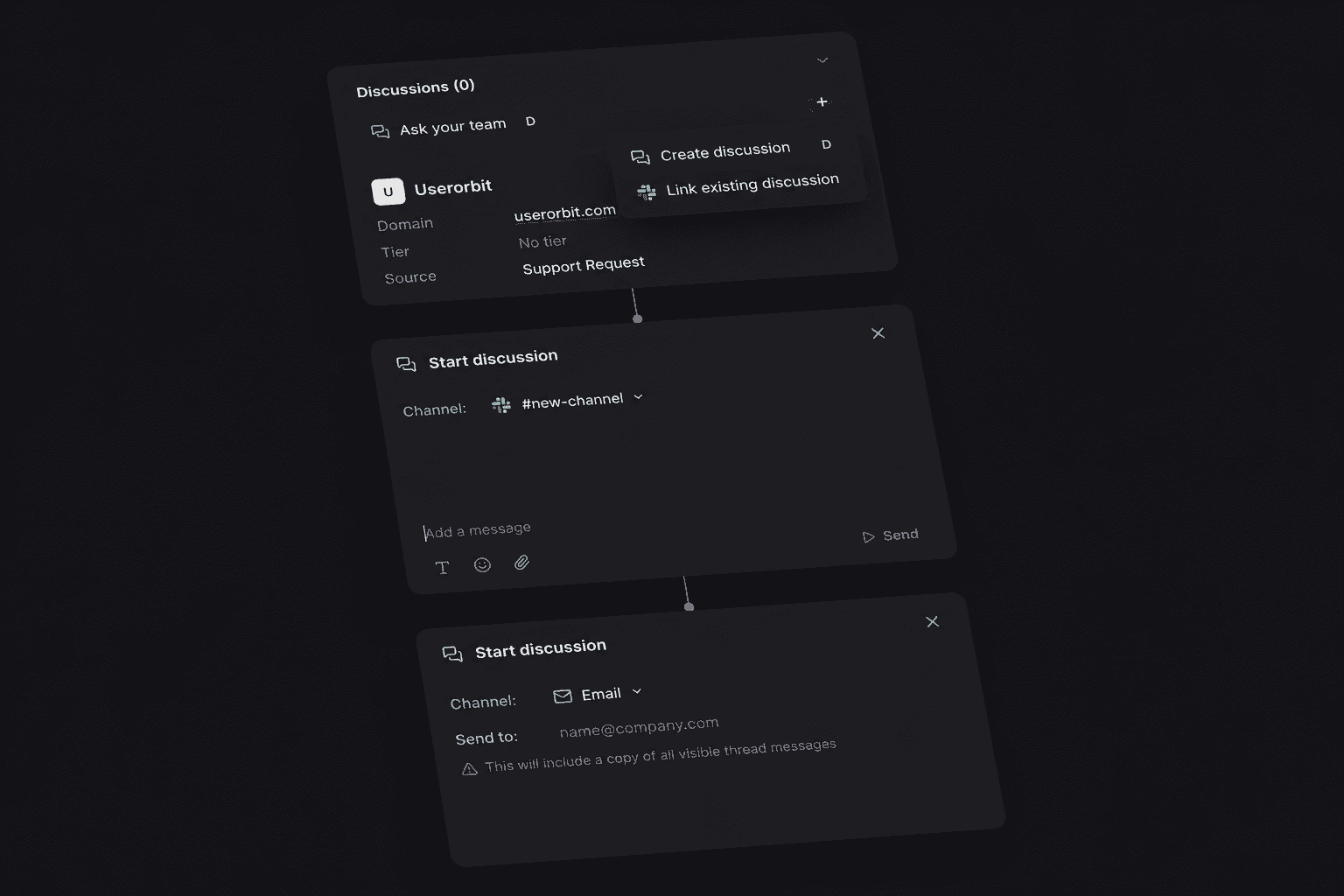
When the answer is ready, the team returns to the public reply in the same workspace. The customer conversation and the internal decision stay connected without being mixed together.
Start with the customer context and an AI-assisted draft
A useful answer depends on more than the latest message. Support Suite brings the customer's previous requests, company context, plan and metadata, related feedback, recent product events, and linked work into the thread.
AI assistance gives the teammate a faster starting point. It can summarize the case, draft a suggested reply, classify intent, sentiment, and urgency, and suggest the next status, priority, or labels. The teammate reviews the output and decides what to send or apply.
This keeps AI in the workflow without removing the judgment required for a real customer relationship.
Automate the queue, not the customer relationship
Support Suite includes a no-code workflow builder for the repetitive work around a conversation.
Workflows can react when a thread is created, a customer or agent replies, or its status, priority, assignee, or labels change. They can route and assign work, apply labels, update priority or status, add a private note, send a customer message, notify Slack, or call a webhook. Wait steps can pause a workflow and stop automatically when the conversation changes.
Support tiers add first-response, next-response, and resolution targets. The inbox shows the relevant due time and breach state on the case so the team can prioritize the conversations that need attention.
Turn support patterns into product decisions
Closing a ticket is useful. Learning from it is more valuable.
Userorbit already connects feedback boards, roadmaps, announcements, and help content. Support Suite brings the customer conversation into that same workflow.
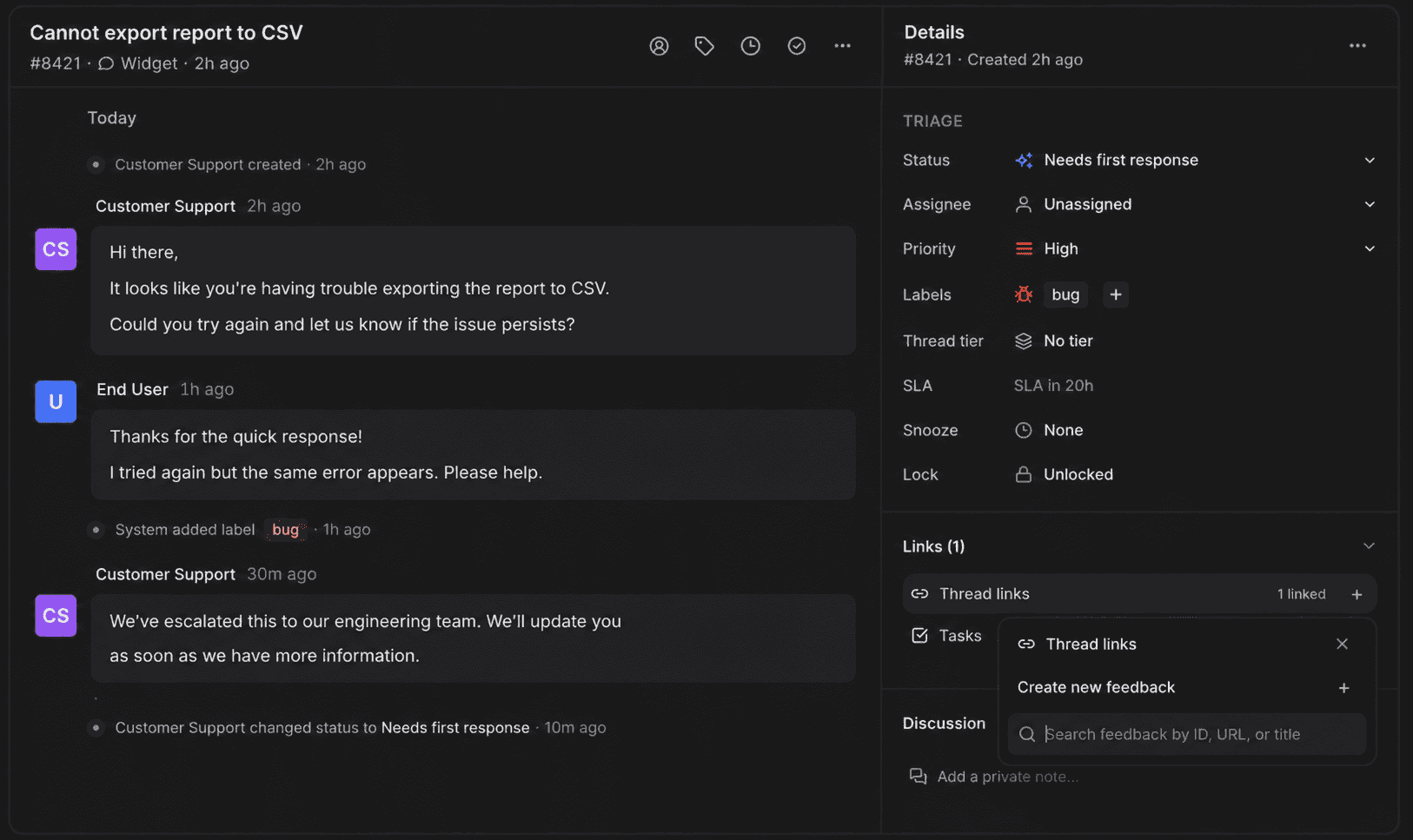
When a support question reveals a recurring problem or feature request, the team can turn it into structured feedback rather than retyping it in another system. That context can inform prioritization, a roadmap update, or a help article that prevents the next ticket.
The result is a tighter support loop:
- A customer asks a question in-app, by email, or in Slack.
- The team triages and answers it from the shared inbox.
- A recurring issue becomes feedback or roadmap context.
- The resolution becomes clearer product guidance or self-serve help.
Built for SaaS teams that support customers across channels
Support Suite is designed for teams whose customer relationships do not fit neatly into a traditional ticket portal.
It is especially useful when:
- Product-led users ask for help inside the application.
- Customer success teams support strategic accounts in shared Slack channels.
- A support email address remains an important customer entry point.
- Product and support teams need the original conversation attached to feedback.
- A lean team wants shared ownership without maintaining separate systems for support, feedback, roadmap communication, and help content.
For teams already using Userorbit for onboarding, feedback, roadmaps, announcements, or a help center, the shared inbox adds the missing conversation layer around those workflows.
If you are comparing that operating model with Intercom, the best Intercom alternatives for B2B SaaS guide compares support channels, AI pricing, migration work, and how each option connects support with the rest of the customer journey.
If formal service operations are the reason you are considering Zendesk, compare the best Zendesk alternatives for SaaS guide for product-connected, customer-channel, email-first, workspace-priced, and self-hosted options.
For the implementation path, start with Set up customer support in Userorbit, then use the best customer support software for B2B SaaS guide to compare the broader category and workflow fit.
Availability
Userorbit Support Suite and support workflows are available on Scale and Enterprise plans. The suite includes in-app and help-center requests, email and Slack channels, AI assistance, saved views, labels, tiers and SLA tracking, tasks, internal discussions, channel-aware replies, and API/MCP access.
Check the current entitlement rules in Support Suite plan access and feature limits, compare rates on the Userorbit pricing page, or explore the full Support Suite product page.