









Maya Angelou said it best:
"People will forget what you said, people will forget what you did, but people will never forget how you made them feel."
Your users feel this every time they hunt for answers. They alt-tab to search. They give up. Every time someone leaves your app to find help, you're making them feel lost.
Lost users churn.
40-60% of support tickets are questions already answered in your help center. The information exists. Users just can't find it when they need it, or where they need it.
We call this the "context gap": the distance between where users get stuck and where answers live. Closing it isn't optional anymore.
The myth that users don't read docs
"Users don't read documentation."
Users read docs when you make them useful. They stop reading when you make them work for it.
They bail when they have to leave the app, when search returns garbage, when everything feels generic, when tours and articles live in separate worlds.
Teams that intercept tickets with relevant in-app help see big drops in support volume. Once help lives inside the workflow and answers the question in context, people stop spamming support.
When a question still needs a person, use the best customer support software for B2B SaaS guide to compare shared inboxes, Slack support, AI assistance, and the service workflows that take over after self-serve help stops.
"People don't read the knowledge base" is a design problem, not a user problem.
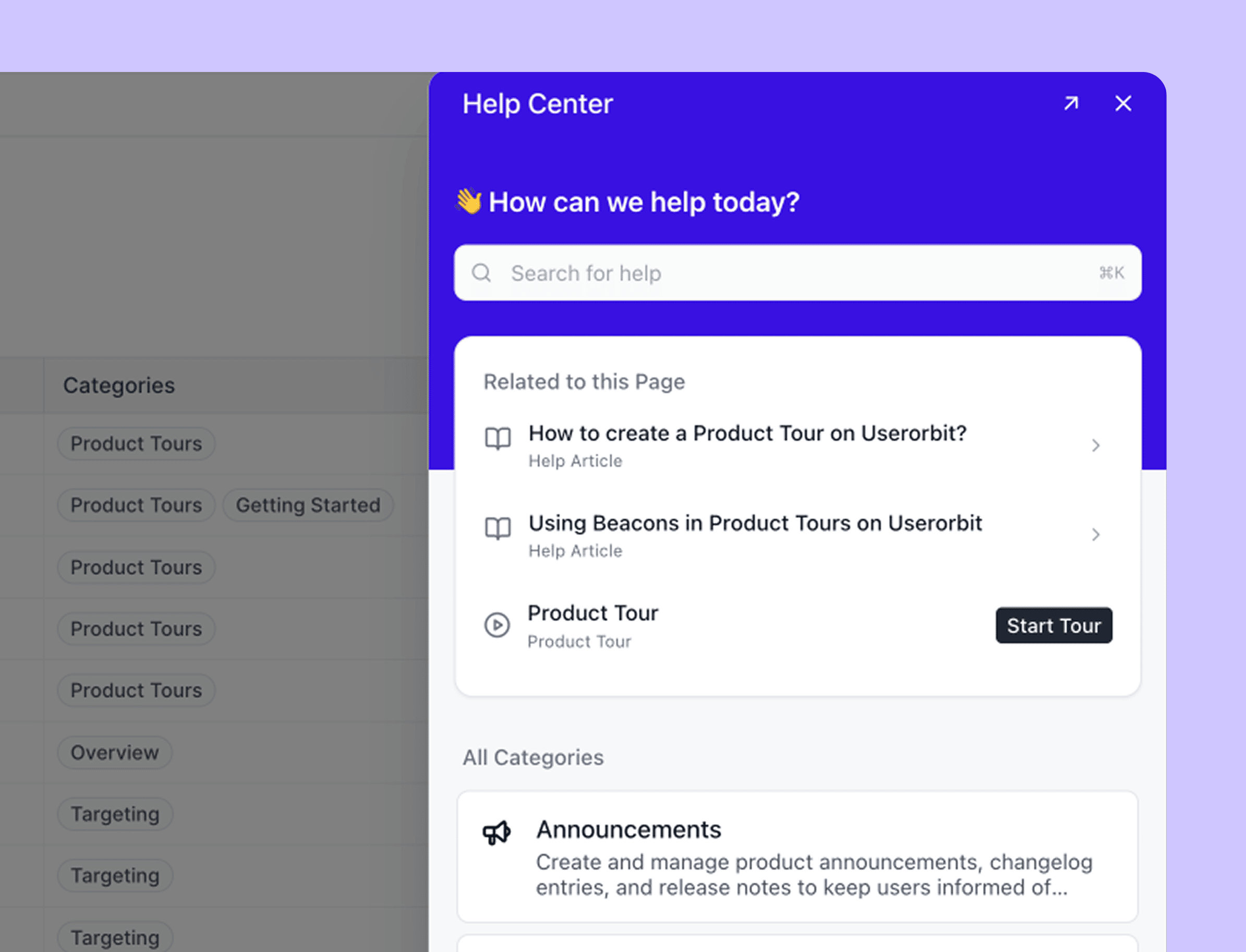
What an in-app help center actually is
Most people think "in-app help" means a small help icon plus a chat widget.
That's the bare minimum.
A real in-app help center is four things:
- A searchable knowledge base embedded directly into your UI
- A context engine that knows where the user is and what they're trying to do
- A launcher for tours and checklists, not just static text
- A deflection layer that steps in before a ticket or live chat starts
Think of it less like a mini website. Think of it more like an operating system for self-serve support.
The dirty secret of product tours
Most product tours are glorified popup spam.
Teams ship one big "welcome tour." They never update it when the UI changes. They force every new user through the same long, linear flow.
Then they wonder why users rage-click "Skip."
Best practice content obsesses over how to create tours, not when a tour is the wrong format.
Sometimes users don't want a tour. They want a quick snippet, a troubleshooting checklist, or one specific step clarified.
Most in-app help implementations fail here. They treat tours and articles like rival religions instead of tools in the same toolbox.
The hybrid model that actually works
Stop asking "Should we build a tour or write an article?"
Ask instead: "What's the smallest thing the user needs right now?"
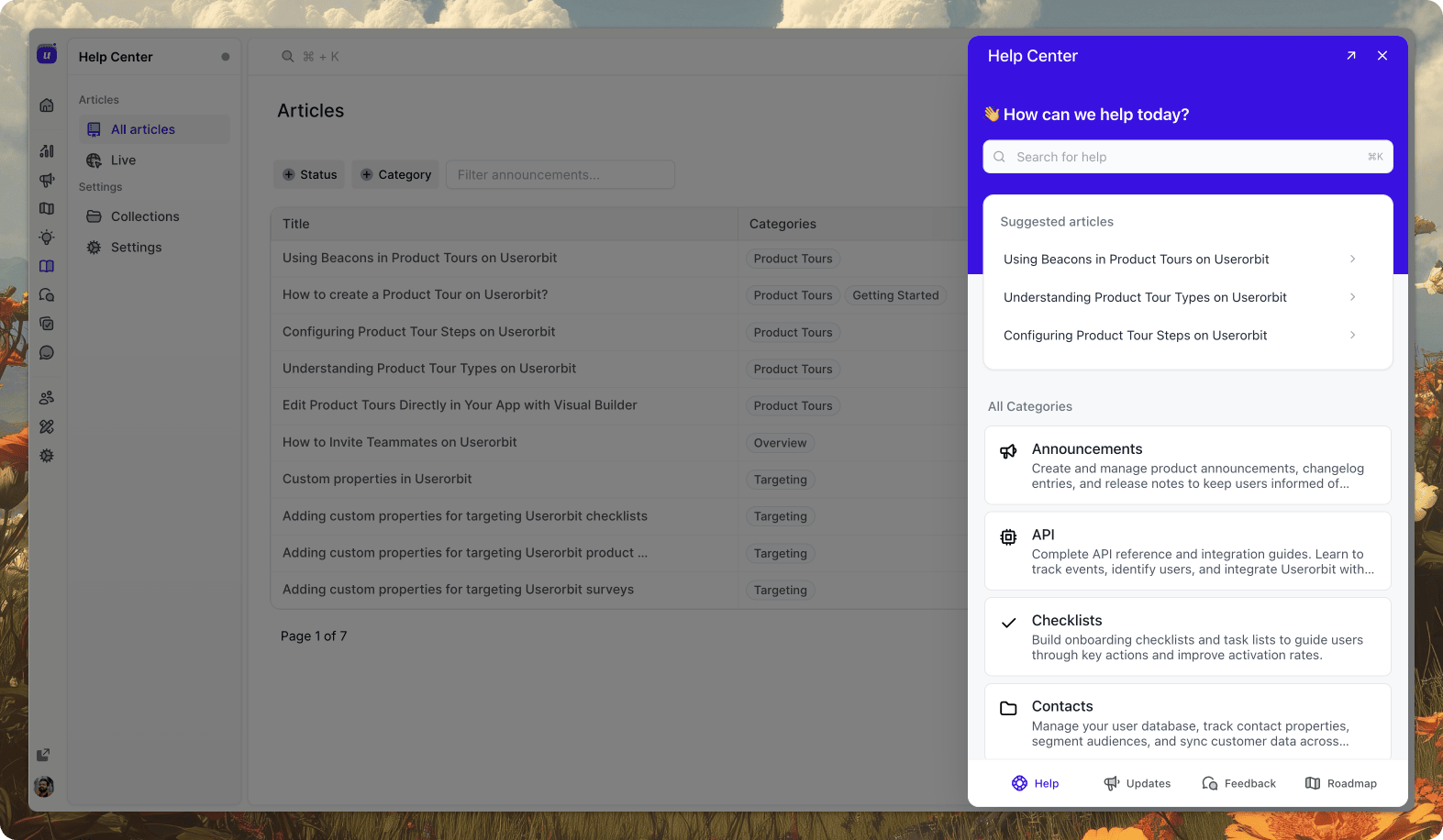
With Userorbit, your in-app help center combines articles and product tours based on:
- The page the user is currently on
- Their historical behavior
- Whether they've already seen a tour or completed the task
Example: User clicks "Need help?" on the billing page
First-time users might see:
- Short article explaining billing cycles
- Button: "Show me how to update my card" → launches a tour
Power users might see:
- Troubleshooting article: why their invoice changed
- Link to advanced settings or exports
Same page. Different needs.
Five techniques that make products self-serve
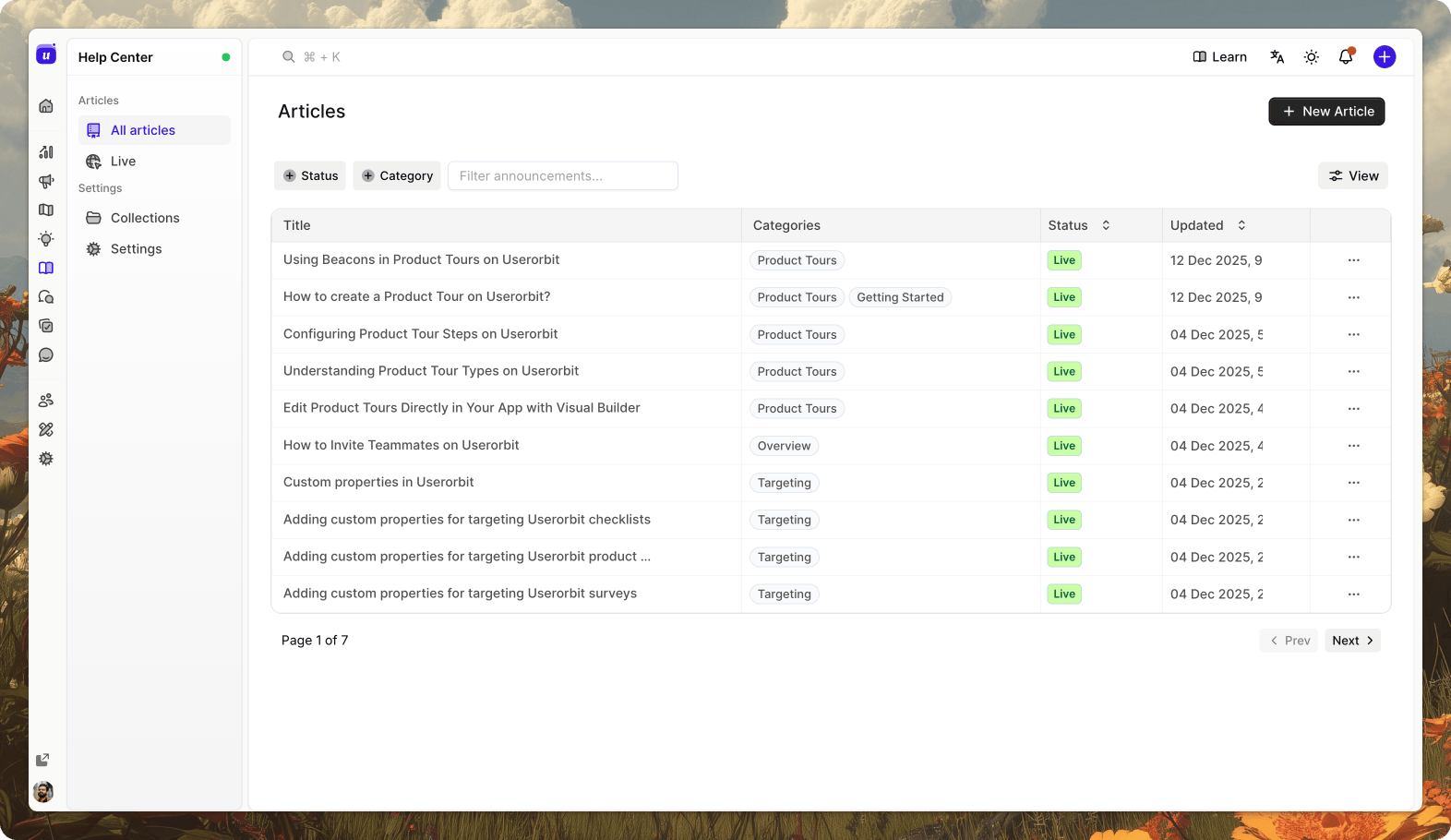
Teams that slash support load do five specific things.
1. Make help contextual
A static "Help" button that always opens the same menu is lazy UX.
Instead:
- Scope content by page. Billing page shows only billing help.
- Prioritize the top three tasks on that screen. Not your internal org chart.
- Hide irrelevant modules. The help center should never feel like a junk drawer.
Userorbit handles this by tagging content to pages and components. Users see only what matters on this screen.
2. Intercept tickets with smart search
Ticket deflection comes down to three things:
- A good search bar that indexes docs, FAQs, and walkthroughs
- Live suggestions as users type. "I cannot export" suggests "How to export data" and a "Show me" tour.
- A tiny bit of friction: "Here are three things that might solve this faster than waiting on support."
Repetitive tickets drop fast.
3. Let analytics decide what to document next
If your help roadmap isn't tied to product analytics, you're guessing.
Look at:
- Pages with high drop-off
- Workflows that generate lots of tickets
- UI elements users hover, back out of, or misclick
Then:
- Add contextual tooltips for quick wins
- Add an in-app article scoped to that page
- Add a micro tour only if users need step-by-step guidance
4. Segment by role and lifecycle
Don't show everyone the same help. Admins need setup and security docs. End users need workflow-level tours and FAQs.
Userorbit surfaces different content variants using page + role context. Same screen, different help depending on who's looking.
5. Run experiments on content
Treat content like product. Test it.
- Variant A shows a tour first
- Variant B shows an article first
Measure which reduces time-to-value or ticket creation. Do more of what works.
Set up by stage
Your setup should match where your SaaS is today.
Stage 1: Early product, small team
You have limited bandwidth. Probably no dedicated docs owner. Start simple.
External:
- One external help center (even Notion works)
- Pages for "getting started," top ten "how do I" flows, and billing basics
In-app:
- One help widget that opens a search field over the UI
- Results shown inside the product, not a new tab
- Simple "Still stuck? Contact us" fallback
Userorbit can embed existing docs and make them searchable in-app. No need to rewrite everything on day one.
Stage 2: Growth mode
You're drowning in "how do I" questions. Time to level up.
Add:
- Context rules: billing page shows only billing docs
- Task-based sections: "Set up my account," "Invite my team," "Connect integrations"
- Micro tours for your top three friction points, launched from inside articles
Userorbit attaches both articles and tours to the same context. Then it uses behavior and history to decide which one to highlight.
Stage 3: Scale and enterprise
At this stage, in-app help is the only way support stays sane.
You now:
- Segment by role and lifecycle
- Run content experiments
- Treat content like product with real metrics:
- Article views versus ticket creation
- Tour completion versus feature adoption
- Search queries with no results → direct input into your roadmap
The part nobody talks about
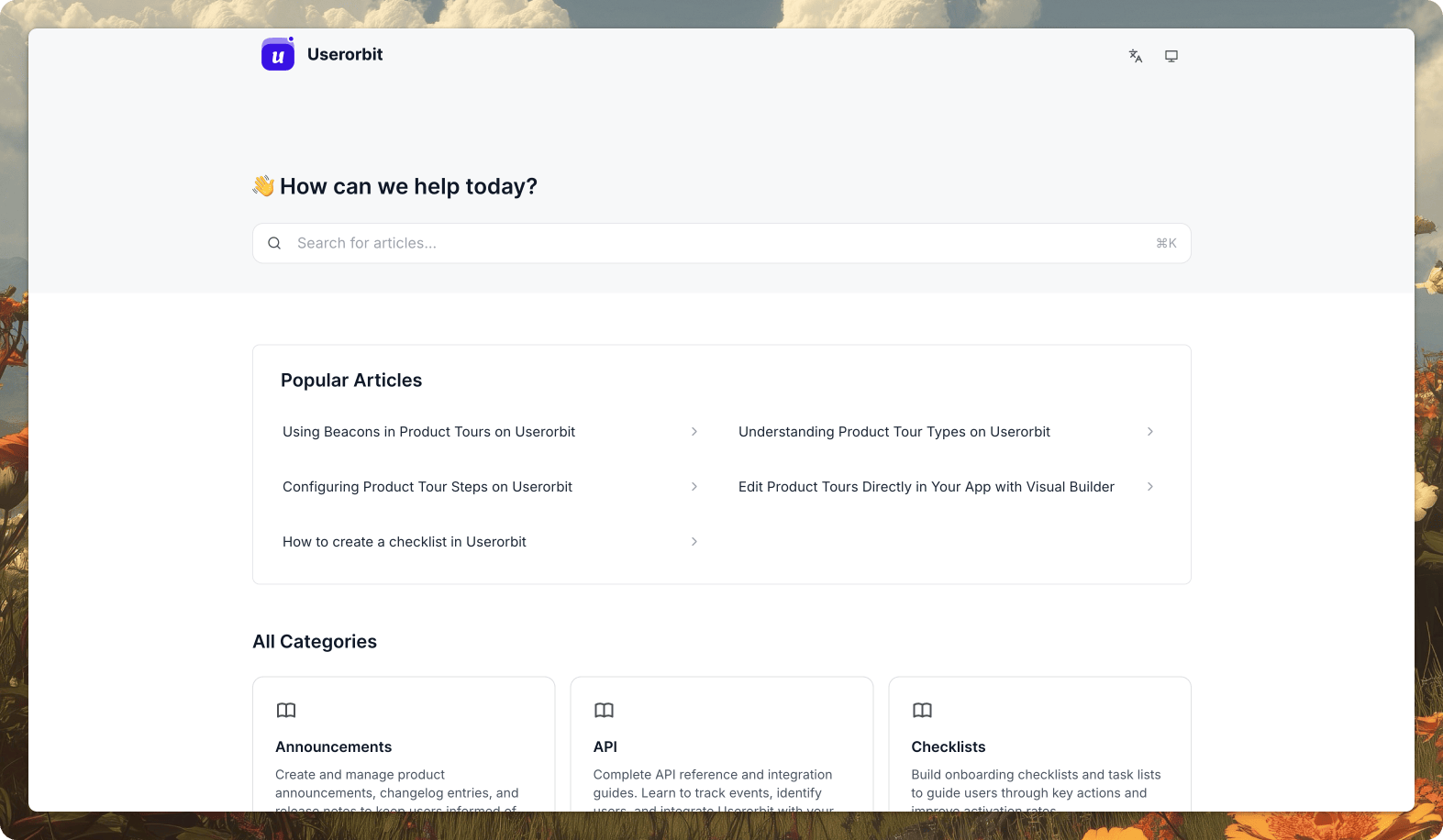
Most guides stop at "set it up." Maintenance is where teams quietly give up.
Tie content to your release process
New feature shipped? The checklist should be:
- UX review and product copy
- Docs and in-app article
- Tour if the workflow is non-obvious
- Context tags so content shows up in the right places
UI change? Scan affected pages. Update tours pointing at changed elements. Mark stale articles. Assign owners. Set deadlines.
Without this connection to releases, your in-app help center rots.
Instrument help like a product
You don't need hundreds of articles. You need:
- Articles that are read and solve problems
- Tours that are completed and unlock adoption
- Searches that return something useful
Track:
- Top searches and whether people click and stop there
- Pages where users open help and still create a ticket (content gap)
- Articles with high views but low resolution (needs a rewrite or hybrid treatment)
Your roadmap
Copy this:
- Add an in-app help widget that's searchable and keeps users inside the product
- Tag content by page and role, not just by category
- Create hybrid help for your top five flows: short articles with a "show me" tour button
- Intercept tickets with suggestions as users type in the contact form
- Track everything: searches, help opens, tour completions, tickets created after help usage
- Treat docs like product with clear owners and release hooks
Userorbit is built for this shift: from "we have docs somewhere" to "our product teaches itself."
If your product still relies on alt-tab support, you're training users to leave when they're most vulnerable. An in-app help center with context, history, and hybrid content keeps them inside the product and out of your inbox.