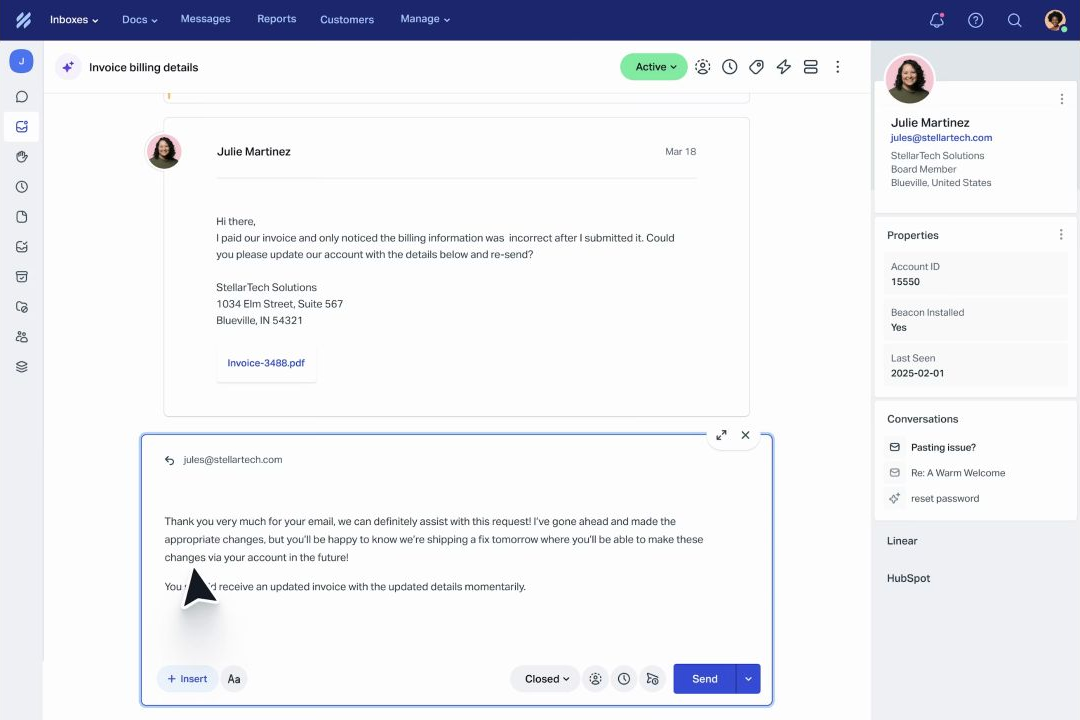
Plain's public pricing page has three plans: Foundation at $45 per user per month billed annually, Horizon at $99 per user per month billed annually, and Frontier at a custom price. Foundation includes 1,000 monthly credits and up to five member seats. Horizon includes 2,500 monthly credits and between three and ten member seats. Frontier adds custom credits, multiple workspaces, advanced security, SSO and SCIM, HIPAA, and higher-touch onboarding and success support.
The headline price is only part of the decision. Plain also meters AI and connected-agent work through credits, limits channels and addresses by plan, and changes the seat and governance model between Foundation, Horizon, and Frontier. For a small technical SaaS team, Foundation is a credible starting point. For a growing support operation with SLAs, Microsoft Teams, CRM integrations, or escalation paths, Horizon is the more useful planning number.
Pricing, limits, and plan capabilities checked on October 21, 2026. Prices are in USD and use Plain's public annual-billing view. Confirm the live page and quote before purchase.
Plain pricing at a glance
| Plan | Public price | Core limits and capabilities | Best starting point |
|---|---|---|---|
| Foundation | $45/user/month billed annually | Up to 5 member seats, unlimited viewer seats, 1,000 credits/month, Slack up to 25 channels, two email addresses, one Knowledge Base, one Customer Inbox, AI agents, workflows, and API/webhooks/events/MCP | Small engineering-led support teams |
| Horizon | $99/user/month billed annually | Minimum 3 and up to 10 member seats, unlimited viewers, 2,500 credits/month, unlimited Slack and Knowledge Base/Customer Inbox capacity, Microsoft Teams, SLAs, business hours, escalation paths, CRM integrations, reporting themes, and AI suggested responses | Growing B2B support operations |
| Frontier | Custom | Custom credits, multiple workspaces, custom contracting, advanced security, SSO and SCIM, HIPAA, white-glove onboarding, and a dedicated customer success manager | Larger organizations with governance or multi-workspace needs |
Plain lists viewer seats as unlimited on the public comparison table. Member seats are the people who operate the support workflow, while viewers can inspect or collaborate without using the same member-seat allowance. Confirm what actions require a member seat in your workspace.
The decision in 60 seconds
Choose Foundation if three to five people need to run support across Slack, email, and in-app channels, and 1,000 monthly credits cover your AI and connected-agent workload. Foundation also includes Linear and Jira integrations, a Help Center and Knowledge Base, AI workflows, and developer-platform access.
Choose Horizon if the team needs Microsoft Teams, SLAs, business hours, escalation paths, CRM integrations, reporting themes, AI suggested responses, or more room for customer channels. Its three-seat minimum and $99 per-user price make it a deliberate step up, not a casual add-on.
Start a Frontier conversation if the buying requirement includes multiple workspaces, SSO and SCIM, HIPAA, custom roles, advanced security review, custom contracting, or white-glove implementation. Ask for credits, seats, support, and onboarding as separate lines in the quote.
If the support motion is primarily email and self-service content, compare Help Scout pricing. If support must feed onboarding, feedback, roadmaps, and adoption work, compare Userorbit Support Suite.
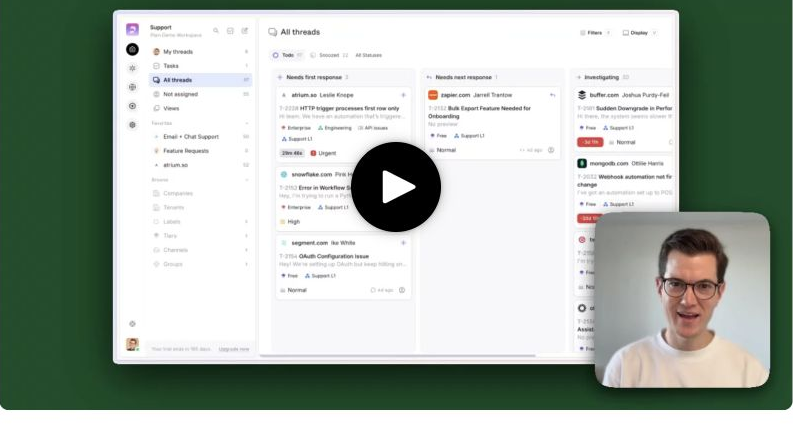
Plain B2B support workspace with customer context and team workflow
What does Plain cost for a real team?
The table below multiplies the public annual-billing monthly equivalent by 12. It excludes taxes, negotiated discounts, overages, implementation labor, and any extra credits.
| Team shape | Plan | Monthly equivalent | Annualized planning cost | What the team gets |
|---|---|---|---|---|
| 3 member seats | Foundation | $135 | $1,620 | The smallest Foundation scenario with 1,000 monthly credits |
| 5 member seats | Foundation | $225 | $2,700 | The Foundation member-seat ceiling with the same monthly credit pool |
| 3 member seats | Horizon | $297 | $3,564 | Horizon's minimum with 2,500 monthly credits and higher-tier operations |
| 5 member seats | Horizon | $495 | $5,940 | A growing support team with Microsoft Teams, SLAs, escalation paths, and reporting themes |
| 10 member seats | Horizon | $990 | $11,880 | Horizon's published member-seat ceiling before a Frontier conversation |
The difference between Foundation and Horizon is not just $54 per user per month. Horizon changes the operating envelope: it adds higher channel capacity, Microsoft Teams, SLAs, business hours, escalation paths, CRM integrations, reporting themes, and AI suggested responses.
Foundation: small technical teams
Foundation is designed for small teams getting started with support. Plain lists:
- up to five member seats and unlimited viewer seats;
- 1,000 credits per month;
- Sidekick, Ari, and AI workflows;
- Slack, email, and in-app channels;
- Linear and Jira integrations;
- a Help Center, Knowledge Base, and Customer Inbox;
- 25 Slack channels and two email addresses;
- one business-hours schedule;
- customer cards, saved views, tiers, CSAT, autoresponders, and reporting history; and
- API, webhooks, events, MCP, and custom channels.
Foundation is a good match when support is technical, the customer channel is often Slack, and a small product or engineering team needs context close to the conversation. It is not the right assumption for a ten-person support team: the published Foundation member-seat ceiling is five.
Horizon: the growing support operation
Horizon is listed at $99 per user per month billed annually, with a minimum of three and up to ten member seats. It includes 2,500 monthly credits and expands the support operating model with:
- Microsoft Teams;
- unlimited Slack, Knowledge Base, and Customer Inbox capacity as shown in the public comparison;
- SLAs and unlimited business-hours capacity;
- escalation paths;
- CRM integrations;
- reporting themes and team reporting; and
- AI suggested responses.
Horizon is the plan to model when support has an explicit service promise or when customer conversations span more than Slack, email, and in-app forms. If the team needs more than ten member seats or multiple governed workspaces, ask for a Frontier quote instead of assuming Horizon scales indefinitely.
Frontier: governance and custom operations
Frontier is custom priced. Plain positions it for larger organizations that require custom credits, multiple workspaces, custom contracting, advanced security, SSO and SCIM, HIPAA, white-glove onboarding, and a dedicated customer success manager.
The public page also lists custom roles, advanced security review, Support SLAs, Uptime SLAs, and custom channels in the governance comparison. Ask the vendor to separate:
- member seats and viewer access;
- included monthly credits and overage or top-up pricing;
- workspaces, channels, and addresses;
- security, compliance, SSO, and contract requirements;
- data migration and importer coverage; and
- onboarding, support, and customer-success scope.
Do not turn “custom” into a guessed annual number. The useful comparison is the requirements that force Frontier and the line items the quote includes.
Credits are part of the operating cost
Plain's public page lists a monthly credit allowance and several credit-consuming activities. The current comparison shows:
| Credit item | Public pricing signal |
|---|---|
| Foundation included | 1,000 credits/month |
| Horizon included | 2,500 credits/month |
| Frontier included | Custom credits |
| Ari customer AI agent | 100 credits per resolution |
| Sidekick internal AI agent | 15 to 300+ credits depending on effort |
| Connected Agent | 15 credits per assignment plus 15 per discussion |
| Additional 1,000 credits | $10 |
| Additional 2,000 credits | $20 |
| Additional 5,000 credits | $50 |
| Additional 10,000 credits | $100 |
This makes the cost model more predictable than a quote with an unnamed AI allowance, but it still requires a usage forecast. For example, 10 Ari resolutions would use 1,000 credits at the published 100-credit rate. Connected-agent assignments and discussions can consume credits even when no customer-facing AI resolution occurs.
Build a low, expected, and high case using the team's actual support work:
- how many customer resolutions will Ari handle;
- how many internal investigations will Sidekick run;
- how many assignments or discussions will use Connected Agent;
- how many support agents need AI-assisted drafting or summaries; and
- whether launch weeks or incidents create a temporary spike.
Ask Plain how unused credits behave, what happens at the limit, and whether the public top-up rates apply to your contract.
Channels, seats, and limits to verify
Plain's plan comparison makes several limits material to the buying decision:
- Foundation lists up to 25 Slack channels and two email addresses; Horizon expands those limits.
- Foundation lists one Knowledge Base and one Customer Inbox; Horizon shows unlimited capacity for those rows.
- Horizon adds Microsoft Teams, while Foundation centers on Slack, email, and in-app channels.
- Horizon adds SLAs, escalation paths, reporting themes, and CRM integrations.
- Viewer seats are listed as unlimited, but member seats are capped by plan.
- Foundation reporting history is listed as seven days; Horizon and Frontier show all-time history.
- Foundation lists one business-hours schedule; Horizon and Frontier show unlimited.
The exact limit is less important than who owns it. Ask support, product, engineering, and security to sign off on channels, identity, retention, reporting, and governance before the trial ends.
Implementation and migration checklist
Plain is a technical support platform, so implementation should include product and engineering owners. Before switching:
- List every customer channel and decide which Slack channels, email addresses, in-app forms, and custom channels should become support work.
- Count member seats separately from viewers and identify which product, engineering, and customer-success users need to act rather than only observe.
- Forecast credits from customer resolutions, internal AI work, assignments, and discussions.
- Map customer identity, companies, tenants, thread fields, tags, tiers, saved views, SLAs, business hours, and escalation paths.
- Test the public Intercom, Freshdesk, Zendesk, and Help Scout importers against a representative export. Plain lists these importers, but the exact field, attachment, note, and history coverage should be confirmed for your workspace.
- Validate Linear, Jira, GitHub, incident.io, Rootly, Cursor, HubSpot, Attio, Salesforce, API, webhooks, events, MCP, and custom-channel requirements.
- Pilot one customer segment and one incident workflow before changing every support address or Slack channel.
The most common migration mistake is moving messages without moving the operating rules around them. A successful rollout preserves who owns the thread, what the SLA means, which context the agent can see, and where the next product decision gets recorded.
Plain vs Userorbit
Plain is the stronger fit when support is an engineering-led B2B workflow. Slack, email, in-app channels, customer cards, AI agents, Linear and Jira, APIs, webhooks, events, MCP, and customer-channel operations are central to its public positioning.
Userorbit is the stronger comparison when support must be part of a broader product-adoption loop. The Support Suite brings in-app, help-center, email, and Slack requests into one shared inbox with AI assistance, no-code workflows, customer context, tiers, saved views, and SLA tracking. The same workspace also covers feedback, roadmaps, help content, onboarding, announcements, and analytics.
Userorbit lists Growth at $95 per month, Scale at $249 per month billed annually, and Enterprise as custom. Support Suite is listed on Scale and Enterprise, not Growth. Plain Foundation can be cheaper for three technical support users at the public seat price, while Userorbit Scale may be the better total-system comparison when the team would otherwise assemble separate support, feedback, roadmap, help, onboarding, and announcement tools.
Choose Plain when the support workflow is the product and engineering team's primary operating surface. Choose Userorbit when the support conversation must stay connected to what the team builds, explains, announces, and measures next.
Best for and not best for
Plain is best for
- Engineering-led B2B SaaS teams that support customers in Slack, email, and in-app channels.
- Technical support teams that need Linear, Jira, APIs, webhooks, events, MCP, or custom channels.
- Teams that want customer context, AI workflows, tiers, saved views, and escalation paths in one support system.
- Organizations that can forecast credit usage and have an owner for support operations.
Plain is not best for
- Teams that only need a lightweight email inbox and knowledge base.
- Buyers who want a simple fixed bill without modeling credits, channels, and member-seat limits.
- Large organizations that need multiple governed workspaces, custom security, or enterprise contracting without a Frontier evaluation.
- Product teams that need native feedback, roadmap, onboarding, and announcement workflows in the same product.
Choose Userorbit if
- Support and product teams share responsibility for activation, adoption, and customer learning.
- In-app, help-center, email, and Slack requests should remain connected to feedback and roadmaps.
- The buyer wants Support Suite next to onboarding, announcements, analytics, and help content.
- The team values a connected product loop more than an engineering-first support operating system.
Choose something else if
- Slack, APIs, engineering integrations, and customer-channel workflows are the core requirement.
- The team needs a focused support product and already owns the rest of its product-adoption stack.
- The current team is small enough for Foundation and does not need Userorbit's broader workspace.
Official sources checked
- Plain pricing
- Plain product
- Userorbit pricing
- Userorbit Support Suite
- Userorbit Support Suite plan access
Plain pricing FAQ
Short answers about Plain plans, seats, credits, channels, migration, and buyer fit.