Intercom pricing in 2026 has two layers: paid full seats for the core platform and usage charges for Fin, outbound channels, and optional products. Annual seat prices are $29 for Essential, $85 for Advanced, and $132 for Expert. Monthly prices are $39, $99, and $139. Fin starts at $0.99 per outcome, but a qualified sales outcome is $9.99, so the right budget depends on your team size, automation plan, channels, and expected AI volume.
Pricing and plan details were checked on October 14, 2026. Prices are in USD and should be confirmed on the live quote before purchase.
Intercom pricing at a glance
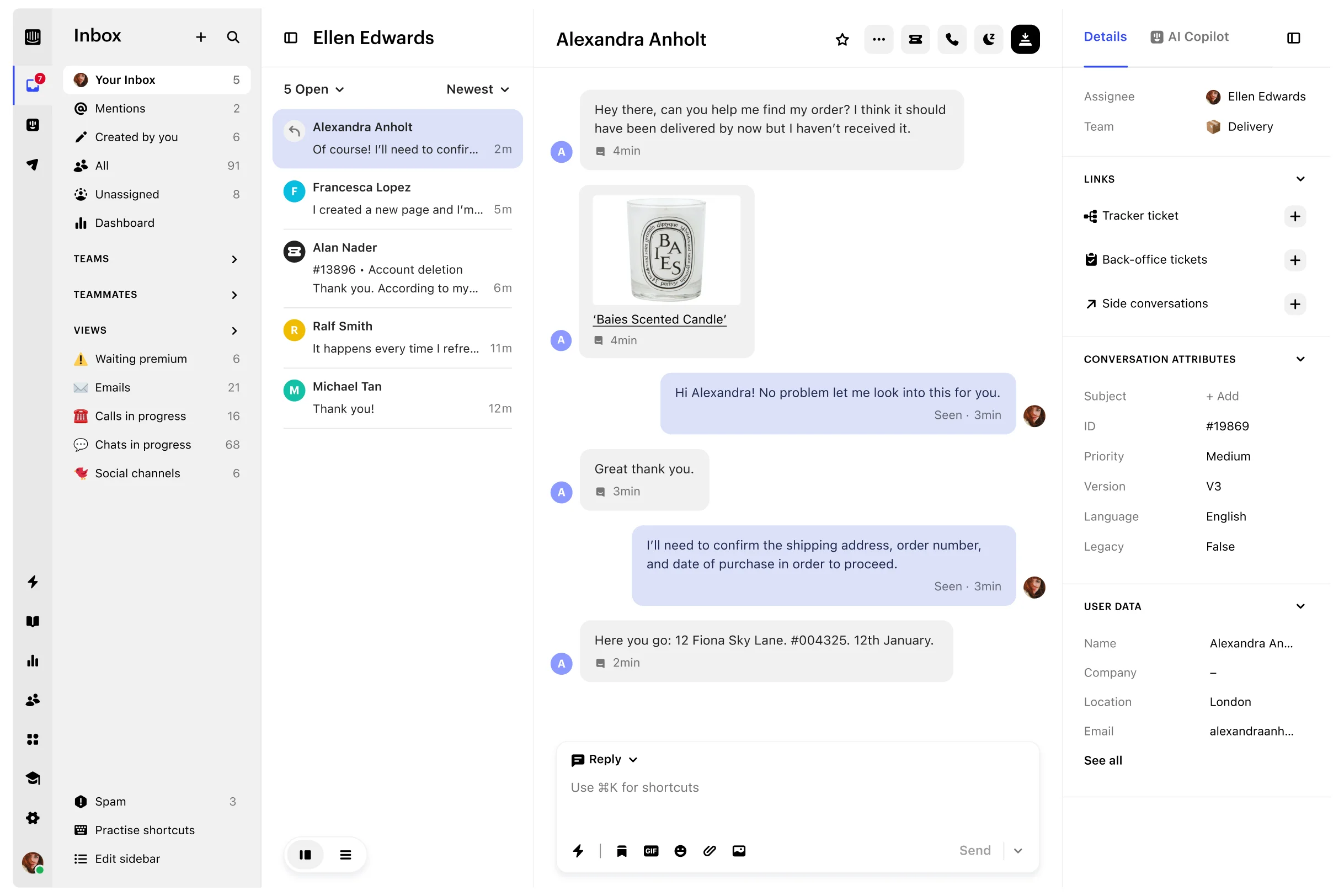
Intercom's current core plans are Essential, Advanced, and Expert. All three include Fin AI Agent, Messenger, a shared inbox and ticketing system, pre-built reports, and a public help center. The plan controls the seat price, automation depth, collaboration model, security features, and included Lite seats.
| Plan | Annual seat price | Monthly seat price | Included Lite seats | Best fit |
|---|---|---|---|---|
| Essential | $29 per full seat/month | $39 per full seat/month | None | Individuals, startups, and small teams that need core support |
| Advanced | $85 per full seat/month | $99 per full seat/month | 20 | Growing support teams that need routing, workflows, and collaboration |
| Expert | $132 per full seat/month | $139 per full seat/month | 50 | Larger teams that need security, SLAs, and multibrand operations |
Annual prices are the displayed per-month equivalent when the subscription is billed yearly. Monthly prices are the standard monthly rates. Intercom requires at least one full seat, has no published maximum, and all full seats in a workspace use the same core plan. Advanced and Expert include a limited number of Lite seats for colleagues who need restricted access but do not need to reply to customers.
What each Intercom plan includes
Essential: core customer support
Essential is the entry plan for a small support operation. It includes Fin, Messenger, a shared inbox and ticketing system, pre-built reports, and a public help center. It is the simplest plan to model when the team mainly needs a customer-facing inbox and self-serve content.
It is not the right assumption for every small team. Essential does not include multiple team inboxes, the Workflows automation builder, round-robin assignment, a private or multilingual help center, or Lite seats. If routing and collaboration are already part of the buying requirement, compare Advanced instead of treating Essential as the likely final price.
Advanced: automation and team collaboration
Advanced adds multiple team inboxes, Workflows automation, round-robin assignment, a private and multilingual help center, and 20 included Lite seats. It is the natural comparison for a growing SaaS support team that needs to route work, share a help center with more control, and involve product or engineering colleagues without giving everyone a full seat.
The jump from Essential to Advanced is meaningful: the annual seat subtotal rises from $29 to $85 per full seat per month. Budget the increase against the routing, workflow, and collaboration work the team would otherwise operate manually.
Expert: security, SLAs, and multibrand operations
Expert adds SSO and identity management, HIPAA support, SLAs, multibrand Messenger and help-center capabilities, and 50 included Lite seats. It is intended for larger or more governed support organizations, not simply for a team that wants a few more inbox features.
Use Expert when those controls are part of the acceptance criteria. If the requirement is product-led support connected to feedback and adoption work, first compare the full operating model against a broader product platform rather than assuming the highest Intercom plan is the best fit.
Fin AI Agent pricing and usage charges
Fin is available on every current Intercom plan. It is priced by outcome, not by every message or action, and Intercom says only one outcome is charged per conversation even when Fin takes multiple actions.
| Fin outcome | Price per outcome | What triggers it |
|---|---|---|
| Resolution | $0.99 | Fin answers the customer and the issue is confirmed or assumed resolved |
| Procedure handoff | $0.99 | Fin completes a procedure that hands the conversation to a teammate or workflow |
| Disqualification | $0.99 | Fin determines that a sales prospect does not match the qualification criteria |
| Self-serve routing | $0.99 | Fin routes a prospect to a self-serve destination rather than a sales follow-up |
| Qualification | $9.99 | Fin matches a prospect to qualification criteria and routes it to a sales outcome |
The lower self-serve price is not automatic for every sales outcome. Intercom's documentation says existing outcomes remain at the full qualification rate until the outcome is explicitly configured as self-serve. Fin Voice, high-volume pricing, and specialized requirements can follow a sales-led quote.
Intercom also offers Fin with an existing helpdesk. That path has no seat cost, but the pricing page says a minimum monthly commitment can apply, with 50 outcomes given as an example. Treat that as a separate AI layer, not as a free replacement for the Intercom workspace.
Add-ons and channel charges
The core seat price is not the whole Intercom bill.
| Cost area | Current public signal | What to model |
|---|---|---|
| Copilot | $29 per agent/month billed annually or $35 monthly for unlimited usage | Every agent also gets 10 Copilot and 10 AI auto-translation conversations per month included |
| Pro | From $100/month | Operator, performance analysis, quality monitoring, Fin improvement tools, and a usage or conversation allowance |
| Proactive Support Plus | $99/month includes 500 messages | Product Tours, surveys, in-app messages, mobile push, carousels, and additional message usage |
| Fin | Usually $0.99 per service outcome; $9.99 for a qualification outcome | Expected resolutions, procedure handoffs, self-serve routing, disqualifications, and sales qualifications |
| Outbound and phone channels | Usage-based | Email campaigns, SMS, WhatsApp, and phone are not part of the simple seat subtotal |
Inbound live chat, support email, in-app chats, banners, and tooltips are listed as free and unlimited across current plans. Confirm the exact channel rates and any contract terms for your region and volume.
Intercom cost scenarios by team size
The table below shows the recurring full-seat subtotal before Fin outcomes, add-ons, paid channels, taxes, implementation, or discounts. It uses the public annual and monthly seat rates, not a negotiated contract.
| Full seats | Essential annual / monthly | Advanced annual / monthly | Expert annual / monthly |
|---|---|---|---|
| 1 | $29 / $39 | $85 / $99 | $132 / $139 |
| 3 | $87 / $117 | $255 / $297 | $396 / $417 |
| 10 | $290 / $390 | $850 / $990 | $1,320 / $1,390 |
| 25 | $725 / $975 | $2,125 / $2,475 | $3,300 / $3,475 |
Example: a 10-seat Advanced team
A ten-person team on Advanced has an annual-billing seat subtotal of $850 per month equivalent. If it uses 500 $0.99 Fin resolutions in the same month, the modeled subtotal becomes $1,345 before add-ons and paid channels. Adding Copilot for 10 agents at the annual rate adds $290, bringing that example to $1,635.
That is a planning scenario, not a quote. It also leaves out the important distinction between service resolutions and sales qualifications: 100 qualified sales outcomes would add $999, while 100 self-serve outcomes would add $99.
Is Intercom worth the cost for a SaaS team?
Intercom is easiest to justify when customer messaging, AI resolution, and support operations are one coordinated program. The value is broader than a shared inbox when the team uses Fin, proactive messaging, help content, routing, and reporting together.
Intercom is a strong fit when
- Messenger, email, in-app chat, and broader customer channels are central to the support motion.
- Fin can resolve a meaningful share of conversations and the team can forecast the outcome meter.
- Support owns proactive messaging, surveys, product tours, or campaigns as well as inbound work.
- Advanced routing, multiple inboxes, multibrand operations, SLAs, or enterprise security are requirements.
- The team benefits from a mature integration ecosystem and is willing to manage seats plus usage charges.
Intercom may be more than you need when
- The team mainly needs a small shared inbox and a public help center.
- Support is a product, customer-success, or founder responsibility rather than a separate service operation.
- The budget must be predictable across AI, channels, and occasional cross-functional users.
- The next decision after a support conversation is a feedback item, roadmap change, onboarding improvement, or help-content update that lives in another system.
Compare the best Intercom alternatives for B2B SaaS for those operating-model differences, and use the Userorbit vs Intercom comparison for a feature and migration decision.
Userorbit versus Intercom pricing fit
Userorbit prices the connected product and support workspace differently. The current Userorbit pricing page lists Growth at $95 per month, Scale at $249 per month billed annually, and Enterprise as custom. Support Suite is listed on Scale and Enterprise; Scale also includes 10,000 MAUs, knowledge base capabilities, analytics, onboarding, announcements, feedback, roadmap, and interactive demos.
That is not a claim that Userorbit is cheaper for every support team. Intercom can be the better fit when phone, WhatsApp, SMS, multibrand operations, or Fin resolution depth are the buying job. Userorbit is worth shortlisting when the same SaaS team needs support to stay connected to feedback, roadmap work, help content, onboarding, announcements, and adoption analytics without adding another workspace for each job.
| Buying situation | Better starting question |
|---|---|
| Small email or chat queue | Do we need Intercom's platform depth, or is a lighter inbox enough? |
| Growing support operation | What will Advanced seats, Fin outcomes, Copilot, and paid channels cost at expected volume? |
| Product-led SaaS team | Would a connected support, feedback, onboarding, help, and analytics workspace replace adjacent tools? |
| Enterprise or regulated support | Which platform meets our SLA, security, multibrand, data, and implementation requirements in the written quote? |
Read the Support Suite overview and Support Suite product page before comparing the plans. Verify access for the target workspace and current plan because product availability and limits can change.
Implementing or migrating to Intercom
The cost of Intercom includes the work required to configure the operating model. Before signing, write down the channels, inboxes, roles, routing rules, SLAs, help-center structure, Fin knowledge, procedures, paid channels, reports, and outbound messages the team will own.
For an implementation, use this sequence:
- Define the service model. Decide which requests should be conversations, tickets, Fin answers, procedure handoffs, or human-owned work.
- Configure the workspace. Set up contacts, companies, attributes, teams, inboxes, permissions, help content, and channel connections before turning on automation.
- Test AI and routing. Use real support examples to test Fin answers, escalation, procedures, assignment, SLA timing, and the cost meter.
- Pilot proactive messaging. Test campaigns, product tours, surveys, and message limits with an audience small enough to catch targeting errors.
- Measure the first month. Track resolution quality, first response, reopen rate, Fin outcomes, paid-channel usage, and manual work rather than only conversation volume.
For a migration, Intercom documents exports for contacts, companies, reports, and conversations. Browser CSV exports contain reporting metadata; full conversation content requires the appropriate API or cloud-storage export. Intercom's historical migration guidance recommends mapping contacts and attributes, deciding whether historical records become conversations or tickets, importing contacts before conversations, batch testing, and using a controlled cutover.
Do not assume an export or importer preserves internal notes, attachments, bot events, custom objects, exact timestamps, or report definitions. Keep the source archive, map only the workflows you still need, and verify a representative sample before decommissioning the old system.
Frequently asked questions about Intercom pricing
Intercom pricing FAQ
Direct answers about Intercom plans, Fin usage, add-ons, team-size costs, and alternatives.
Sources and update note
Plan prices, feature boundaries, seat rules, Fin outcome definitions, add-ons, and usage charges were checked against Intercom pricing, Fin and Intercom plans, Fin AI Agent outcomes, and Intercom seats on October 14, 2026. Migration and export guidance was checked against Intercom conversation exports and historical data migration. Userorbit claims were checked against the Userorbit pricing page, Support Suite product page, and Support Suite overview. Verify the live quote before purchase.