







Most teams do not have a feedback collection problem.
They have a feedback disappearance problem.
A customer submits a thoughtful request. Someone tags it. It enters a backlog, appears in a roadmap meeting, and eventually gets shipped or rejected. The team did plenty of work. The customer saw none of it.
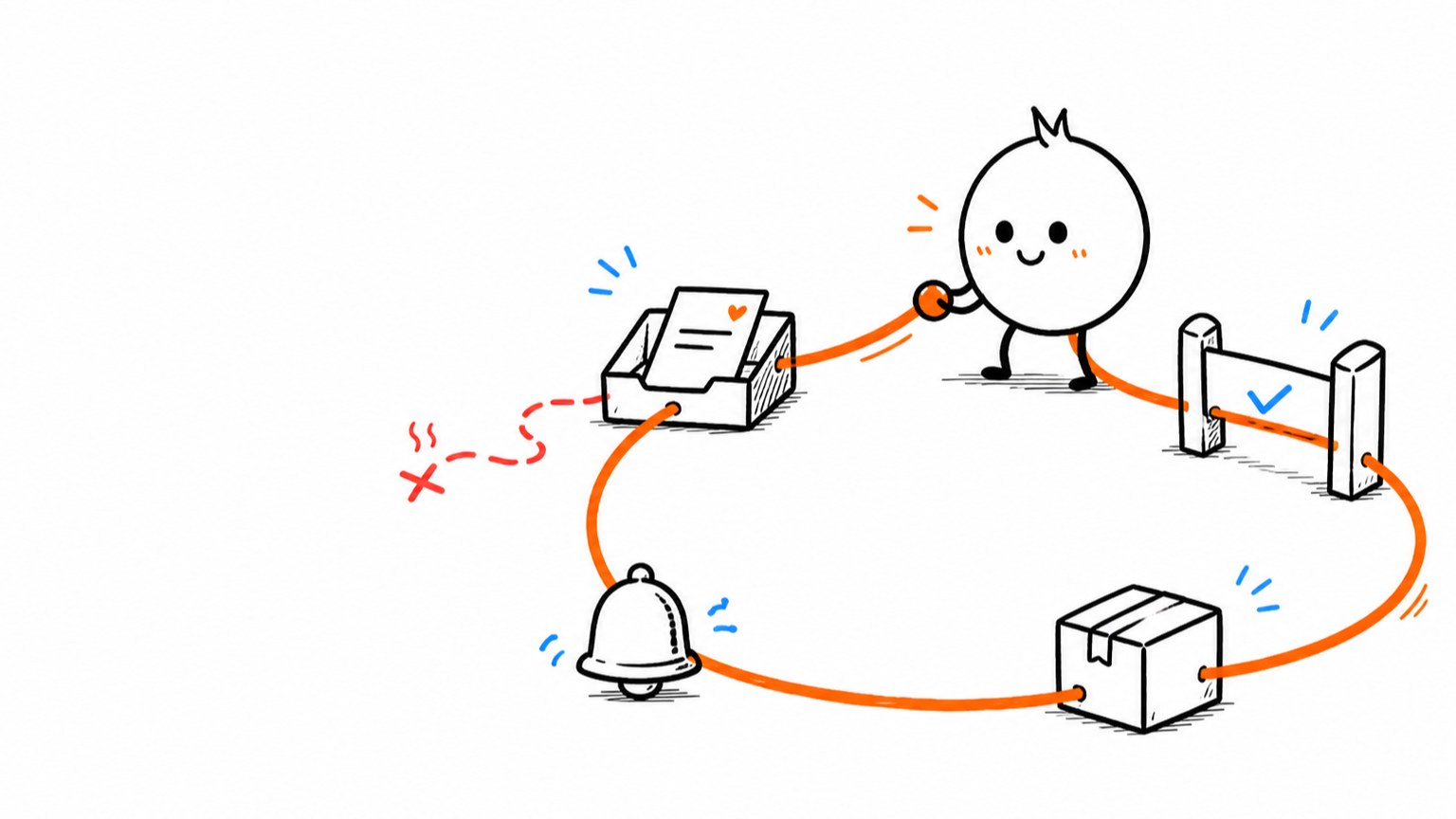
A closed customer feedback loop fixes that break. It keeps the original evidence attached to the decision, tells the affected customer what happened, and checks whether the result solved the problem. Changing a status to Complete is administration. Closing the loop is communication plus learning.
The process at a glance
- Capture the signal in the right channel.
- Preserve the customer, account, source, and product context.
- Merge repeated evidence without flattening different problems.
- Triage quickly and set the next expectation.
- Make a product decision and record the reasoning.
- Tell the affected people what changed or why it will not.
- Measure the outcome and reopen the problem if the evidence says you were wrong.
That sounds obvious. In practice, most feedback systems lose context at steps two, five, or six.
What a closed feedback loop actually means
A feedback loop begins with evidence and ends with an informed next decision.
The customer-facing version has four promises:
- We received this. The signal did not disappear into an inbox.
- We understood the problem. The team preserved enough context to investigate it.
- We made a decision. Planned, not planned, solved another way, or still uncertain are all legitimate outcomes.
- We told the right people. The original customer did not need to rediscover the result by accident.
The internal loop adds one more promise: we checked whether the decision worked.
Without that final step, teams can become excellent at acknowledging requests and terrible at learning from them.
Step 1: Start with the decision, not the feedback channel
Teams often begin by adding a feedback button because the product “needs feedback.” That is too vague to design a useful workflow.
Start with the decision you expect the evidence to improve.
| Decision | Best starting signal | Why |
|---|---|---|
| Which recurring problem deserves investigation? | Feedback board and support conversations | Repetition, account context, and urgency matter |
| Did onboarding explain the next step? | Behavioral event plus a targeted survey | You need observed behavior and the reason behind it |
| Is this a bug, a missing capability, or confusion? | Support ticket with product context | A conversation can clarify the failure before it becomes roadmap work |
| Did the shipped change solve the problem? | Original requesters plus product usage | The people who felt the pain are the strongest follow-up cohort |
If every signal enters the same generic form, you force the product team to reconstruct the context later. That is expensive detective work disguised as “triage.”
Use a feedback board for persistent requests, a targeted survey for a defined question, and a support thread when someone needs an answer or resolution now. The channels can feed one product record without pretending they are the same type of evidence.
Step 2: Preserve the evidence before you summarize it
The quickest way to ruin customer feedback is to rewrite it into a tidy feature title.
“Add bulk export” may hide three different problems:
- an analyst needs a one-time CSV for a board meeting;
- an operations team needs a scheduled warehouse sync;
- a customer is blocked because the current export times out.
Those are not one requirement. They only share a noun.
Every feedback record should retain:
- the original words or conversation;
- the customer and account;
- plan, lifecycle stage, and relevant segment;
- source channel;
- product area and interface state;
- urgency and business consequence;
- links to related support threads, survey responses, interviews, or behavioral evidence;
- the person responsible for the next step.
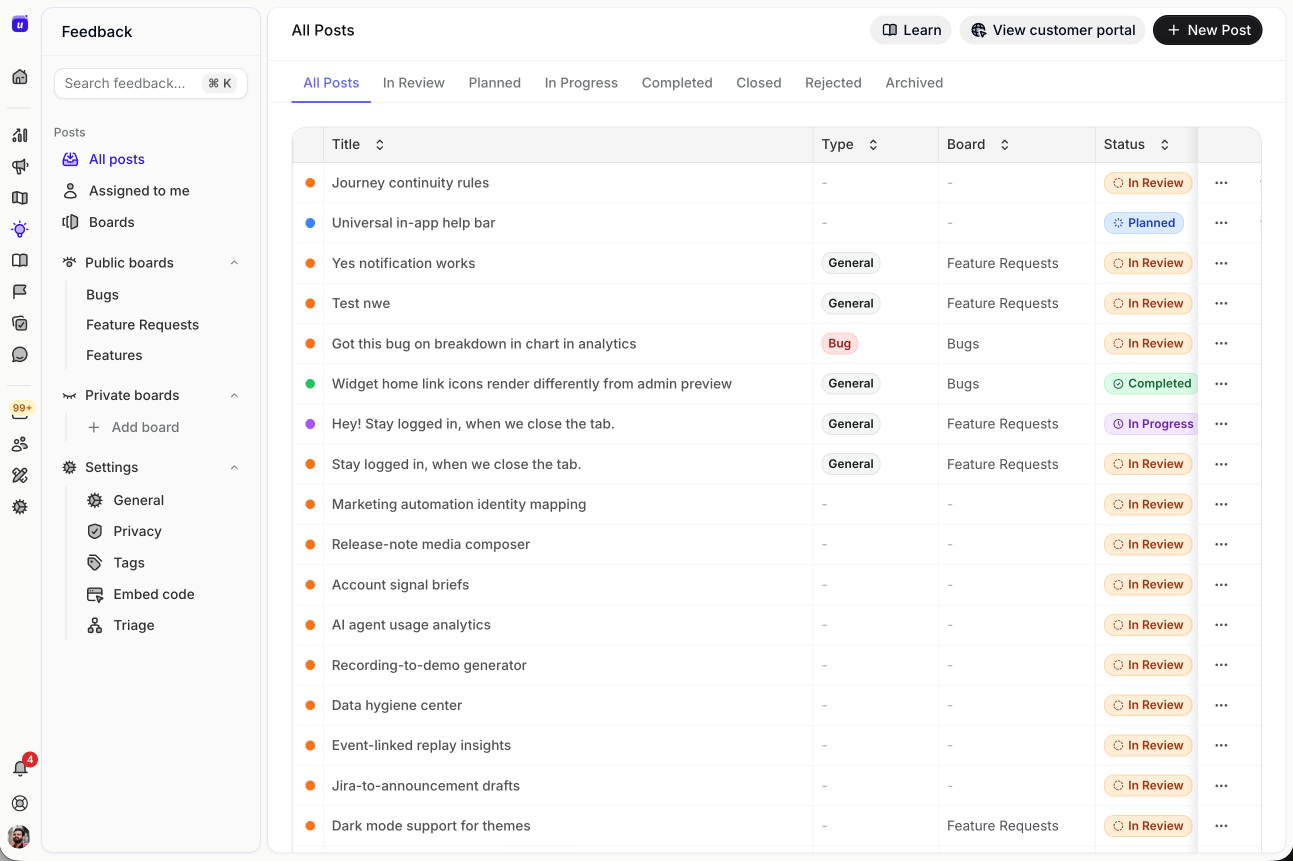
A useful feedback workspace keeps requests organized without stripping away the route back to the underlying evidence. See Userorbit Feedback Boards.
Summaries are helpful for scanning. They are not a replacement for the source. Keep both.
Step 3: Merge repetition without erasing disagreement
Duplicate requests create signal. Blind deduplication destroys it.
Merge records when customers are describing the same underlying problem. Keep separate evidence attached to the merged item so you can still see:
- which segments asked;
- how their workflows differ;
- whether urgency is concentrated in one account type;
- which proposed solutions conflict;
- how the pattern changed over time.
Votes can help show demand among participating users. They cannot tell you representativeness, strategic fit, severity, confidence, or implementation cost.
Treat a vote as one piece of evidence, not a tiny roadmap mandate.
When the volume is too large to review record by record, use AI to prepare themes and decision packets without letting the model silently turn demand into priority. The AI roadmap prioritization guide separates evidence preparation from the accountable product decision.
Step 4: Triage quickly, then set the next expectation
Customers do not expect every request to ship. They do expect the company to stop pretending silence is a roadmap strategy.
Triage should answer four questions:
- Is this a support issue that needs resolution now?
- Is the problem understood well enough to evaluate?
- Is there an existing request or decision it belongs to?
- Who owns the next response, and when should it happen?
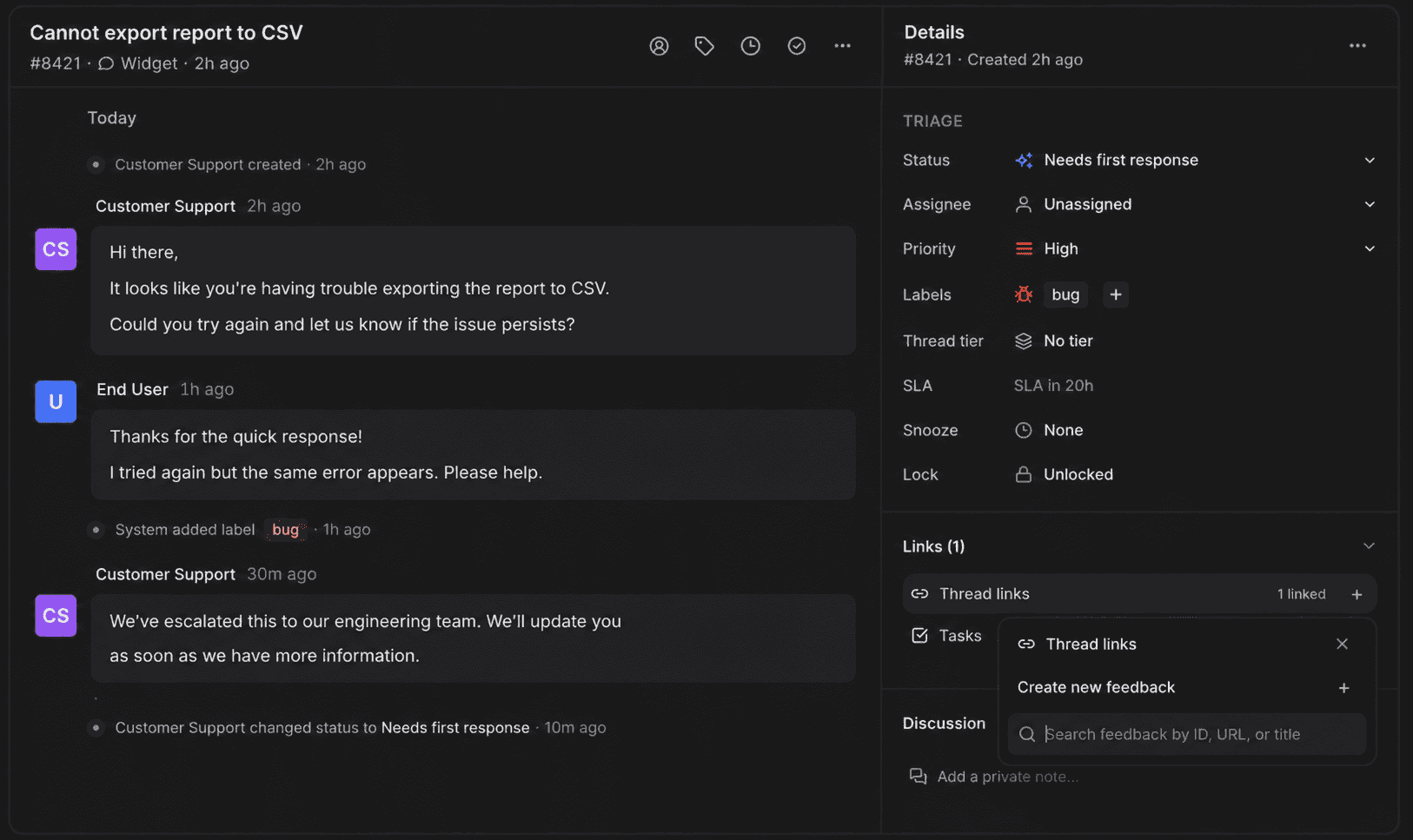
Support evidence should be able to become product feedback without losing the customer conversation that explained it. See the Userorbit Support Suite.
A practical acknowledgement is short:
We received this and linked it to the existing export reliability problem. The product team reviews that area on Thursday. We will update this thread after that review, even if the answer is not a roadmap commitment.
That message makes one safe promise: a response. It does not accidentally promise a feature.
Step 5: Record the decision and the reasoning
There are more honest outcomes than Planned and Ignored.
Use a small decision set that your team can explain consistently:
- Need more evidence: the problem may be real, but the pattern or severity is unclear.
- Solve through support or documentation: the product works, but the path is confusing.
- Explore a different solution: the requested feature is not the best answer to the problem.
- Planned: the team has committed to a direction, not necessarily an exact implementation date.
- Not now: the problem is valid, but another tradeoff currently wins.
- Declined: the request conflicts with product strategy, safety, or maintainability.
- Shipped: the change is live and ready for the affected customer to use.
For anything consequential, record three lines internally:
- Problem: what customers are unable to do.
- Evidence: which users, accounts, behaviors, and conversations support it.
- Decision: what the team chose and what would cause that choice to change.
That note becomes more valuable than the status. Six months later, it explains why the roadmap looks the way it does.
Step 6: Close negative loops too
Many teams notify customers only when a feature ships. That trains the feedback system to hide every difficult decision.
A declined request can still produce a good loop:
We are not planning a second export engine. The requirement we heard is a reliable path into your warehouse, so we are improving the existing API and scheduled sync instead. I linked the setup guide and will keep this request attached to that work.
The customer may disagree. They at least understand what happened.
Avoid fake certainty. “Under review” is fine when review is real. It is not a permanent storage class for conversations nobody wants to answer.
Step 7: Announce the release to the people it affects
Publishing a changelog entry is useful. Sending the same broad announcement to every user is not the same as closing the loop.
The original evidence gives you a better audience:
- customers who submitted or voted on the request;
- accounts that hit the related support issue;
- users who attempted the old workflow;
- admins responsible for rollout;
- new users who will encounter the improved path during onboarding.
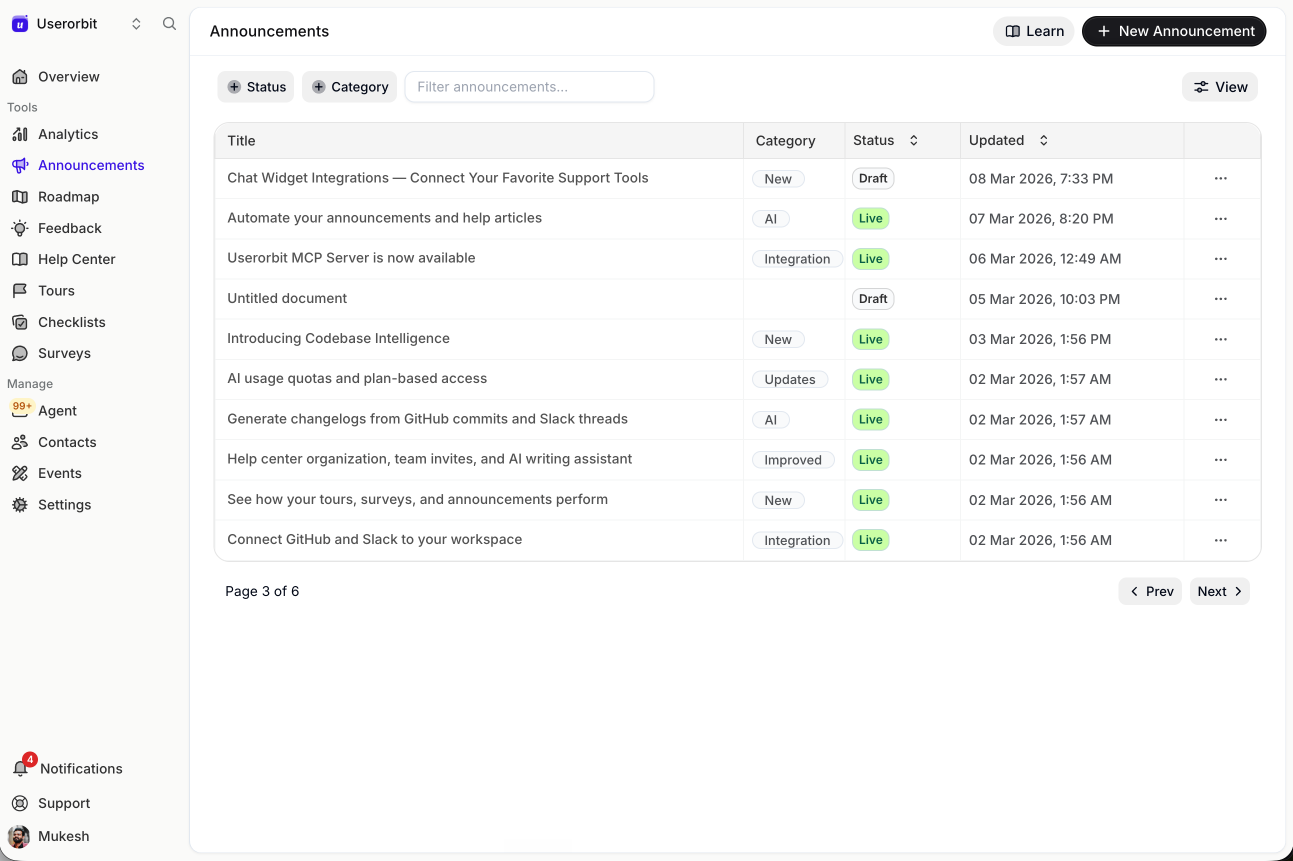
Release communication becomes more useful when the announcement stays connected to the request and the affected audience. See Userorbit Announcements.
Tell them four things:
- what changed;
- which original problem it addresses;
- how to use it;
- where to reply if the problem remains.
That last line keeps the loop open to correction. Product work is not a courtroom verdict.
Step 8: Measure whether the problem moved
Shipping proves that code changed. It does not prove that the customer outcome changed.
Return to the original problem and choose the smallest credible measure:
- task completion;
- time to complete;
- repeat support volume;
- feature adoption among the affected cohort;
- error or abandonment rate;
- follow-up survey response;
- renewal or expansion risk for the accounts involved.
Do not ask “Did people use the feature?” when the original problem was “Can finance close the month without manual cleanup?” Usage can increase while the job remains broken.
Create the success check when the feedback item is accepted, not after the feature ships. Post-launch teams are remarkably creative at choosing a metric the release already improved.
A worked B2B SaaS example
Imagine several customers ask for custom report exports.
Capture: two requests arrive through the feedback board, three related support threads appear, and analytics shows repeated failed downloads on large reports.
Clarify: support discovers that most customers do not need custom formats. They need large exports to finish reliably and arrive on a schedule.
Decide: product declines a general report builder and plans background exports plus scheduled delivery.
Communicate: requesters receive the decision and the workaround. The public roadmap names the outcome, not the rejected solution.
Ship: the team publishes the release, notifies the five affected accounts, and links a short setup guide.
Learn: successful large exports rise, timeouts fall, and support checks whether the original accounts can complete month-end reporting. One customer still needs a warehouse sync, which becomes a separate problem rather than being buried inside “custom exports.”
That is a feedback loop. The feature request was only the opening sentence.
The operating cadence
| Cadence | Work |
|---|---|
| Daily | Acknowledge new signals, route support issues, merge obvious duplicates, and assign an owner |
| Weekly | Review high-signal problems, record decisions, update affected customers, and clean stale “under review” items |
| Per release | Link shipped work to evidence, publish the update, notify the relevant cohort, and start the success check |
| Monthly | Review unresolved high-impact problems, closure coverage, decision latency, and post-release evidence |
| Quarterly | Revisit declined or deferred problems whose customer, product, or strategy context changed |
Useful process measures include:
- Acknowledgement latency: signal received to first useful response.
- Decision latency: sufficient evidence to recorded decision.
- Communication latency: decision or release to customer update.
- Closure coverage: percentage of material decisions where affected customers received an explanation.
- Learning latency: release to evidence strong enough to guide the next decision.
These are operating measures, not vanity targets. Use them to find where context is getting stuck.
Common mistakes
Collecting more than the team can answer
A feedback button is not free. It creates an expectation. Narrow the channels or cadence before opening a portal your team cannot operate.
Turning every support ticket into a feature request
Some tickets need a reply, a fix, or a clearer help article. Promote recurring product problems, not every conversation.
Publishing roadmap dates to make customers feel heard
False precision creates a second trust problem. Communicate direction and confidence honestly.
Notifying everyone with the same release message
Broad announcements create awareness. Targeted follow-up closes the original loop. Use both for different jobs.
Measuring votes instead of outcomes
Popular requests can still produce weak solutions. Return to the customer job that created the demand.
The closed-loop checklist
- The original customer and source are attached.
- The problem is written separately from the proposed solution.
- Related evidence remains distinct after merging.
- A named person owns the next response.
- The decision and reasoning are recorded.
- Declined and deferred requests receive an explanation when material.
- Shipped work links back to the affected evidence.
- The right cohort receives a useful release message.
- A post-release measure tests the original problem.
- New evidence can reopen the decision.
The goal is not to make every customer happy.
It is to make the product decision legible, keep the evidence useful, and prove that listening changes what the team learns next.
Frequently asked questions about closed customer feedback loops
Practical answers for product teams building a repeatable feedback-to-decision workflow.