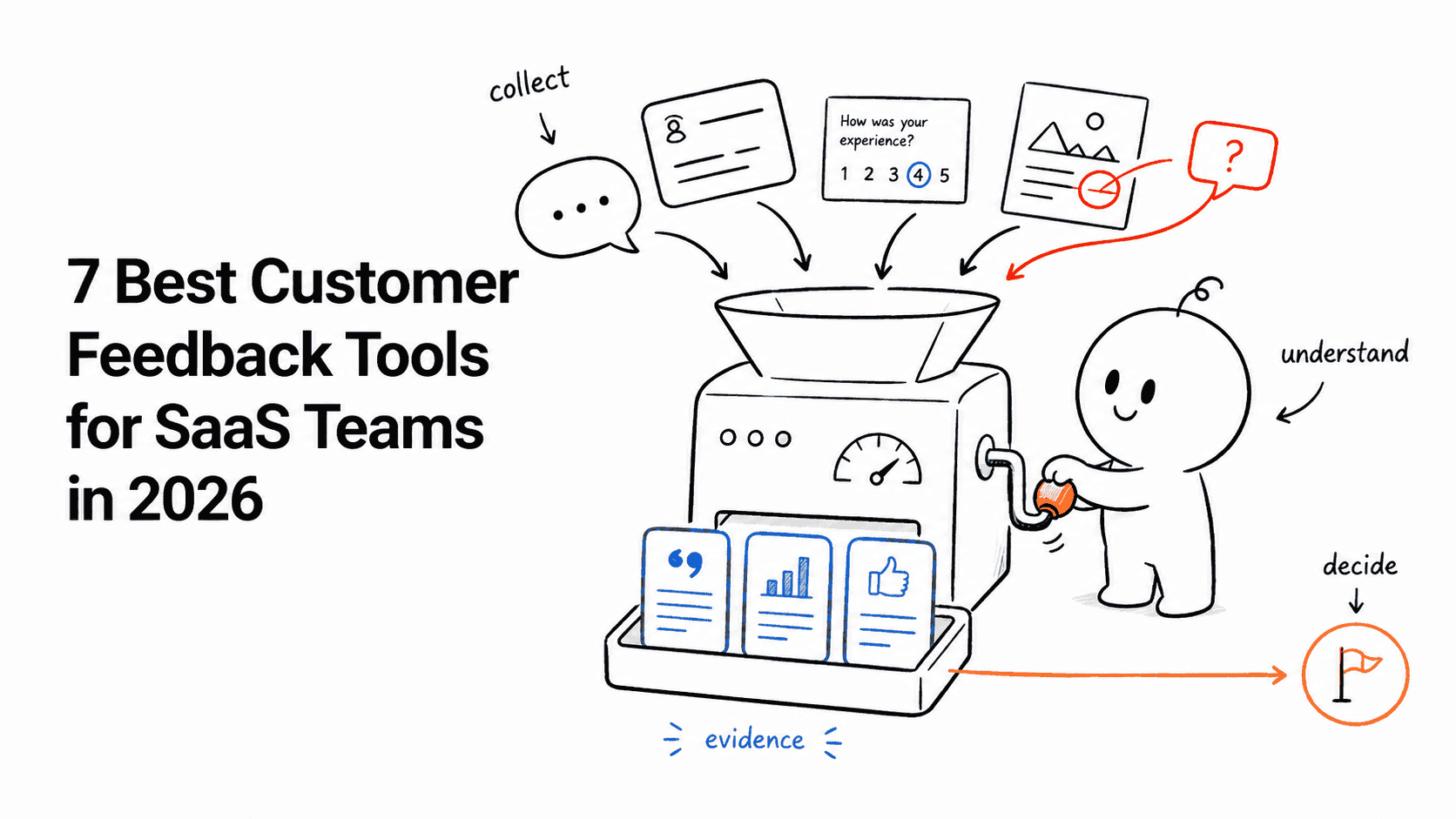








The feedback customers submit is rarely the feedback product teams need to evaluate.
A vote says a feature sounds useful. A support conversation reveals urgency. An interview explains the underlying problem. A screenshot captures the interface state. Good feedback software preserves those differences, keeps the customer and account attached, and makes it possible to tell the right people what happened after a decision.
Canny is the strongest focused feedback portal in this comparison. Userorbit is a better fit when the team wants feedback, a public roadmap, announcements, onboarding, and adoption in one operating loop. Productboard has the deepest planning context, while Usersnap is the best option when visual evidence matters more than votes.
Seven tools, seven different feedback jobs
| Tool | Best fit | Starting point | Main tradeoff |
|---|---|---|---|
| Canny | A mature, focused feedback portal | Free; Pro from $79/month billed annually | Tracked-user pricing needs monitoring |
| Userorbit | Lean B2B SaaS teams closing the loop across product workflows | $95/month billed annually | Not a dedicated enterprise research repository |
| Productboard | Multi-team product organizations connecting insights with planning | Free; Plus from $19/maker/month annually | Requires product-operations discipline |
| Featurebase | Teams combining feedback and customer support | Free; Growth from $29/seat/month annually | Seat cost grows with cross-functional use |
| Frill | Startups needing a simple public feedback loop | $25/month | Lighter analysis and planning depth |
| Savio | B2B teams collecting evidence through support, sales, and CRM tools | $39/month billed annually | Less focused on visual in-product research |
| Usersnap | Visual bug reports and contextual product research | First 20 feedback items free | Paid pricing depends on the configured plan |
First decide what “feedback” means in your workflow
Products in this category tend to begin from one of four places:
- Feedback portals organize requests, votes, statuses, and public updates. Canny and Frill are the clearest examples.
- Product-management systems attach insight evidence to prioritization and roadmap work. Productboard goes furthest in this direction.
- Connected customer platforms carry feedback into roadmaps, announcements, onboarding, or support. Userorbit and Featurebase take different versions of this approach.
- Capture and evidence systems bring context in from existing customer conversations or the interface itself. Savio and Usersnap specialize here.
If the primary need is to ask a selected audience a structured question at a specific moment, compare in-app survey software instead. If the need is to preserve a repeated customer problem, decide what to do, and close the loop, the tools below are the better category.
We evaluated collection coverage, the customer and account context retained with each signal, duplicate handling, prioritization, roadmap connections, close-the-loop workflows, and commercial fit. Userorbit publishes this guide and naturally has deeper access to its own product. Competitor claims and prices come from current official product, documentation, and pricing pages; recommendations are editorial judgments, not the result of an identical production deployment across all seven platforms.
If AI-assisted synthesis is part of the shortlist, test whether the product preserves the original evidence, exposes theme boundaries, and supports human correction. Our AI feedback analysis guide includes a practical evaluation method.
1. Canny: best focused feedback portal
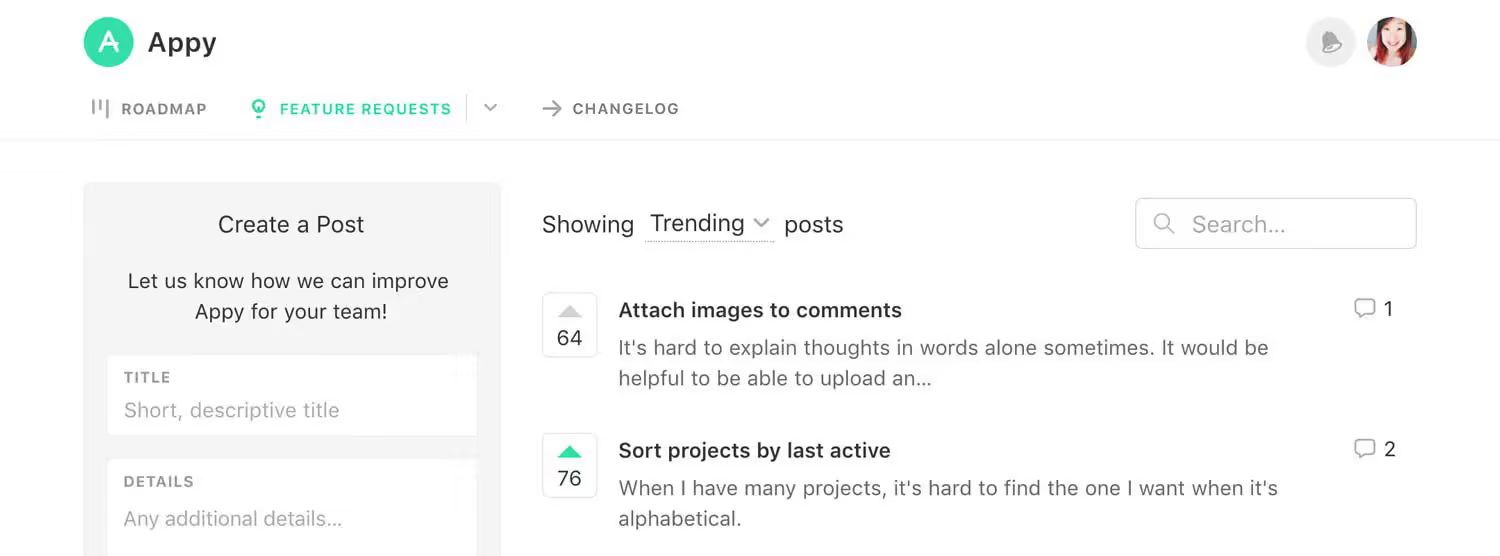
Image source: Canny feedback features
What this does
Canny runs the classic feature-request workflow from one focused portal. Customers submit and vote on ideas; the team merges duplicates, attaches requests to tracked users, segments the evidence, publishes roadmap statuses, and closes the loop through a changelog. Autopilot and integrations can also bring feedback in from customer-facing systems without asking every colleague to re-enter it.
Canny offers a free plan for 25 tracked users. Pro starts at $79 per month billed annually and adds more advanced workflows, privacy, and integrations. A tracked user includes anyone associated with submitted, voted, commented, administrator-added, or automatically captured feedback, so model this metric against your expected capture volume. Our Canny pricing guide shows the full bands and annual cash cost.
Strengths
- A dedicated portal that customers and internal teams can understand quickly
- Mature duplicate management, user segmentation, roadmap, and changelog workflows
- Enough integrations and automated capture to connect support conversations with product decisions
Best for
Canny is the strongest default when your main buying job is a polished request portal with voting, prioritization, and public follow-up. It suits SaaS teams that want a specialized feedback system without first designing a research taxonomy or broader product-operations stack.
Not best for
It is less compelling when feedback must live beside onboarding, surveys, and product-adoption work in the same platform. Teams should also watch tracked-user growth: automated and internal capture can expand the bill even when the number of administrators stays small.
2. Userorbit: best for a connected feedback-to-release loop
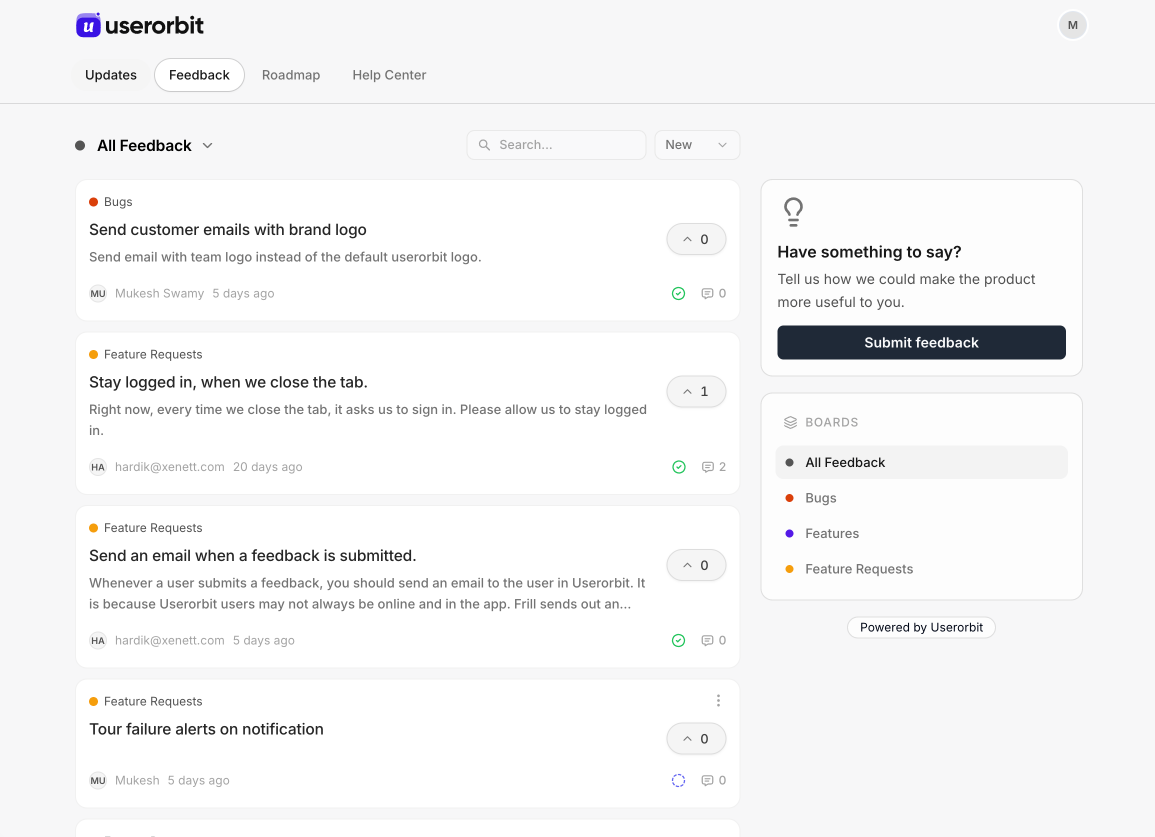
Image source: Userorbit Feedback Boards
What this does
Userorbit Feedback Boards keep the original customer request connected after triage. A team can collect and organize feedback, move selected work onto a customer-facing roadmap, announce the release, and guide adoption after the product changes. Surveys and support context can feed the same loop rather than becoming separate stores of customer evidence.
Growth costs $95 per month billed annually for 5,000 MAUs and includes feedback boards, a public roadmap, surveys, announcements, analytics, integrations, and unlimited team members.
Strengths
- Carries feedback into roadmap, release communication, and adoption workflows
- Keeps product, support, and customer-success teams in one customer-facing loop
- Unlimited team members reduce seat friction for a lean cross-functional SaaS team
Best for
Userorbit is best for lean B2B SaaS teams that find follow-through harder than collection. It is particularly useful when the same people own listening, deciding, communicating what shipped, and helping customers adopt the result.
Not best for
The connected platform is unnecessary if you only want a public voting board. A large UX research organization may also need deeper interview-study management, participant operations, and repository analysis than Userorbit is designed to provide.
3. Productboard: best for evidence-led product planning
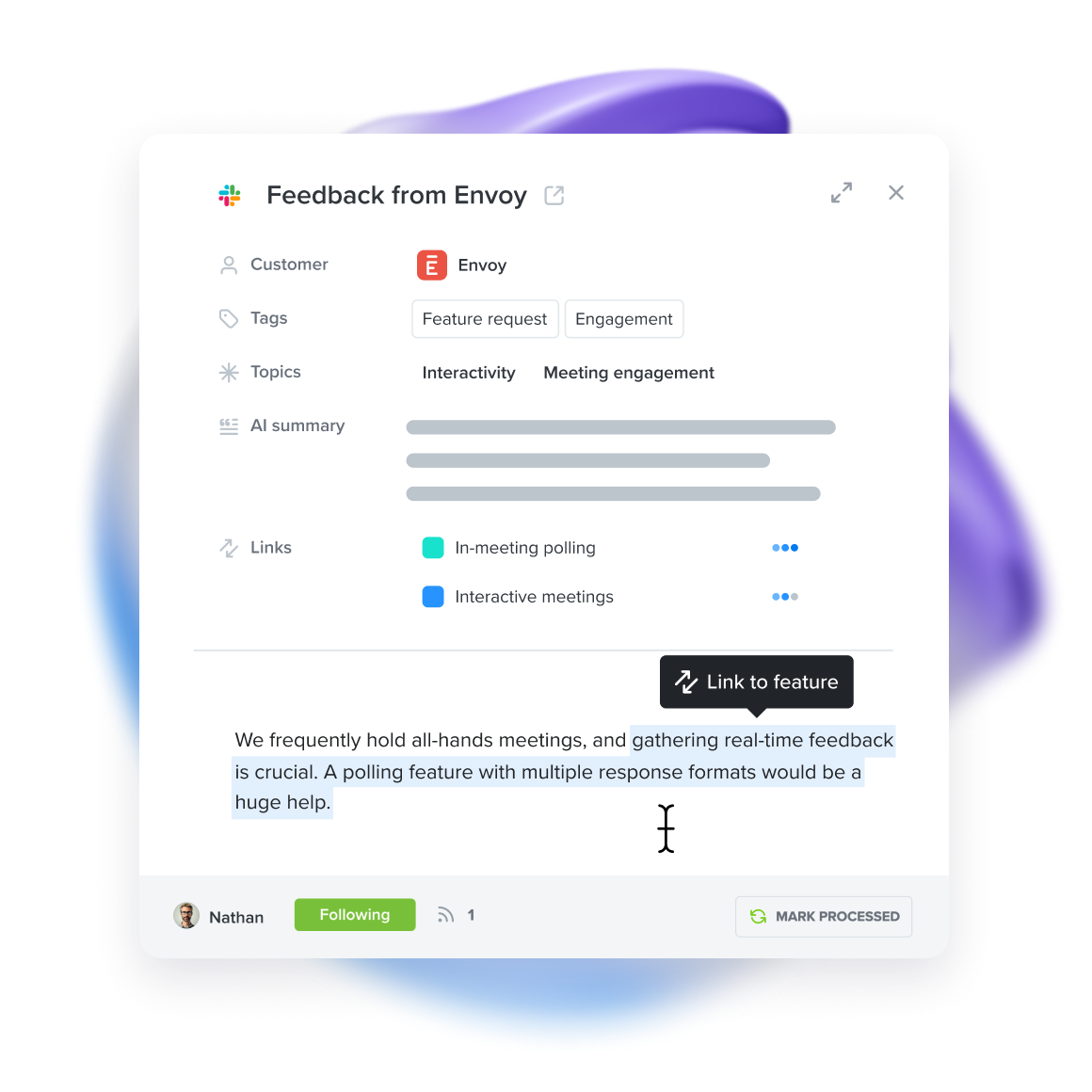
Image source: Productboard Customer Insights
What this does
Productboard makes customer feedback an evidence layer inside a larger product-management system. Notes and highlighted insights connect to feature ideas, customer segments, prioritization, product hierarchy, roadmaps, and release planning. Portals and forms let stakeholders contribute without exposing the entire internal planning model.
The free plan and Plus at $19 per maker per month billed annually include up to 500 feedback notes and one portal. Business is $59 per maker per month with a two-maker minimum and adds unlimited feedback notes, more portal capacity, teamspaces, and controls.
Strengths
- Preserves the customer evidence behind feature ideas and prioritization decisions
- Supports shared product hierarchies, segments, teamspaces, and governed planning
- Gives larger organizations more planning depth than a standalone request board
Best for
Productboard is best for multi-team product organizations willing to maintain a shared taxonomy, product structure, and evidence practice. The operating overhead pays off when several teams need a consistent definition of the customer problem and a governed place to decide where it belongs.
Not best for
It is too much system for a small team whose main need is a public board and clear status updates. Without someone maintaining the hierarchy and evidence, Productboard's planning depth can become administrative weight rather than better judgment.
4. Featurebase: best when feedback and support share a platform
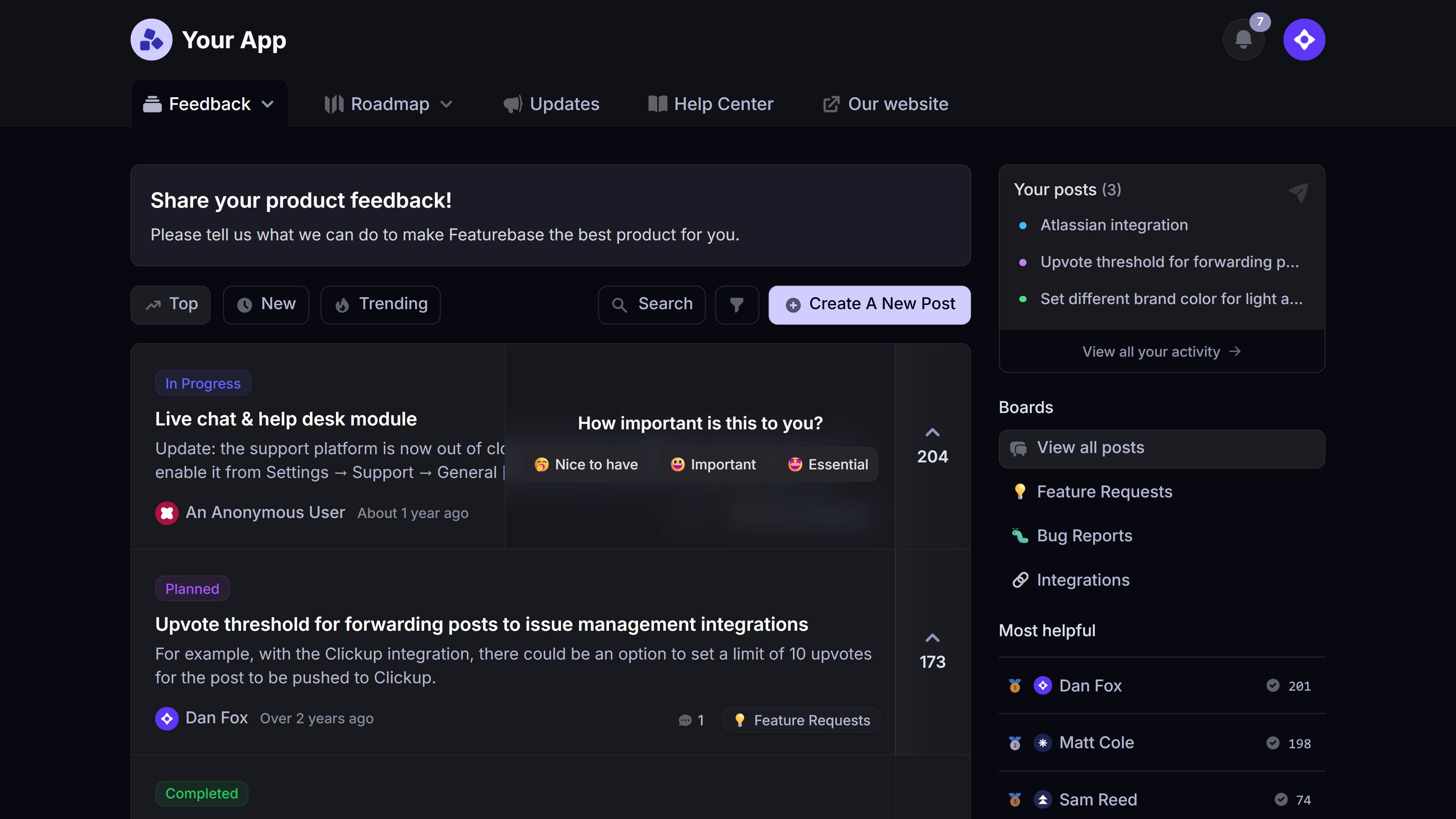
Image source: Featurebase product platform
What this does
Featurebase combines a feedback portal, roadmap, and changelog with a helpdesk, help center, outbound communication, reporting, and AI support. A support conversation can remain close to the resulting product evidence instead of passing through a separate feedback product between the inbox and roadmap.
The current pricing model has a free plan for one seat, and Growth begins at $29 per seat per month billed annually. All plans include feedback alongside the helpdesk; paid tiers expand workflow, support, and customization capabilities.
Strengths
- Keeps support conversations and product feedback within one vendor
- Includes the public portal, roadmap, changelog, and close-the-loop workflow
- Offers a consolidation path for startups buying support and feedback software together
Best for
Featurebase is best for a startup or scale-up that wants to consolidate customer support and product-feedback operations at the same time. The value is strongest when support agents regularly surface product problems and the team wants that evidence close to prioritization.
Not best for
The bundle is harder to justify if you already have a helpdesk your team likes. Product, support, and go-to-market leaders should also count every person who needs an active seat before comparing its headline price with MAU- or tracked-user-based alternatives.
5. Frill: best simple feedback portal for startups
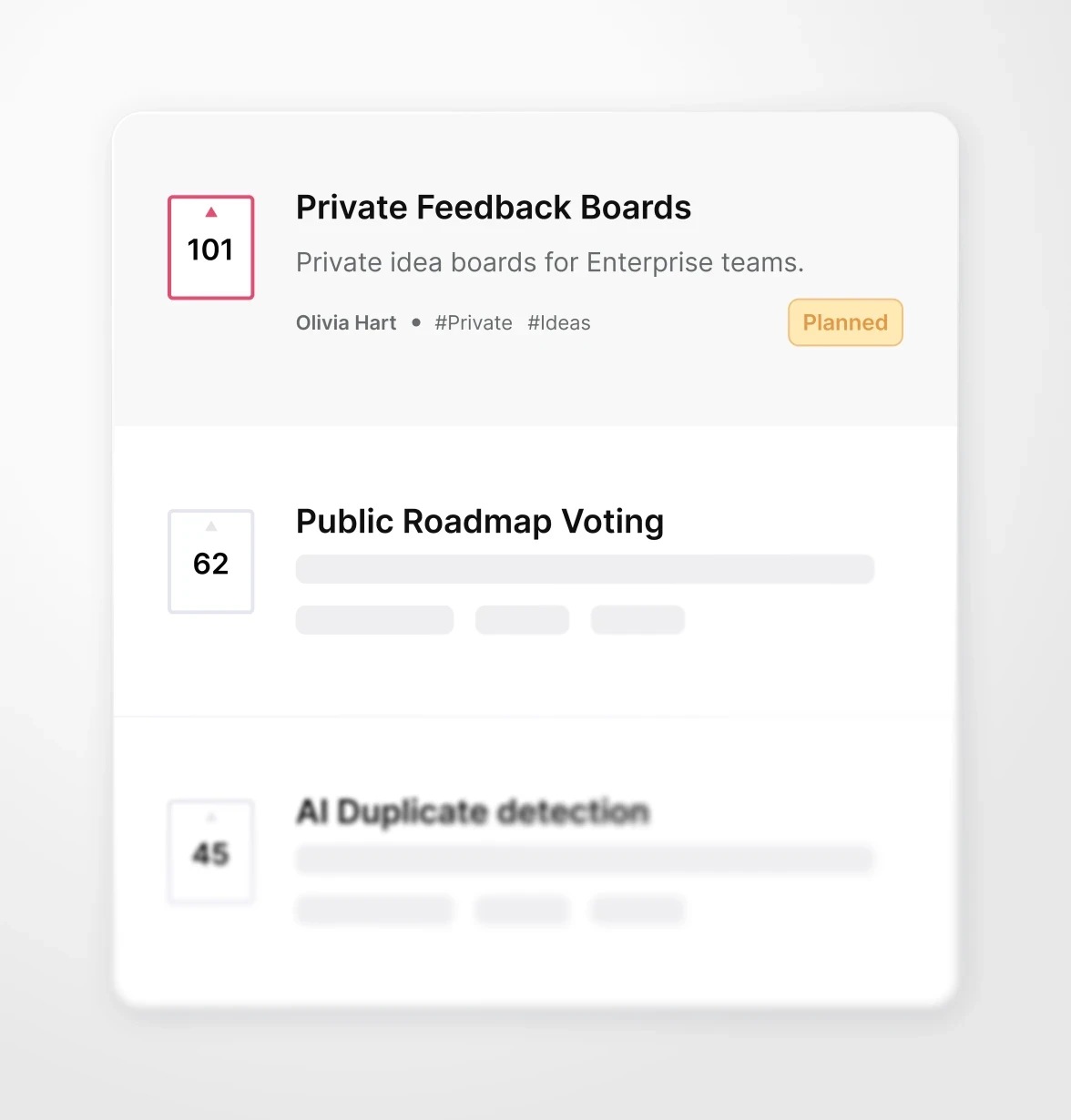
Image source: Frill customer feedback platform
What this does
Frill packages ideas, voting, a public roadmap, announcements, surveys, and widgets into an approachable customer-feedback product. It gives a startup a credible replacement for a spreadsheet or improvised request board without requiring a product-operations project first.
Startup costs $25 per month and includes 50 ideas and one survey. Business costs $49 per month and expands to unlimited ideas and three surveys. Paid plans include unlimited administrators and widgets, which avoids seat friction for a small cross-functional team.
Strengths
- Simple public feedback and roadmap experience with a short learning curve
- Low entry price and unlimited administrators on paid plans
- Adds announcements, surveys, widgets, and duplicate handling without feeling like a planning suite
Best for
Frill is best for startups that want customers to submit ideas, vote, see roadmap movement, and receive updates without adding a heavyweight internal repository. It is a practical step up from spreadsheets when clarity and speed matter more than formal analysis.
Not best for
It has less research analysis and planning depth than Productboard. Some privacy, white-labeling, and governance requirements also move buyers into higher tiers or add-ons, so a low starting price does not cover every mature use case.
6. Savio: best for feedback gathered by customer-facing teams
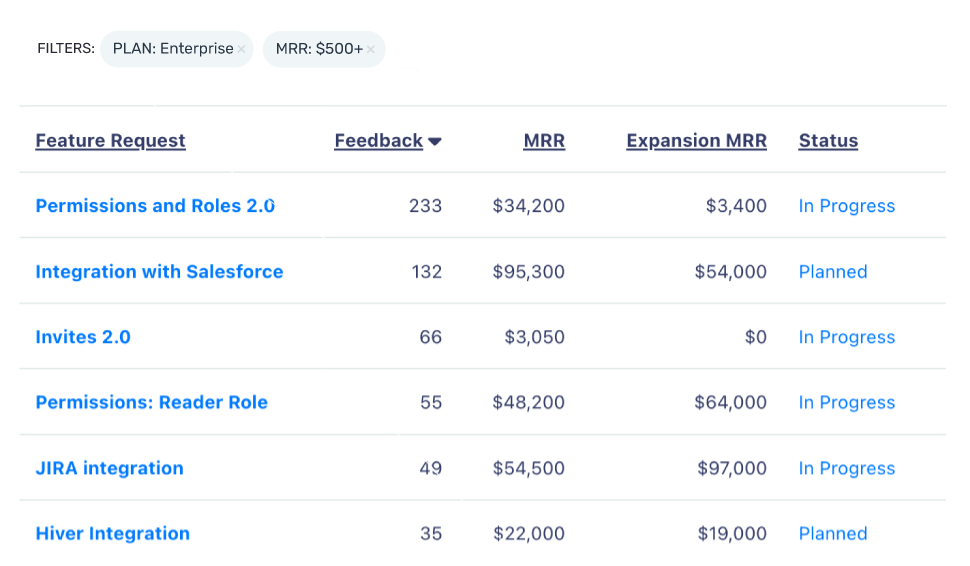
Image source: Savio product feedback platform
What this does
Savio collects the B2B feedback already living in Intercom, Help Scout, Slack, Zendesk, HubSpot, Salesforce, email, and conversations handled by sales or customer success. It preserves customer and account context as those teams send evidence to product, then supports triage, revenue-aware prioritization, roadmaps, and follow-up.
Its commercial model assumes many people contribute while only a few operate the repository. Essential costs $39 per month billed annually for one paid user and includes unlimited free contributors and viewers. Higher tiers add segmentation, more roadmaps, APIs, delivery integrations, CRM connections, and multiple products.
Strengths
- Captures evidence inside the support, CRM, and communication tools GTM teams already use
- Preserves customer, company, plan, MRR, and opportunity context for prioritization
- Lets many contributors and viewers participate without buying a paid seat for each person
Best for
Savio is best for B2B companies where support, success, and sales hear the most valuable product problems. It gives product managers a structured way to see which requests matter to important accounts without forcing customer-facing teams into a new daily workspace.
Not best for
It is not the first choice for visual bug reporting, session evidence, or broad in-product research. A company centered on public community voting may also prefer a portal-first product such as Canny or Frill.
7. Usersnap: best for visual and contextual feedback
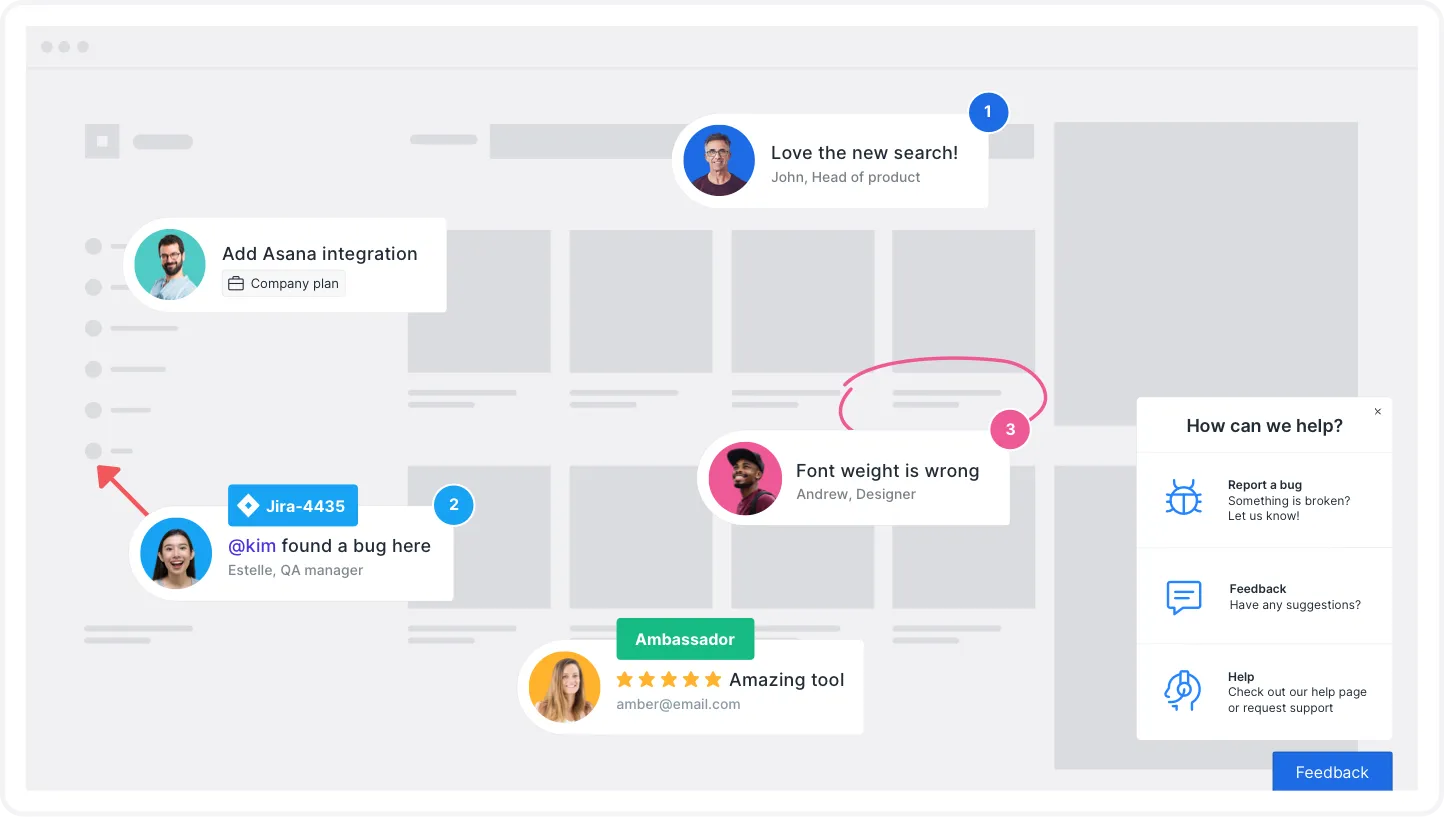
Image source: Usersnap Visual Feedback
What this does
Usersnap captures problems that are difficult to explain in a feature-request title. Its widgets collect annotated screenshots, screen recordings, browser and device metadata, survey answers, and other interface context, then route that evidence into product, design, QA, and delivery workflows.
The first 20 feedback items are free. Paid access varies with projects, seats, targeting, portals, mobile SDKs, and governance, so there is no single public starting amount that describes every configuration.
Strengths
- Shows the interface state instead of relying on a customer's written reconstruction
- Collects screenshots, recordings, annotations, and technical metadata together
- Fits usability research, beta programs, UAT, and visual bug-reporting workflows
Best for
Usersnap is best when the richness of the evidence matters more than the size of the vote count. Design, QA, and product teams can see what the reporter saw and begin investigation without several rounds of clarification.
Not best for
It is less centered on public voting and strategic roadmapping than Canny or Productboard. If customers mainly need a transparent request portal and status updates, Usersnap's visual-capture depth may solve the wrong problem.
A practical way to narrow the list
Start with the location of your strongest evidence:
- Customers submit requests through a public portal: start with Canny; compare Frill if simplicity and price dominate.
- Feedback must continue into roadmap, release communication, and adoption: compare Userorbit with Canny.
- Several product teams need a shared evidence and planning system: evaluate Productboard.
- The support inbox and feedback portal should share a vendor: shortlist Featurebase.
- Support, success, sales, and CRM tools already contain most requests: look at Savio.
- Screenshots and interface state explain the issue: use Usersnap.
If the channel itself is the open question, use the feedback board vs. survey vs. support ticket decision matrix before choosing a vendor.
During a trial, submit the same problem through three channels, merge the evidence, attach two different account segments, reject one proposed solution, and then close the loop with only the affected customers. That workflow exposes whether the platform preserves evidence or merely counts submissions. The closed-loop operating guide provides the full workflow and measurement model.
Sources and update notes
This comparison focuses on product-feedback workflows for SaaS. Generic form builders and survey-only products were excluded because they do not manage the path from evidence to prioritization and customer follow-up. Capabilities, plan structures, and public prices were checked against official vendor pages on August 19, 2026.
Frequently asked questions about customer feedback tools
Practical answers for SaaS teams choosing feedback collection and management software.