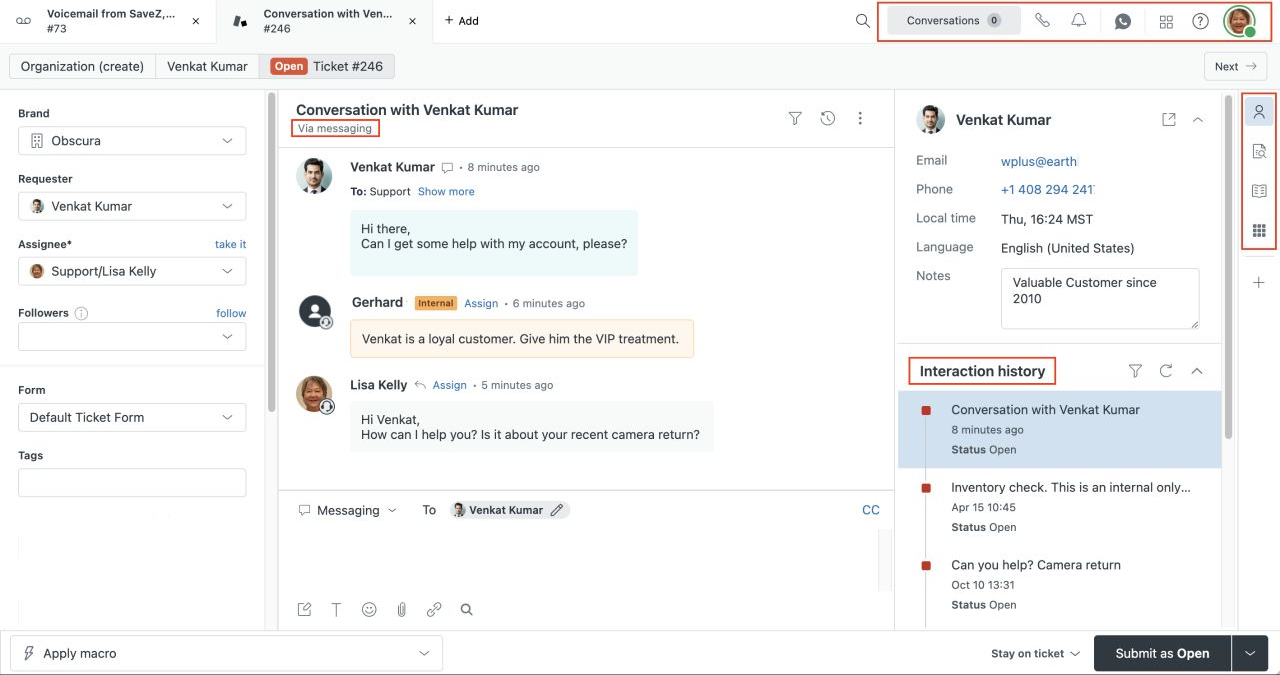







A Zendesk ticket can carry years of context: comments, private notes, attachments, organization fields, routing rules, and service expectations. A migration must decide which of those your team needs to keep working.
Start with a written mapping and a small pilot. Verify the export, agree what Userorbit can accept, test the reply path, and preserve access to history before switching the whole queue.
This guide does not claim a native Zendesk importer or complete historical fidelity. Agree on a supported transfer method and acceptance criteria with Userorbit first. If your operation depends on voice, complex governance, or a specific Zendesk application, test that requirement before making a replacement decision. The support-platform comparison helps frame that evaluation.
Verify Zendesk export access before setting a date
Zendesk's account export documentation describes ticket, user, and organization exports and their access conditions. Check the current account permissions, enablement requirements, and export formats. Request access early if your account needs it.
Attachments deserve a separate check. Zendesk's attachment guide describes attachment links in JSON exports. Test whether required files are actually retained and retrievable outside the old workspace. A URL in a file does not prove the binary is safely archived.
Record the export time and check which later ticket changes require a final incremental capture or manual handoff. Keep the source ticket ID with transferred records so the team can investigate discrepancies.
Check the export gaps that change a Zendesk migration
Zendesk states that its CSV export omits ticket comments and descriptions. The documented account export tools are unavailable on Team plans, although its REST API provides another export route. Its documentation also lists an exclusion for AI agent tickets. Establish which of those applies to your account before calling an export complete.
| Zendesk object | Mapping question for the pilot |
|---|---|
| Requester and organization | Which stable IDs preserve the customer-to-company relationship? |
| Public comment and private note | How will visibility and authorship be retained or archived? |
| Group, assignee, and custom status | Which destination owner and lifecycle state represent the same next action? |
| Trigger and time-based automation | Which behavior must be rebuilt rather than copied as configuration? |
| Attachment | Can the actual file be downloaded now and retrieved after cutover? |
Private attachment URLs may expire and require authentication. Test retrieval while source access is still available; storing temporary URLs alone is not an archive. Keep export credentials in your normal secure configuration rather than embedding them in a migration worksheet.
Decide what must move and what can stay archived
Moving every historical record is a different project from moving new support work. Write down the required scope before choosing a cutover date.
| Record or behavior | Acceptance check |
|---|---|
| Customers and companies | Stable identities map to the correct people and accounts |
| Open conversations | An owner, next action, and reference to the source survive |
| Closed history | The team can retrieve the records it agreed to retain |
| Attachments and private notes | Required files open and internal content stays private |
| Help articles | Titles, images, links, languages, and redirects are checked |
| Routing and automations | Rules are rebuilt and tested against representative cases |
| Reporting | The team understands which old metrics cannot be compared directly |
Treat this table as a migration specification. It does not imply that Userorbit automatically imports these objects. Agree on the supported method and limitations for each row before moving production traffic.
Run a small acceptance test
Use the Userorbit setup guide for migrating from Zendesk alongside this checklist when you configure the pilot workspace.
Use test accounts and representative requests from each required channel. Include an attachment, an internal note, a reply from the customer, an unassigned request, and an escalation. Verify that customer-facing replies reach the correct destination and internal collaboration never does.
Keep a source-to-destination mapping for any records transferred. Reconcile counts and inspect samples; a matching total alone will not catch incorrect authors, lost attachments, or shifted timestamps. If the supported path cannot preserve an essential property, keep the source archive accessible or change the scope before rollout.
Move one channel with a rollback plan
Start with a bounded cohort, support address, or customer channel. Name the person who can revert the change and record the previous configuration. Rebuild only the routing rules needed for the pilot, then check incoming requests, outgoing replies, ownership, and service targets.
Avoid running two automatic responders for the same inbound message. During overlap, give every open conversation one authoritative home and an owner who knows where to reply. Keep the old system available until the team can retrieve the agreed history and handle reopened requests.
Expand after the pilot passes
Review missed requests, duplicate replies, broken attachments, routing errors, and customer confusion. Resolve them before adding channels. Export the final changes from the old system where supported, document the cutoff time, and check that the archive still works before ending the old subscription.
A completed migration means the support team can receive, investigate, answer, and follow up on customer questions. An empty old queue is only one part of that result.
Recreate the rules your team actually uses
Inventory groups, assignees, tags, custom fields, views, macros, triggers, automations, and SLAs. Separate rules that are still useful from accumulated exceptions. Assign each required behavior an owner and a test case instead of expecting settings to transfer unchanged.
Use Userorbit's guides for support setup, email channels, labels and views, and tiers and SLA targets. Support Suite requires Scale or Enterprise, temporary active-trial access, or a workspace-specific entitlement; check the access guide.
Keep a representative difficult case in the pilot: an engineering escalation, an attachment-heavy ticket, or a request that reopens after resolution. If that case cannot be handled well, adding more channels will magnify the problem.
Sources checked November 15, 2026: the official Zendesk export and attachment guides linked above and Userorbit's linked implementation documentation.
Frequently asked questions
Practical answers for SaaS teams evaluating support costs and migration.