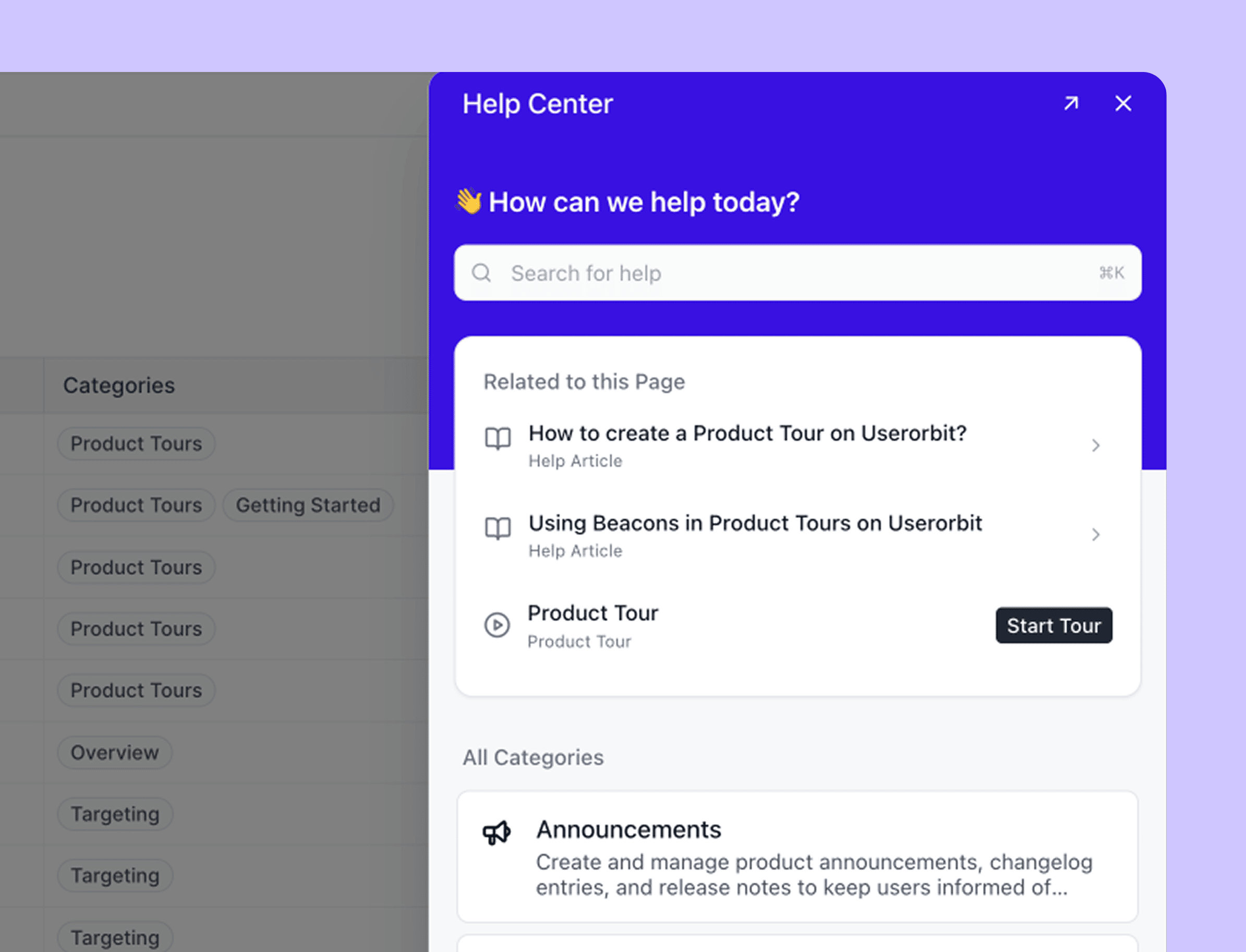








Stonly is not a bad product with a wave of angry customers. Its current review profiles are unusually positive: 4.8/5 from 132 G2 reviews, 4.8/5 from 93 Gartner Peer Insights ratings, and 4.3/5 from 12 Capterra reviews. That matters because a useful Stonly alternatives guide should not manufacture a backlash that the evidence does not show.
The real problem is fit.
Stonly is built around interactive, branching knowledge. That model is excellent when a customer or support agent needs to diagnose a complicated situation step by step. It is less obviously the right system when the actual job is a conventional documentation site, a full support inbox, fast SaaS onboarding, or a library of visual walkthroughs.
This guide ranks alternatives by the reason a team is leaving—not by who has the longest feature list.
The short answer
| Stonly alternative | Best for | Public pricing signal | Main trade-off |
|---|---|---|---|
| Userorbit | SaaS teams connecting help, support, onboarding, feedback, and product communication | Scale from $249/month annually | Less suited to deeply branched agent procedures |
| Featurebase | Startups consolidating help center, support, feedback, and changelog | Free; Growth from $29/seat/month annually | Less specialized in branching decision trees |
| Document360 | Documentation teams that need governance and structured content operations | Custom quote | Less focused on product tours and support conversations |
| UserGuiding | Web-app onboarding, checklists, surveys, and a resource center | Starter from $174/month annually at 2,000 MAU | MAU and active-content limits; no native mobile apps |
| Intercom | AI-first, omnichannel customer support | From $29/seat/month annually plus Fin usage | Multi-part pricing and less branching-guide depth |
| Zendesk | Mature, governed customer-service operations | Suite Team from $55/agent/month annually | More administration and suite complexity |
| Helpjuice | A dedicated internal or external knowledge base | From $249/month | Not a product-tour or support-inbox replacement |
| Supademo | Fast visual walkthroughs, training, and demo capture | Free; Scale from $38/creator/month annually | Not a knowledge base or help desk |
If Stonly's branching troubleshooting already reduces tickets and your team can maintain the guide logic, keep it. If one of the jobs above is the actual priority, start with the alternative matched to that job.
Why teams look for Stonly alternatives
We reviewed Stonly's current product and help documentation, public packaging, verified review summaries, individual user reviews, and the current alternatives landscape. Seven concerns appeared often enough to shape a buying decision.
1. The bill scales with guide consumption, but the public price is not shown
Stonly's current pricing page publishes the allowances but not the dollar price of its Small Business plan. That plan includes one knowledge base, five team members, and 4,000 guide views per month. The free Basic plan drops to 400 guide views, five published guides, one language, and one team member.
A guide view is not the same as a monthly active user or a support seat. Stonly counts a view when an external visitor loads a guide and can count another when that visitor leaves and returns later. If an account exceeds its limit for two months in a row, Stonly says it will contact the customer and move the account to an appropriate plan.
That may be reasonable for a support-heavy system, but it creates an awkward incentive: successful self-service increases the same usage meter that changes the bill. Forecast with real help-center traffic, not only your number of customers.
2. Several operational features sit behind Enterprise
Stonly's Small Business plan covers the interactive core well. The packaging gap appears when a growing team needs deeper support operations.
The current comparison table places help-desk integrations, AI Agents, automations, SSO, private knowledge bases, multiple knowledge bases, advanced rights management, white labeling, auto-translation, and surveys in Enterprise. Stonly's own Zendesk installation guide also says the native app is Enterprise-only, while its broader ticketing integration and Agent Copilot are described as Enterprise add-ons.
The practical question is not “Does Stonly have this feature?” It is “Does our quoted plan include the version of this feature our workflow needs?”
3. Interactive guides are a content model, not a universal upgrade
Stonly supports conventional articles, product tours, and interactive guides. Its differentiator is the last one: a guide can branch based on choices, collect information, trigger automation, or lead a person through a decision tree.
That structure is valuable for troubleshooting. It can be slower for a reader who wants to scan a short answer, compare several steps at once, use browser find, or share one stable section. It also means the author is maintaining paths and conditions, not only paragraphs.
This is partly an editorial judgment rather than a product defect. A five-branch diagnostic deserves a guide. A password-reset answer may deserve a normal article. If most of your library belongs to the second group, a documentation-first alternative can be a better fit.
4. Advanced branching brings a real learning and maintenance cost
G2's review analysis groups multiple mentions under missing features, integration gaps, and learning curve. One reviewer praised Stonly's conditional power but said the many AND/OR/NOT combinations took time to understand. Other reviewers describe the editor as intuitive, so the balanced conclusion is narrower: simple guides are approachable; complex guide systems still require information architecture and QA.
Map the maintenance work before migrating. Count shared modules, branches, translated variants, triggers, ownership rules, and the number of product changes that invalidate a path. A no-code editor removes deployment work; it does not remove content operations.
5. Integration depth varies by tool, plan, and workflow
Recent reviews still ask for broader middleware support. A 2025 Gartner reviewer wanted more middleware options, while a 2024 G2 reviewer used Zapier because a direct Slack workflow was not available for their use case. Another G2 reviewer reported that their Stonly-Zendesk connection occasionally needed a re-login.
Stonly's current integration directory is broader than those anecdotes suggest. It includes ticketing systems, Zapier, Segment, HubSpot, Slack and WhatsApp paths, localization, and developer options. The lesson is to test the exact two-way workflow: what opens inside the agent workspace, which fields sync, what actions write back, and which plan enables it.
6. In-app guidance can expose the fragility of a dynamic UI
A 2022 Capterra reviewer reported unreliable onboarding behavior in an Angular application and said their engineering team had to change application code. A TrustRadius reviewer from the same period also mentioned component-integration rework. These are old, individual reports—not proof that Stonly fails on modern single-page apps today.
They still identify an important proof-of-concept test for every overlay-based onboarding tool. Run a guide through modals, asynchronously rendered elements, responsive layouts, permission variants, and a release that changes the target DOM. Measure whether a non-technical owner can repair broken steps without waiting for engineering.
7. Customization, reporting, and portability need hands-on validation
Reviews have asked for more layout options, mixed-media flexibility, easier admin navigation, and deeper reporting. Stonly has since expanded its product: the current platform advertises custom CSS, rich media, full-path analytics, user-level data, and downloadable session CSVs. Older complaints should therefore become test cases, not current factual claims.
Portability deserves the same precision. Stonly lets an author export an individual guide as PDF. Its export documentation says bulk CSV and Parquet exports are available on request, and the public API exposes a guide-export endpoint. That is not “no export,” but it is different from a one-click, self-serve workspace export. Obtain a sample before signing or leaving.
Where Stonly is still the better choice
Keep Stonly near the top of your shortlist when:
- the answer genuinely depends on several customer choices
- support agents must follow a controlled diagnostic or compliance process
- the same structured knowledge should serve customers, agents, and AI
- guide-path analytics matter more than broad product analytics
- your team values implementation support and will actively maintain branching content
That position is supported by the positive evidence, too. Reviewers repeatedly praise Stonly's service, ease of basic authoring, contextual delivery, and ability to reduce repetitive requests. Its current product also goes beyond the early “interactive FAQ” framing with articles, AI answers, knowledge agents, agent assist, and process automation.
How we compared the alternatives
The ranking is optimized for customer-facing SaaS and support teams. We used six decision questions:
- Which Stonly job does the product actually replace?
- Is its strongest workflow documentation, onboarding, support, or visual guidance?
- What makes the bill change: seats, MAU, outcomes, usage, or a custom quote?
- Can non-technical teams create and maintain the experience?
- What happens when content, product UI, or customer segments change?
- What adjacent tools can the team remove—or must it add?
We build Userorbit, which appears first because this guide is written for Userorbit's SaaS audience. That is an obvious conflict of interest. Every entry therefore includes a limitation and a situation where another vendor is the better choice.
Pricing and packaging were checked on September 9, 2026. Confirm a live quote before purchasing.
1. Userorbit: best for connecting self-service with the product loop
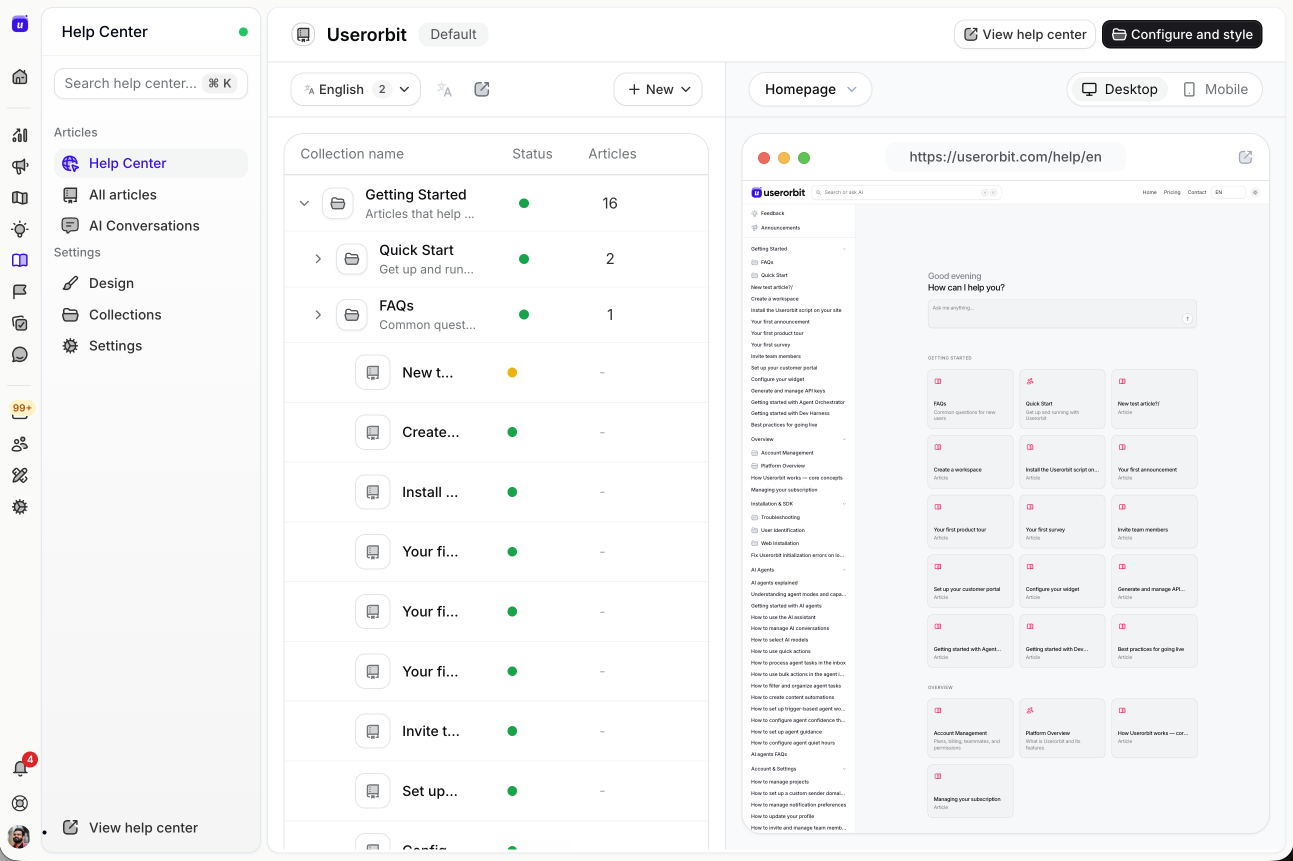
Source: Userorbit product screenshot with illustrative workspace data.
What it does
Userorbit combines help-center content with an in-app support experience, shared inbox, email and Slack support, product tours, checklists, announcements, surveys, feedback boards, roadmaps, and adoption analytics.
Strengths
The advantage is what happens after the answer. A recurring question can become a help article, product feedback, roadmap evidence, an announcement, or a targeted onboarding change without leaving the workspace. The Support Suite also keeps the originating customer conversation attached to that work.
Scale is $249 per month billed annually or $293 monthly and includes the support and knowledge capabilities relevant to this comparison. Pricing is tied to the workspace plan and usage allowance rather than each help-guide view.
Best for
Product-led B2B SaaS teams whose support, onboarding, feedback, and product communication are fragmented across separate tools.
Not best for
Teams that need deeply branched agent decision trees, complex procedural automation, or enterprise knowledge governance across thousands of controlled documents. Stonly or Document360 may fit those jobs better.
2. Featurebase: best for an all-in-one startup support stack
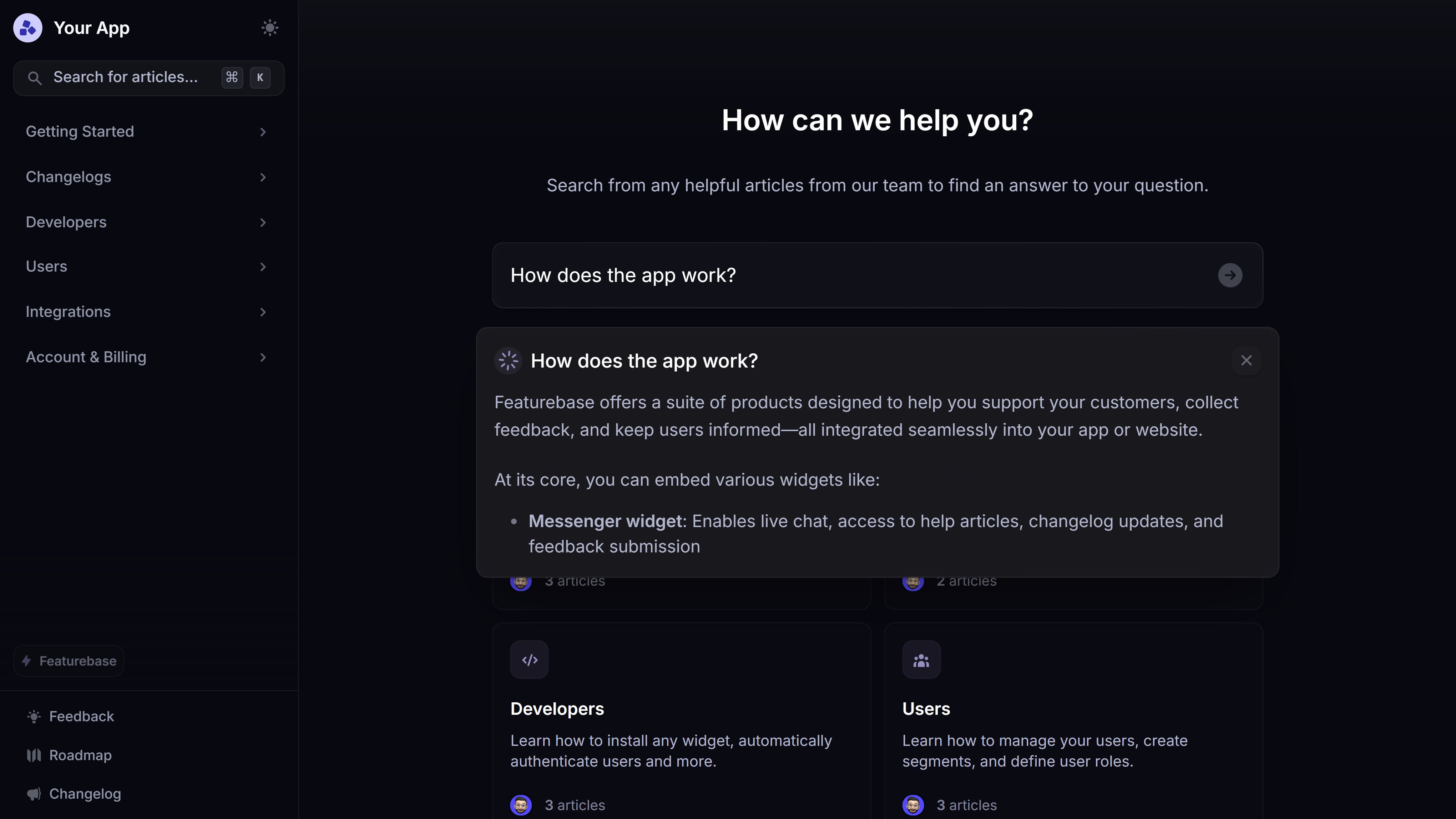
Source: Featurebase. Official product image, captured September 2026.
What it does
Featurebase combines a public and in-app help center, AI search, support inbox, feedback, roadmap, changelog, surveys, and outbound customer communication.
Strengths
Its Help Center is integrated with feedback and product updates, so relevant articles can appear during feedback submission and inside support replies. Current pricing starts with a free plan. Growth is $29 per seat per month billed annually or $37 monthly; Professional is $59 annually or $75 monthly. Fibi AI resolutions are $0.49 each, and removing Featurebase branding is a $69 monthly add-on.
Best for
Startups that want a conventional AI-powered help center plus support and product-communication tools with a transparent entry price.
Not best for
Teams choosing Stonly specifically for complex branching troubleshooting. Featurebase's center of gravity is an integrated support and product suite, not a specialized decision-tree authoring system.
3. Document360: best for structured documentation operations
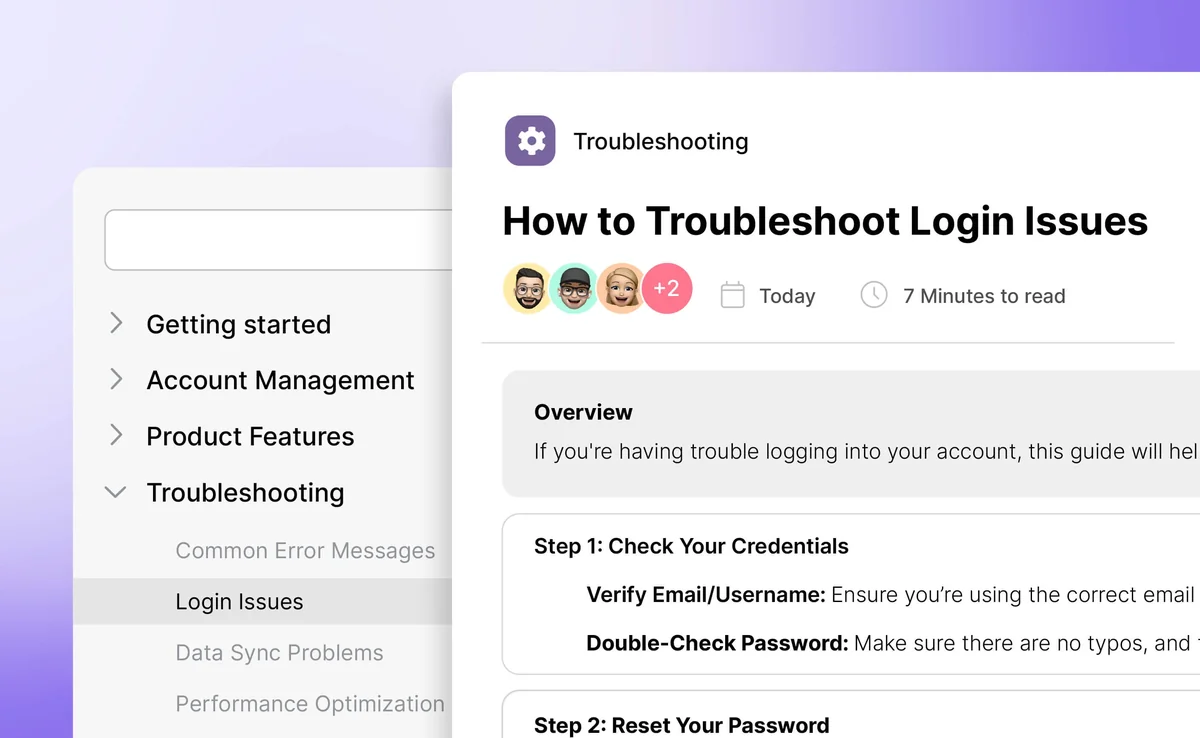
Source: Document360. Official product image, captured September 2026.
What it does
Document360 is a dedicated knowledge-management platform for public documentation, private knowledge bases, product manuals, and structured content operations.
Strengths
Its current feature set includes Markdown and WYSIWYG editors, reusable content blocks, version history, approval workflows, category management, multiple projects, analytics, SEO controls, localization, and AI tooling. Document360 also advertises migration assistance and training.
The pricing page is quote-based. Document360 says the price changes with team accounts, workspaces, languages, SSO and security, the privacy model, and AI usage. A 14-day trial is available.
Best for
Documentation teams that care more about governance, reuse, review flows, and a scalable information architecture than in-product tours.
Not best for
Teams trying to replace Stonly's customer-facing branching guides and no-code product walkthroughs with one system. Document360 includes contextual help and decision-tree capabilities, but product onboarding is not its central operating model.
4. UserGuiding: best when the real job is SaaS onboarding
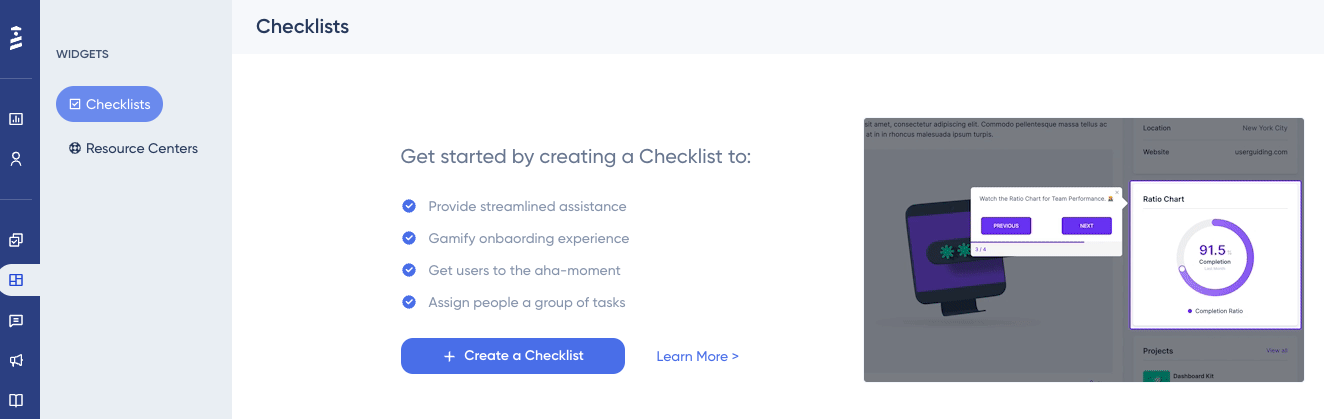
Source: UserGuiding. Official product image shown for evaluation.
What it does
UserGuiding provides product tours, hotspots, onboarding checklists, surveys, banners, a resource center, a knowledge base, product updates, and an AI assistant for web applications.
Strengths
The product is easier to evaluate when Stonly was originally purchased for onboarding but gradually became a broader support-knowledge system. UserGuiding's current pricing makes the onboarding limits explicit: Starter begins at $174 per month billed annually at 2,000 MAU, with 15 active guides, 10 hotspots, one checklist, one survey, one resource center, one banner, and one seat. Growth begins at $349 and adds more advanced analytics, private knowledge, localization, feature requests, and session replay.
Best for
Web SaaS teams that primarily need to activate new users and introduce product changes in context.
Not best for
Native mobile products or teams whose core requirement is support-agent knowledge. UserGuiding says it does not currently support native mobile apps, and exceeding the MAU quota stops experiences from appearing until the quota or plan changes.
5. Intercom: best for AI-first customer support
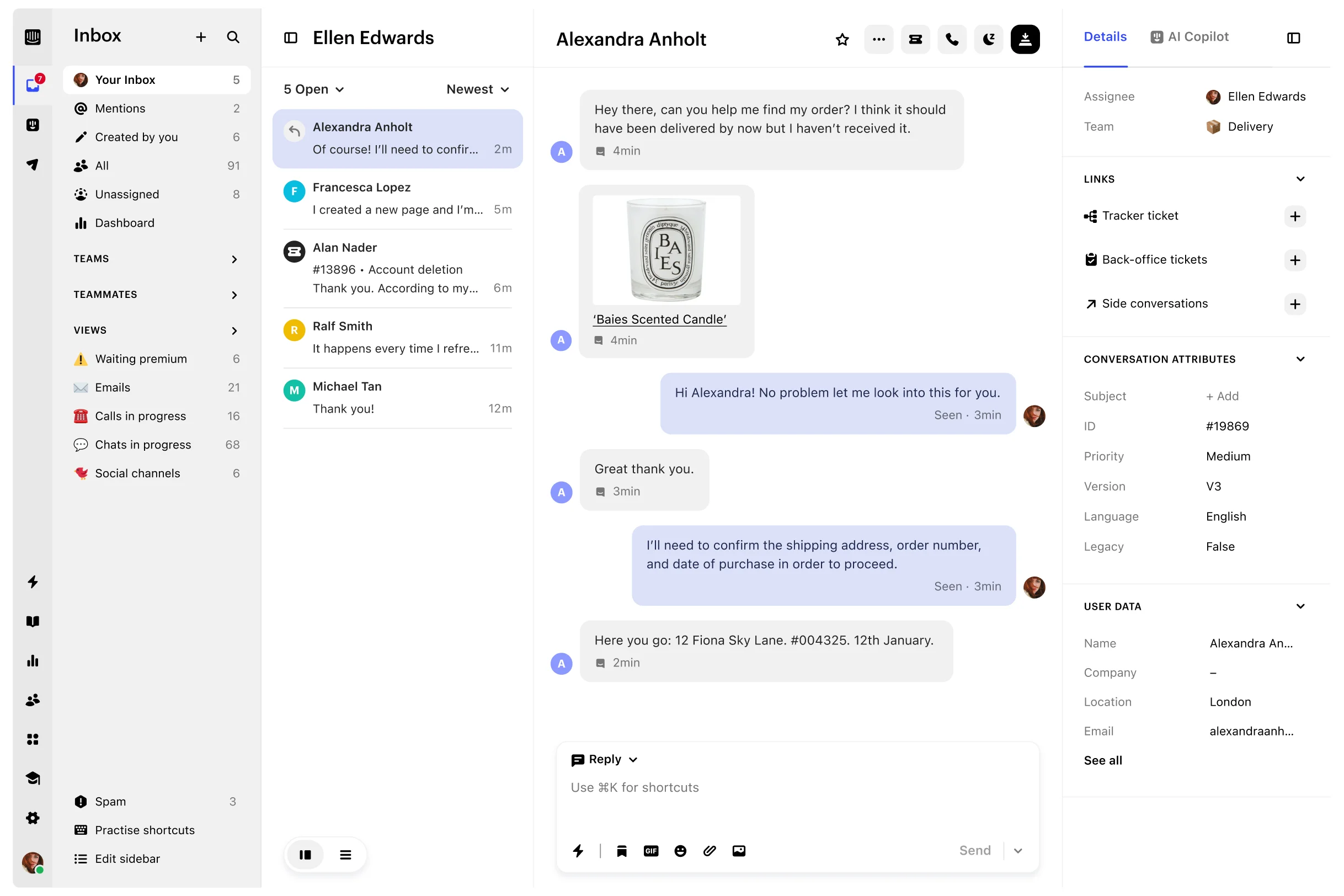
Source: Intercom. Official product image shown for evaluation.
What it does
Intercom combines Messenger, shared inbox, ticketing, a public or private help center, workflows, reporting, and Fin AI Agent. Product tours, surveys, in-app posts, push, and carousels are available through Proactive Support Plus.
Strengths
Choose Intercom when the primary system should be the support operation, not the guide library. Its current annual pricing starts at $29 per full seat per month for Essential, $85 for Advanced, and $132 for Expert. Fin starts at $0.99 per outcome. Essential includes Messenger, shared inbox, tickets, reports, and a public help center.
Best for
Support teams that want human and AI conversations, ticket workflows, help content, and a mature messaging ecosystem in one platform.
Not best for
Teams that need Stonly-style controlled branching content. The bill also has several moving parts: seats, AI outcomes, paid channels, and optional add-ons. Proactive Support Plus is $99 per month with 500 messages included, so onboarding and survey requirements should be priced separately.
For a wider support-market comparison, see our Intercom alternatives guide.
6. Zendesk: best for governed enterprise service operations
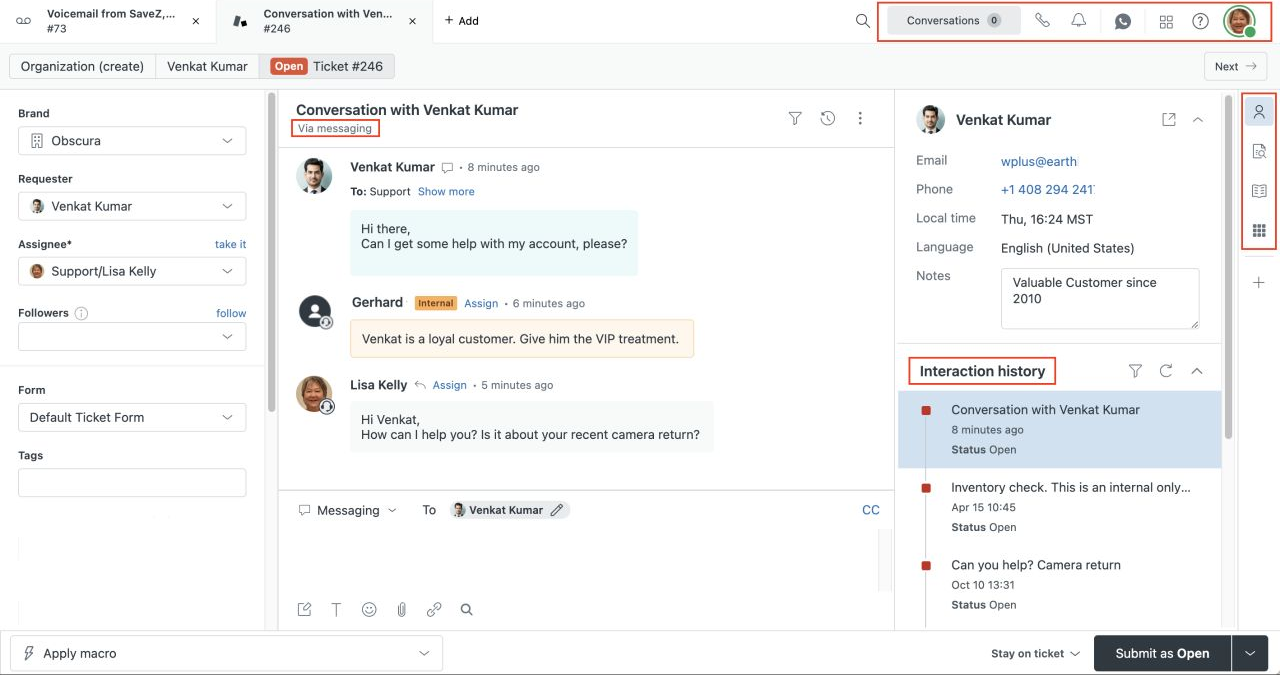
Source: Zendesk. Official product image shown for evaluation.
What it does
Zendesk provides ticketing, routing, automation, messaging, live chat, telephony, knowledge, AI, reporting, and a large integration ecosystem.
Strengths
Zendesk is the alternative for teams that have outgrown “a knowledge base with support integrations” and need a full service-management layer. Suite Team starts at $55 per agent per month billed annually and includes the knowledge base, AI Agents, omnichannel routing, messaging, live chat, and telephony. Suite Professional starts at $115 and adds more advanced operational capabilities.
Best for
Larger support organizations that need governed routing, multiple channels, roles, analytics, and marketplace depth.
Not best for
Lean product teams searching for a simpler Stonly replacement. Zendesk can introduce the very implementation and administration overhead they are trying to escape, and in-product adoption remains an adjacent job.
7. Helpjuice: best for a dedicated knowledge base
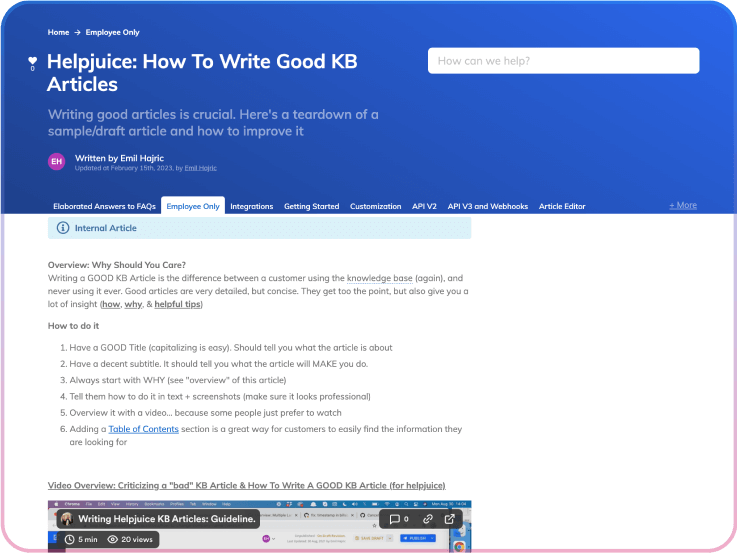
Source: Helpjuice. Official product image, captured September 2026.
What it does
Helpjuice focuses on internal and external knowledge bases with article authoring, search, analytics, version history, multilingual content, access controls, customization, and AI-assisted knowledge tools.
Strengths
Its product is intentionally narrower than an all-in-one help desk. That makes it a credible alternative when Stonly's branching model is unnecessary but a polished, searchable knowledge base still matters. Helpjuice also advertises migration help and a 14-day full-feature trial.
The public pricing lists a Knowledge Base plan at $249 per month for 30 users, an AI Knowledge Base plan at $449 for 100 users, and an unlimited-user AI plan at $799.
Best for
Teams replacing Stonly with a conventional internal or customer-facing knowledge base where search, content maintenance, and broad author access matter most.
Not best for
Teams that also need a support inbox, customer feedback system, or in-app product tours. The fixed starting price is also high for a small documentation library.
8. Supademo: best for fast visual walkthrough creation
Source: Supademo. Official product image, captured September 2026.
What it does
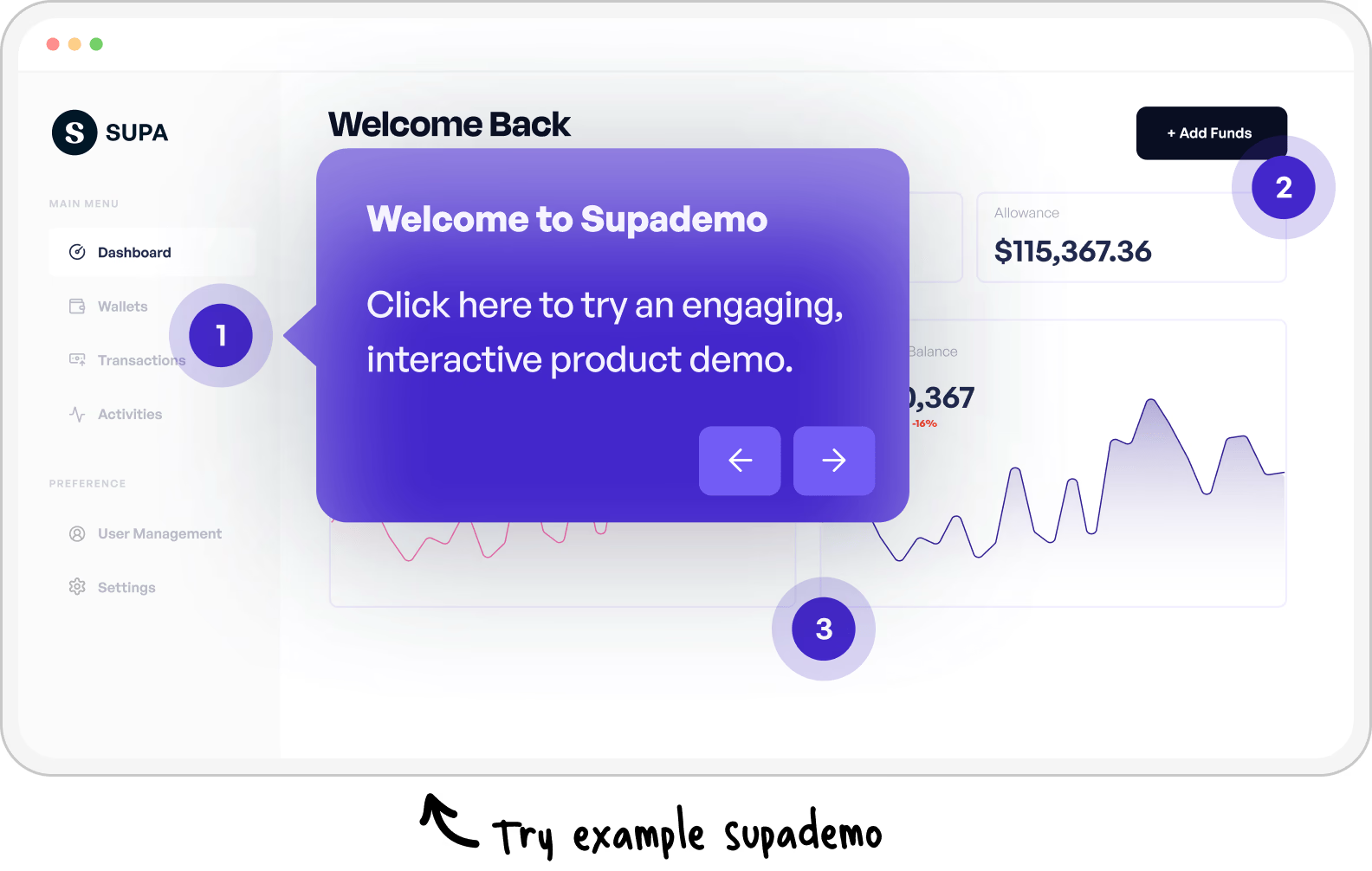
Supademo turns captured web, desktop, screenshot, video, Figma, and HTML flows into guided interactive demos and walkthroughs. Paid plans add branching, variables, narration, analytics, lead capture, and sharing controls.
Strengths
Its capture-first workflow can be much faster when the desired output is visual training rather than a searchable knowledge system. The free plan includes one creator, five guided demos, 50 video recordings, and unlimited external views. Scale is $38 per creator per month billed annually or $50 monthly and includes unlimited guided demos, branching, variables, analytics, and five view-only collaborators.
Best for
Customer education, enablement, and marketing teams that want to record a workflow once and publish a guided visual experience quickly.
Not best for
Teams replacing Stonly's knowledge base or support-agent procedures. Supademo is a visual walkthrough and demo platform, not a help desk or a complete documentation repository.
Side-by-side decision matrix
| Capability | Userorbit | Featurebase | Document360 | UserGuiding | Intercom | Zendesk | Helpjuice | Supademo |
|---|---|---|---|---|---|---|---|---|
| Conventional help center | Yes | Yes | Core strength | Yes | Yes | Yes | Core strength | No |
| In-app onboarding | Core strength | Light / workflow-led | Contextual help | Core strength | Paid add-on | Limited / adjacent | No | Demo hub / embeds |
| Support inbox | Yes | Yes | No | No | Core strength | Core strength | No | No |
| Feedback and roadmap | Yes | Yes | No | Growth | Limited | Marketplace / adjacent | No | No |
| Branching decision trees | Lighter | Lighter | Available | Guide branching | Workflow-led | Workflow-led | Not core | Paid demo branching |
| AI customer answers | Yes | Usage-priced | Available | Resolution allowance | Usage-priced | Plan / usage dependent | Higher plan | Demo Agent add-on |
| Public entry price | $249/month annually | Free; $29/seat/month annually | Custom | $174/month annually | $29/seat/month annually | $55/agent/month annually for Suite Team | $249/month | Free; $38/creator/month annually |
The table is a routing aid, not a claim of feature parity. “Yes” can mean a different depth, pricing tier, or operating model in each product.
How to choose without repeating the same mistake
Start with the failed job
Write down the sentence that caused the search:
- “Customers cannot find a short answer.” Start with Document360, Helpjuice, or Featurebase.
- “Product onboarding keeps breaking or takes too long to maintain.” Start with UserGuiding, Userorbit, or Supademo.
- “Self-service is disconnected from support conversations.” Start with Intercom, Featurebase, Zendesk, or Userorbit.
- “The same customer issue never reaches product.” Start with Userorbit or Featurebase.
- “Agents need controlled diagnostics with several branches.” Stonly may still be the strongest fit.
Normalize the pricing unit
Do not compare $29 per seat with $249 per workspace as if they were equivalent labels. Model the quantity that grows:
- Stonly: guide views and quoted plan
- Userorbit: workspace tier and product usage
- Featurebase: seats, AI resolutions, translations, and add-ons
- Document360: quoted accounts, workspaces, languages, security, and AI
- UserGuiding: MAU, active content, seats, and plan
- Intercom: seats, Fin outcomes, channels, and add-ons
- Zendesk: agents, plan, AI, and additional service products
- Helpjuice: fixed plan, users, storage, and AI tier
- Supademo: creators and optional AI Demo Agent credits
Use a 12-month scenario with your real authors, agents, users, content views, languages, and AI volume.
Run one deliberately difficult proof of concept
Do not recreate the easiest guide. Choose one that contains:
- a branch based on customer context
- a dynamically rendered interface element
- a translated variant
- an embedded image or video
- an escalation to a human
- an analytics event your team must report
- a product change that forces the guide to be repaired
Time the initial build and the repair. The second number is usually the better predictor of long-term fit.
Stonly migration checklist
- Inventory guides, articles, tours, reusable modules, triggers, languages, knowledge bases, and permissions.
- Export several representative guides to PDF and request a sample bulk CSV or Parquet export.
- Ask which API endpoints and export services are included in your current plan and contract.
- Map branches into articles, workflows, tours, or separate content objects in the destination.
- Preserve source URLs, titles, translations, media, feedback, and ownership metadata where possible.
- Rebuild one widget, ticketing integration, and escalation flow in a test environment.
- Test redirects for public knowledge-base URLs and replace in-product scripts or triggers.
- Compare guide and article counts, permissions, translated variants, and key analytics before cutover.
- Keep Stonly read-only until the destination has survived one real product release and one support cycle.
Final recommendation
Choose Userorbit when support knowledge should connect directly with onboarding, feedback, roadmap communication, and adoption. Choose Featurebase for a startup-friendly support and product suite, Document360 or Helpjuice for documentation operations, UserGuiding for web-app onboarding, Intercom or Zendesk for a full support platform, and Supademo for fast visual walkthroughs.
Keep Stonly when branching knowledge is the point. Replacing it with a simpler article editor can save authoring time while making complex troubleshooting worse.
The best alternative is the one that removes the specific operational burden your team can measure—not the product with the most overlapping checkboxes.
Frequently asked questions
What is the best Stonly alternative?
There is no universal replacement. Userorbit is the best fit for SaaS teams connecting help with support and product work; Document360 and Helpjuice suit documentation-first teams; UserGuiding suits onboarding; Intercom and Zendesk suit full support operations; and Supademo suits visual walkthrough creation.
Is there a free alternative to Stonly?
Featurebase and Supademo both publish free plans, though they solve different problems. Featurebase offers a help-center and support/product suite entry point. Supademo's free plan is for visual demos and walkthroughs. Stonly itself also retains a Basic plan after its trial, limited to 400 guide views per month and five published guides.
Why is Stonly pricing hard to compare?
Stonly publishes plan allowances and Enterprise feature gates but does not currently show the Small Business dollar price on its public pricing page. Its main usage unit is guide views, while alternatives may charge by seat, MAU, AI outcome, creator, or a custom configuration.
Can Stonly content be exported?
Yes, but the path depends on the export. Individual guides can be exported as PDFs. Stonly says bulk CSV and Parquet exports are available on request, and its public API exposes guide export. Ask for a sample containing your branching structure, translations, media references, and metadata before planning a migration.
Is Stonly mainly a product-tour tool or a knowledge-base tool?
Stonly supports both, but its current positioning is a knowledge platform for customer service. Its distinctive capability is structured, interactive knowledge that can serve customers, support agents, and AI. Teams focused only on onboarding or only on conventional documentation may prefer a more specialized alternative.
Sources and update notes
- Stonly: pricing, knowledge-base product, interactive guides, content types, AI FAQ, session export, content export, and public API
- Customer evidence: G2 Stonly reviews, G2 pros and cons, Capterra Stonly reviews, Gartner Peer Insights, and TrustRadius
- Alternatives: Featurebase pricing, Document360 pricing, UserGuiding pricing, Intercom pricing, Zendesk pricing, Helpjuice pricing, and Supademo pricing
- Userorbit: pricing, Support Suite, and Stonly comparison
All time-sensitive product and pricing information was checked on September 9, 2026. Screenshots are included as product evidence; interfaces and plans can change after publication.