









Arcade pricing starts at $0 for the Free plan. Growth is listed at $50 per seat per month month to month or $42.50 per seat per month with annual billing. Enterprise is custom. The important limits are not only the subscription price: Free includes one published demo and one seat; Growth adds unlimited published demos, up to 10 users, and team and conversion features; Enterprise is where Arcade lists HTML capture, demo collections, custom domains, role-based access, and enterprise support.
This guide is for SaaS product, product marketing, growth, sales, customer-success, support, and founder teams deciding whether a dedicated demo-and-video platform fits their workflow. Prices and plan details were checked against Arcade's official interactive demo pricing and AI video pricing pages on October 23, 2026.
Arcade pricing at a glance
| Plan | Public price | People and publishing | Important boundary |
|---|---|---|---|
| Free | $0/month | 1 user; 1 published demo; unlimited views | Good for testing the workflow, but publishing and team limits arrive quickly |
| Growth | $50/seat/month monthly or $42.50/seat/month billed annually | Up to 10 users; unlimited published demos | Adds branching, forms, exports, integrations, branding, and advanced insights |
| Enterprise | Custom | Multiple users and teams; included seats; unlimited publishing | Adds HTML capture, collections, SSO, custom domains, version history, and dedicated support |
Arcade now sells AI video generation as a separate product with its own plans and credits. A demo subscription does not include AI video credits, and an AI video subscription does not unlock paid interactive demo features. Budget the two separately if your team wants both.
What does Arcade Free include?
Arcade Free is a real free plan rather than a short trial. The official page lists:
- one user
- unlimited AI demos that can be created in the workspace
- one published demo
- unlimited views
- AI voiceovers
- Arcade MCP
- capture through the Chrome extension, desktop app, or Figma plugin
- sharing by link and iframe embed
Free is useful for validating one workflow with a founder or first product marketer. It is less useful as a long-term public demo library because the one-published-demo limit is separate from the number of demos a team can create.
The pricing FAQ says Free users lose access to premium features, Insights, and the ability to edit more than three Arcades after moving down from a paid plan. That makes a downgrade worth planning before a team relies on paid-only editing or analytics.
What does Arcade Growth cost?
Arcade Growth is listed at $42.50 per seat per month with annual billing. The same pricing card shows $50 per seat per month as the monthly rate. A one-seat annual-billing scenario is therefore $42.50 per month equivalent, or $510 over a year before tax. A three-seat scenario is $127.50 per month equivalent, or $1,530 over a year, using the published per-seat rate.
The Growth plan includes the Free features plus:
- up to 10 users
- unlimited published demos
- AI translations
- advanced insights
- branching
- call-to-action buttons and forms
- MP4 and GIF exports
- custom branding and a custom landing page
- integrations
- a team workspace
Growth is the practical starting point when a product marketing or growth team needs more than one public asset. It still does not list HTML capture, demo collections, SSO, or custom domains. The pricing FAQ says additional Growth seats can be added for $50 per month from the billing page; confirm the checkout treatment for your workspace before forecasting a larger team.
What is included in Arcade Enterprise?
Arcade does not publish an Enterprise dollar price. The official page lists Enterprise as custom and positions it for teams that need shared governance and security.
Enterprise adds:
- included seats and multiple teams
- up to 10 Brand Kits
- role-based access
- HTML capture
- custom share links
- demo collections
- offline access
- version history
- SSO
- custom domains
- dedicated CSM and Slack support
- white-glove AI Context Engine
If editable HTML, a reusable demo library, or multiple governed teams is a buying requirement, Free and Growth are not equivalent substitutes for Enterprise. Ask for the full quote, included seats, support terms, and any onboarding or security-review fees.
Arcade AI video pricing is separate
Arcade's AI video pricing page covers AI-generated product videos, not interactive demos. It lists a Free plan with 250 one-time credits, a Pro plan at $59 per month on monthly billing with 1,000 credits per month and up to 10 seats, and a custom Enterprise plan. Annual billing is discounted.
Credits are spent per generated video and per AI edit, and the cost depends on the model and video length. A video up to 30 seconds costs 60, 80, or 100 credits on the Light, Medium, or High model, and each AI edit costs 30 to 75 credits. Manual edits, publishing, and exports are free. Arcade does not sell one-off credit packs; paid teams move to a higher plan or wait for the next refresh.
If a team expects frequent AI-generated video, price that subscription alongside demo seats rather than treating the demo plan as the entire budget.
Arcade feature and plan comparison
| Capability | Free | Growth | Enterprise |
|---|---|---|---|
| Chrome extension, desktop app, and Figma capture | Included | Included | Included |
| Hotspots, callouts, and chapters | Included | Included | Included |
| Interactive demo branching | Not listed | Included | Included |
| CTAs and forms | Not listed | Included | Included |
| MP4 and GIF export | Not listed | Included | Included |
| Advanced insights | Not listed | Included | Included |
| HTML capture | Not listed | Not listed | Included |
| Demo collections | Not listed | Not listed | Included |
| Custom domains | Not listed | Not listed | Included |
| SSO and role-based access | Not listed | Not listed | Included |
Arcade's interactive demo product page describes the workflow as record, polish, personalize, and measure. It supports capture from a browser, desktop app, or Figma, then adds hotspots, callouts, branching, voiceover, forms, variables, and audience-level analytics. Use the official feature comparison for the exact entitlement before assuming a capability is available on the plan shown in a review.
What does Arcade cost for a SaaS team?
Use the following scenarios as planning math, not a quote:
| Team situation | Published plan math | Annual equivalent before tax |
|---|---|---|
| One person testing one public demo | Free | $0 |
| One paid creator on annual billing | $42.50/seat/month | $510 |
| Three paid creators on annual billing | 3 × $42.50/seat/month | $1,530 |
| A governed team needing HTML capture and SSO | Enterprise | Custom |
If the team also wants AI-generated videos, add the separate AI video plan. Also confirm whether additional seats, custom domains, security reviews, or dedicated services are included in the Enterprise quote. The cheapest path to a first demo is not necessarily the cheapest path to a maintained library with multiple owners.
Arcade implementation and support fit
Arcade's implementation path is relatively direct:
- Capture a workflow with the Chrome extension, desktop app, or Figma plugin.
- Add hotspots, callouts, chapters, blur, voiceover, branching, forms, or variables.
- Publish a link or embed, or export the story as a video, GIF, or guide.
- Review insights, drop-off, CTA clicks, and audience signals.
- Hand qualified interest to the sales or customer-success motion.
That model fits product marketing, growth, sales enablement, and customer education teams that want one capture to produce several outputs. The best interactive product demo software guide compares Arcade with Userorbit, Navattic, Storylane, Supademo, and enterprise demo platforms.
Arcade is a narrower fit when the team needs a full post-signup product-experience system. Userorbit's Interactive Demos product page connects demos to onboarding, help content, announcements, support, feedback, and adoption reporting. Its current pricing page lists interactive product demos on Scale and Enterprise, with Scale at $249 per month billed annually and Enterprise at custom pricing.
For the implementation path, review the Userorbit Help Center and the Interactive Product Demos launch post before comparing the demo editor with your team's actual workflow.
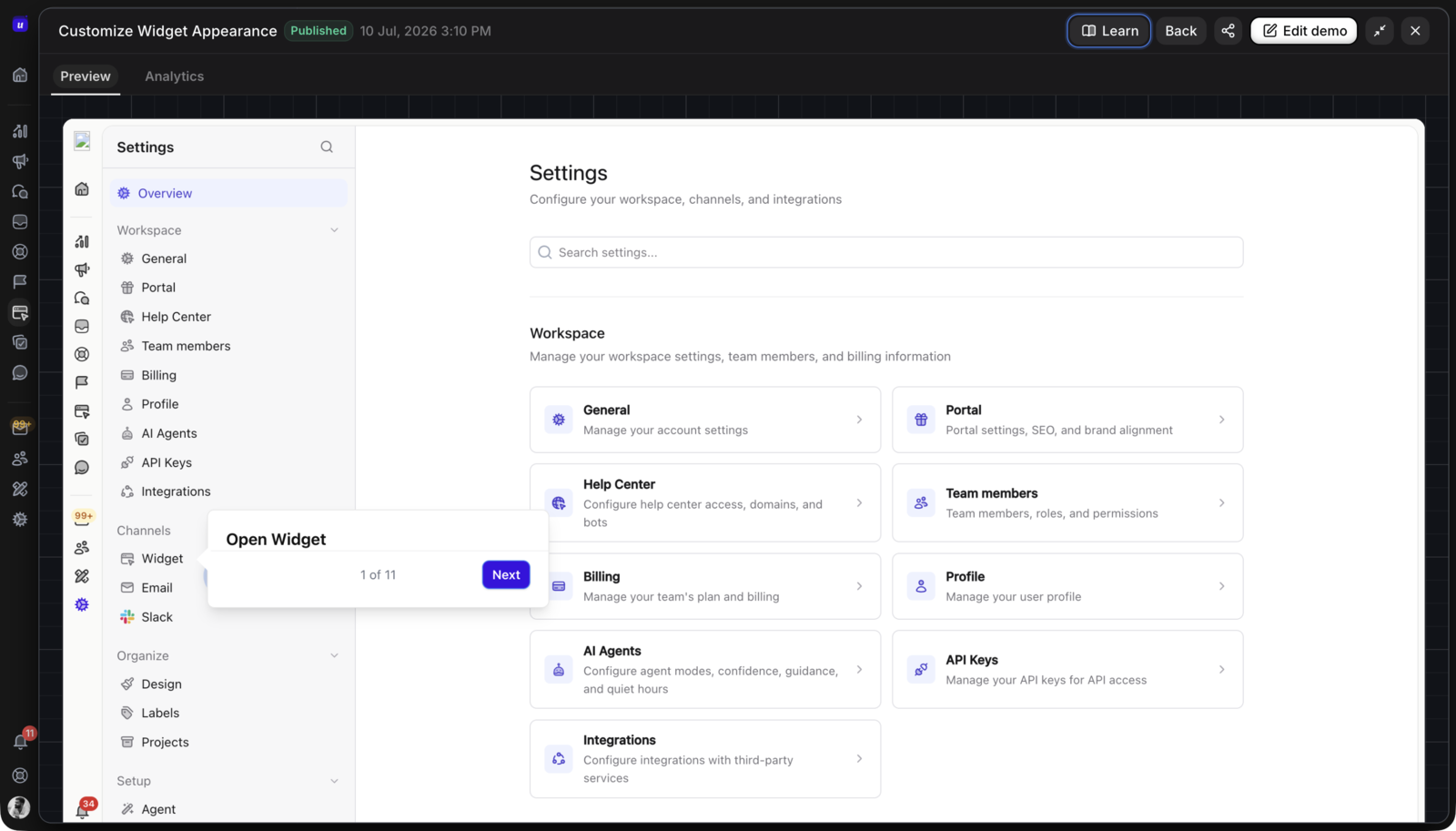
Userorbit product screenshot used to illustrate the connected lifecycle alternative; it is not an Arcade interface.
Is Arcade the right fit?
Choose Arcade if
- one capture should become an interactive demo plus MP4 or GIF exports
- product marketing needs branching, forms, branding, and conversion insights
- the team wants a free plan for a first experiment
- AI voiceover and translation are part of the publishing workflow
- a dedicated demo platform is enough for the buying job
Choose something else if
- HTML capture, demo collections, or enterprise governance is required below Enterprise
- the same asset must connect natively to onboarding, support, feedback, roadmap, and product adoption
- multiple teams need broader customer-lifecycle ownership than demo publishing alone
- a creator needs simple documentation output and does not need Arcade's branching and video-export workflow
Choose Userorbit when the buyer is evaluating a connected product-adoption system rather than only a demo-and-video authoring tool. Choose Arcade when the primary requirement is fast, polished demo and video production with an AI-assisted workflow.
Arcade pricing FAQs
Answers for SaaS teams comparing Arcade plans, publishing limits, and interactive demo fit.
Sources and update note
This guide was reviewed on October 23, 2026 using the official Arcade interactive demo pricing, Arcade AI video pricing, and Arcade interactive demo pages, plus the current Userorbit Interactive Demos, Userorbit pricing, and Userorbit billing help. Verify current prices, seat treatment, AI video credits, capture types, and enterprise terms before signing.
Build demos that continue after the sale
Compare Arcade's demo-and-video workflow with Userorbit's connected onboarding, support, and adoption system.