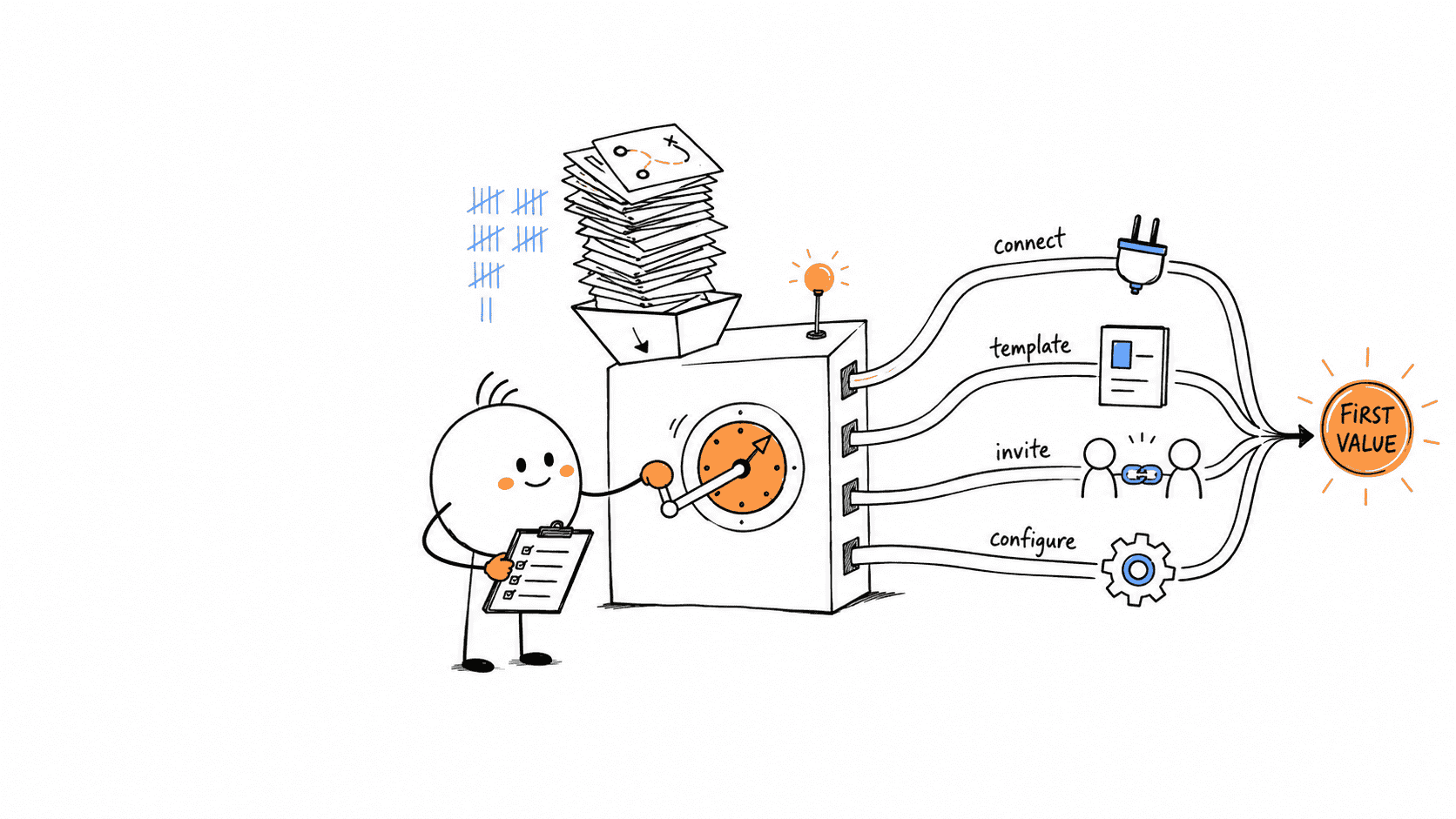








The useful pattern from 50 SaaS onboarding flows is not a welcome modal, checklist, or product tour. It is a match between the product's first-value dependency and the first work the user is asked to complete.
In our sample, official public evidence documented an import or integration in 32 of 50 onboarding and setup paths. Twenty-three offered a reusable template, 20 asked for a collaborator, and 16 changed the path or output using the user's goal, role, purpose, or technical context.
Those counts are lower bounds, not market benchmarks. We coded an element only when an official source explicitly showed or described it. Missing evidence remained unknown. We also found no basis for saying that the most common patterns perform better; this was an observational review, not a conversion or retention study.
The practical conclusion is still clear: start by identifying what must exist before your product can deliver value.
Cover image: Typeform's real template-preview interface, downloaded from its official template walkthrough on August 24, 2026.
| First-value dependency | Strong starting move | Earliest useful outcome |
|---|---|---|
| Existing data or another system | Import, connect, instrument, then verify | Real information appears and can be used |
| A structured artifact | Recommend a relevant template or guide creation | A usable project, document, design, or workflow exists |
| Other people | Create shared context, then invite the right role | A collaborator contributes to real work |
| Operational configuration | Sequence required setup by role and dependency | The team can complete its first real transaction |
Copying another product's checklist will not solve a mismatch in that sequence. The rest of this review explains what appeared across the sample, where the counterexamples matter, and how to turn the patterns into testable onboarding decisions.
How we reviewed the 50 flows
We built a stratified, purposive sample of 50 B2B SaaS products. Each of five categories contributed ten products so the review would not become another gallery of famous product-led-growth companies.
| Sample group | Products |
|---|---|
| Work management and collaboration | Asana, monday.com, ClickUp, Notion, Airtable, Linear, Miro, Slack, Trello, Basecamp |
| Developer, data, and infrastructure | GitHub, GitLab, Vercel, Netlify, Sentry, Datadog, PostHog, Mixpanel, Amplitude, Twilio Segment |
| GTM and customer operations | HubSpot, Salesforce, Pipedrive, Close, Intercom, Zendesk, Freshdesk, Mailchimp, ActiveCampaign, Brevo |
| Creation, commerce, and documents | Figma, Canva, Loom, Webflow, Framer, Shopify, Typeform, Jotform, DocuSign, PandaDoc |
| Automation, product, and research operations | Zapier, Make, n8n, Productboard, Canny, Dovetail, Hotjar, Calendly, Jira, Confluence |
For each product, we reviewed public official help, docs, academy, support, or first-party repository material available on August 24, 2026. A product qualified only when the source showed at least two ordered setup actions, or one onboarding surface with its intended next action.
We did not create 50 trial accounts or claim to have personally used these flows. Eight sources explicitly described signup or a first-session surface. Most represented early setup, first-value work, or later admin implementation. That distinction is retained in the evidence ledger because a setup guide is not the same thing as a recording of the first five minutes after signup.
The coding rule was deliberately strict:
Ymeant the element was directly shown or explicitly described.Nrequired evidence that the relevant flow segment used a different approach.Umeant the public source could not decide.
We never converted U to N. That is why “documented in 23 of 50” is accurate, while “27 products did not use templates” is not.
Activation targets and the primary time-to-value mechanism are our interpretations of the ordered evidence. They are not vendor-reported activation events. No percentage below should be read as evidence that a pattern increases activation, retention, or revenue.
Pattern 1: 32 of 50 paths brought outside context in early
An import or integration appeared in 32 of 50 rows, a 64% full-sample lower bound. It was documented in all ten developer, data, and infrastructure products and eight of ten GTM and customer-operations products.
That concentration makes sense when the blank product has little to show.
Vercel's Git setup starts from a repository or template and ends with a deployment. Amplitude's setup wizard detects the framework, proposes events, instruments the application, verifies incoming data, and can create a first dashboard. Twilio Segment's setup path begins with a business goal, recommends sources and events, and moves toward a connected destination.
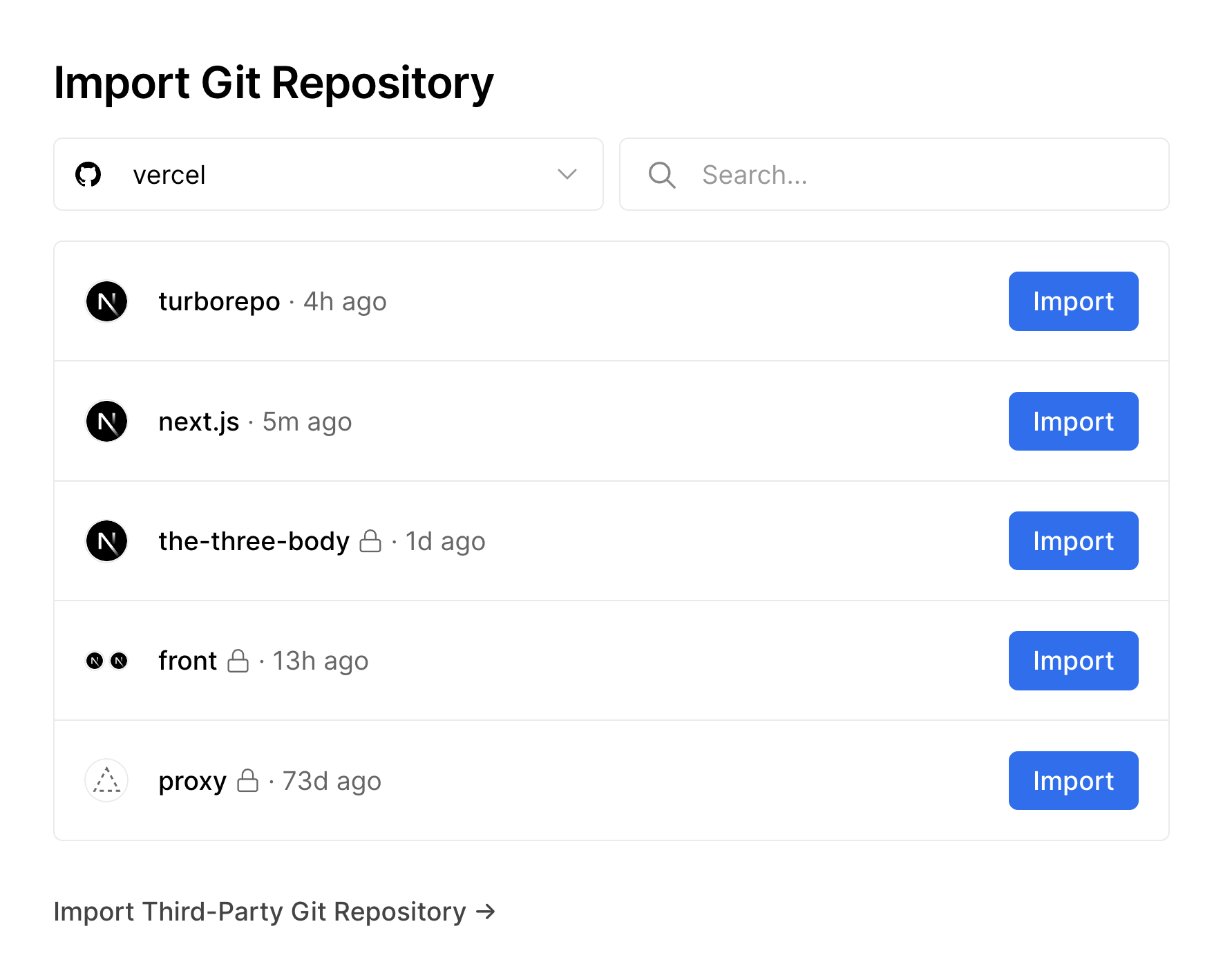
Image source: Vercel's official Git deployment documentation, accessed August 24, 2026. This is Vercel's published product screenshot, not a recreated interface.
The pattern extends beyond technical tools. Close's onboarding sequence connects email and calendar, customizes lead records, and imports data before a team can work a real sales process. Dovetail's project import guidance starts with interviews, recordings, documents, or survey responses because analysis without research data is an empty promise.
What to borrow
Treat the first required connection as product work, not a hurdle before product work.
A useful integration-first path does four things:
- Explains why the connection is necessary for the user's stated outcome.
- Chooses the smallest viable source, repository, account, or dataset.
- Verifies that data arrived correctly.
- Shows the result immediately in a real product surface.
The fourth step is easy to miss. “Integration connected” is an implementation milestone. “I can see the error, customer, deployment, or interview I needed” is closer to value.
Where it breaks
Do not force an integration merely because one exists. A design or document product can often create a useful artifact before connecting another system. Asking for broad permissions before the user understands the payoff adds trust and coordination work to the most fragile part of the journey.
The test is dependency, not feature importance: can the user reach a credible first outcome without this connection? If yes, defer it.
Pattern 2: Templates were most visible when the output had structure
Reusable templates appeared in 23 of 50 rows. They were especially visible in creation, commerce, and document products: nine of ten rows in that group documented a template start.
The pattern is more specific than “templates reduce blank-page anxiety.” A good template teaches the product's object model while producing something the user can keep.
Typeform says its onboarding questions help surface relevant templates before the user builds and publishes a form. Webflow offers a template route alongside a blank site. PandaDoc's document flow offers upload, template, or blank starts before recipients, fields, approval, and delivery.
Templates also work outside artifact-creation software when they encode an operating model. Jira's current space creation guidance describes preconfigured work types and workflows for different teams and uses. Confluence opens a template browser when a user creates content inside a space.
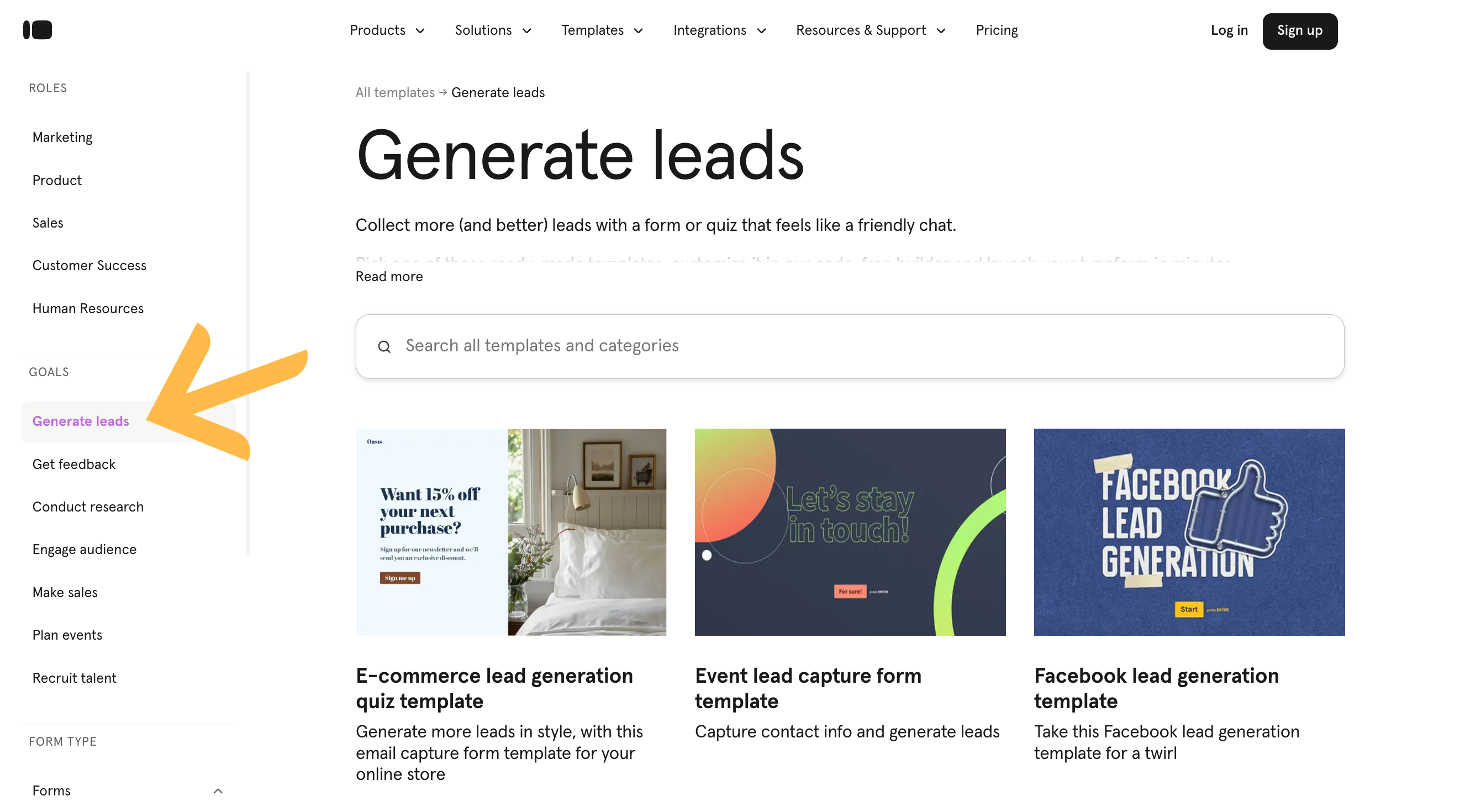
Image source: Typeform's official template walkthrough, accessed August 24, 2026. The screenshot shows the vendor's goal-filtered gallery; it does not establish how often users select a template.
What to borrow
Do not lead with the largest possible gallery. Recommend a small set from evidence you actually have:
- the job the user selected;
- the artifact they are trying to produce;
- their role or team type;
- the system or data they connected;
- the maturity of the workflow they are replacing.
Then make the template easy to inspect, undo, and replace. A template that hides the underlying model may accelerate the first click while making the second session harder.
Counterexamples
Some outputs are faster to create directly than to choose from a library. Calendly's event editor guides the user through duration, location, availability, and host while updating a booking-page preview. Loom's current getting-started tutorials route people to the recorder they use and toward a first shareable video. In both cases, the shortest path is to make the real object, not browse examples of one.
Pattern 3: Collaboration prompts worked when collaboration was the outcome
A collaborator invitation appeared in 20 of 50 paths and seven of ten work-management and collaboration products. All eight rows we classified with a primary collaborate activation job explicitly documented an invitation.
That does not mean every B2B product should place an invite screen immediately after signup. The sequence matters.
Asana's quick start has the user create a project and tasks as well as invite teammates. Slack's workspace-creator guidance combines workspace setup, channels, people, and connected tools, while its new-member guide moves toward sending a message. GitHub's account onboarding creates, clones, or imports a repository before collaboration becomes meaningful.
These paths give the invitation context. The recipient is not entering an empty account to help the original user discover what the product does. They are joining a project, channel, repository, board, or space that already contains a reason to participate.
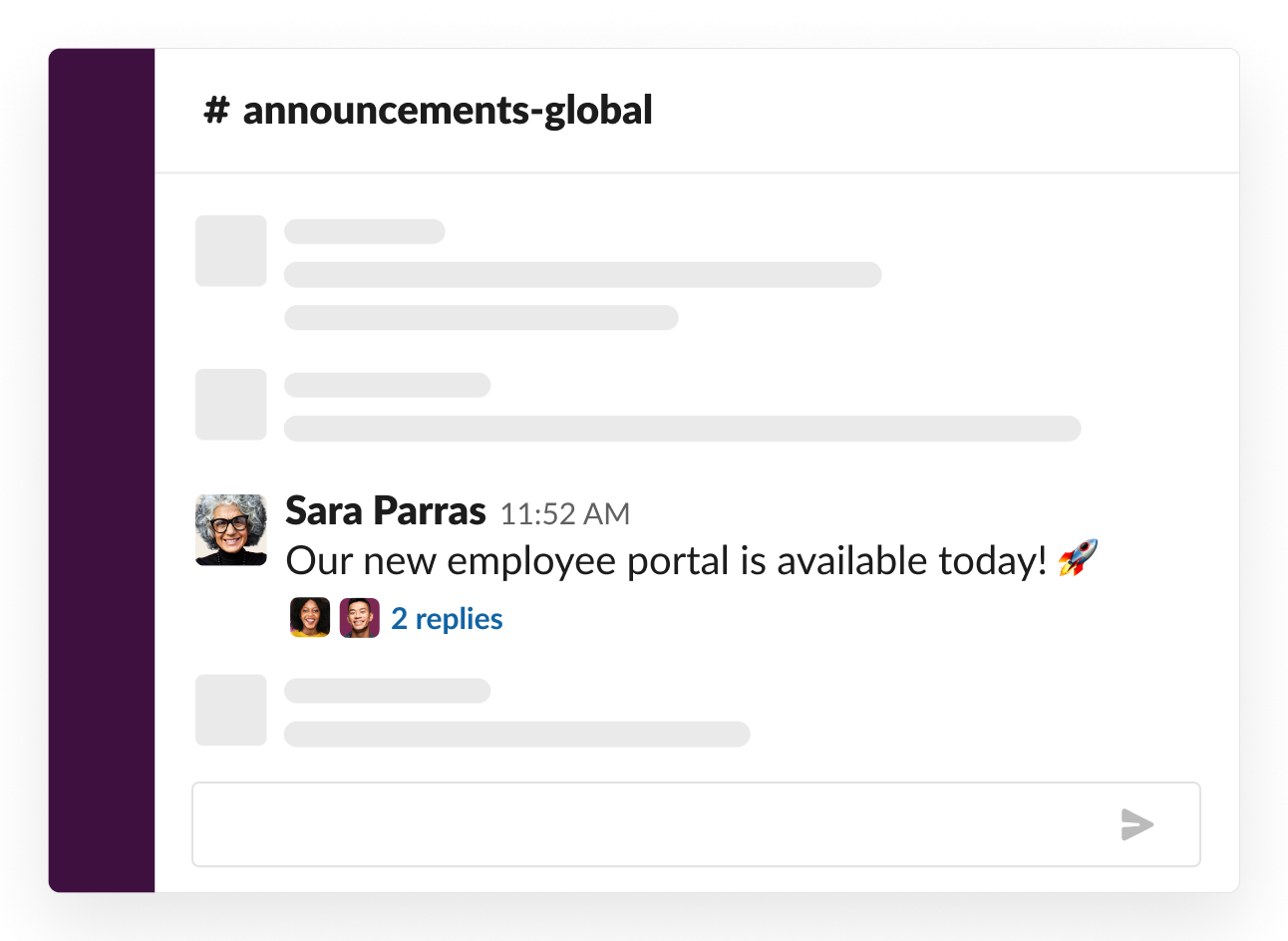
Image source: Slack's official workspace-creator guide, accessed August 24, 2026. Slack uses this published screenshot to illustrate a configured announcements channel.
What to borrow
Separate three events that teams often collapse into one “invite completed” metric:
- The account owner creates enough shared context to make the invitation credible.
- The right role accepts the invitation.
- The collaborator performs the action that makes the workflow shared.
For a project product, acceptance may not be activation; assigning or completing real work together might be. For a support platform, adding agents is setup until a ticket is routed and answered.
Where it breaks
An invitation is expensive when the user is still evaluating privately, needs administrator approval, or cannot explain why a colleague should join. Artifact products often let one person create and publish something useful before team rollout. In those cases, sharing the output can be a better precursor to inviting the organization.
Pattern 4: Personalization counted only when it changed the next step
Sixteen of 50 rows met our strict personalization definition. Asking for a company name or role did not qualify by itself. The evidence had to show the answer changing setup, a recommendation, or the generated output.
Notion says first-time template suggestions are selected from onboarding answers. Typeform uses answers about the user, organization, and intended work to show relevant templates. Segment uses a selected business goal to recommend sources and events.
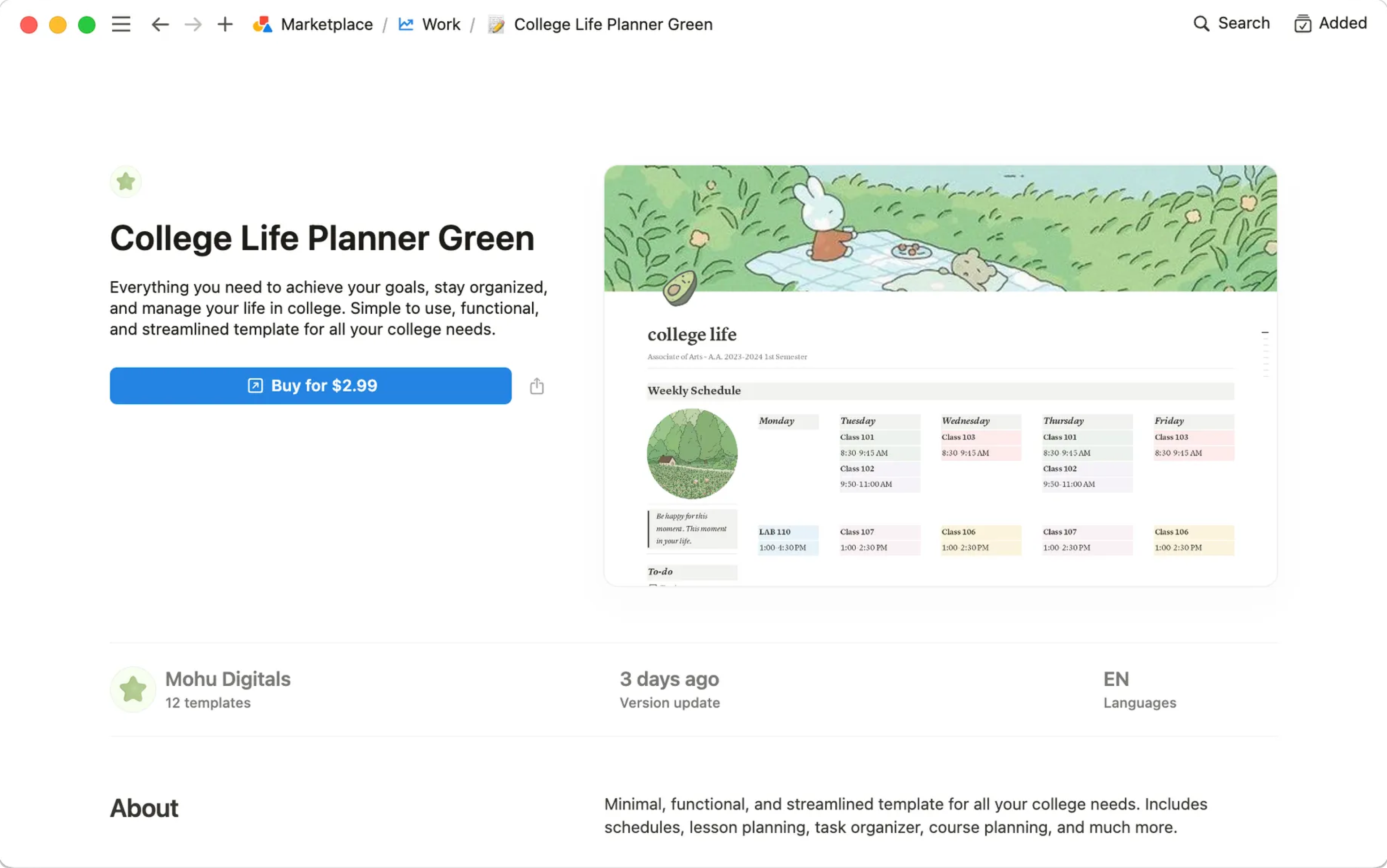
Image source: Notion's official template help page, accessed August 24, 2026. The image shows the template-add result; Notion's accompanying text, rather than the screenshot alone, supports the claim that onboarding answers influence starter suggestions.
Newer generative paths apply the same principle to the artifact itself. ActiveCampaign's Smart Start Guide lets eligible trial users describe an email or automation goal and produces a draft they can review. Canva's Magic Design uses a prompt and optional files or brand context to suggest layouts.
The interface changed, but the decision remains familiar: collect context only when the product can use it now.
What to borrow
For every onboarding question, write down the branch it controls. If the answer does not change a template, setup task, permission request, example, message, or success definition, remove the question or collect it later.
Also preserve the answer as measurement context. A “customer success manager” path and a “developer” path can both have acceptable completion rates while failing at different steps. Without the segment assignment, the aggregate hides the design problem personalization was meant to solve.
Pattern 5: Time-to-value strategy changed with the product job
We assigned one primary time-to-value mechanism to every row. This is an interpretation of the official sequence, not a measured duration.
| Primary mechanism | Products | Share |
|---|---|---|
| Import or integration first | 14 | 28% |
| Direct guided creation | 12 | 24% |
| Template first | 12 | 24% |
| Configuration first | 9 | 18% |
| Sample or demo first | 2 | 4% |
| Human-assisted | 1 | 2% |
The aggregate is less useful than the category contrast:
- Eight of ten developer, data, and infrastructure products were import/integration first.
- Five of ten GTM and customer-operations products were configuration first.
- Five of ten creation, commerce, and document products were template first; four used direct guided creation.
- Work-management products were distributed across every mechanism in the taxonomy.
This is why a universal “shorten onboarding to three steps” rule fails. An observability product cannot display real telemetry before instrumentation. A CRM rollout may need fields, email, users, and routing before the first deal can move correctly. A form builder can often publish a useful artifact in one session.
The design goal is not the fewest screens. It is the shortest honest dependency chain.
For configuration-heavy products, track setup readiness separately from customer value. Freshdesk's admin guidance, for example, moves through support email, agents, groups, roles, and automations before the team can receive, assign, and answer tickets. Completing those settings matters, but the first successfully handled ticket is a different event.
What this dataset cannot tell us about tours and checklists
Only one persistent checklist and no tooltip-style product tour were explicit under our strict code. Those are not credible prevalence estimates: 49 checklist rows and all 50 tour rows remained unknown.
Temporary UI is easy for public documentation to omit. A help article may accurately describe “create a project, import data, invite the team” without showing the tooltip, modal, or checklist surrounding those actions.
This is where research method changes the result. A separate July 2026 Ofspace audit, based on direct flow review, reported persistent setup guidance or checklists in 22 of 37 products. That does not invalidate our ledger. It shows why a public-source review should make claims about observable setup work and remain cautious about interface treatments.
Use our tour and checklist columns as an evidence-gap warning, not a design recommendation.
Turn the patterns into an onboarding test plan
Start with the activation job, then choose the interface.
1. Write the dependency chain
Name the smallest sequence that makes the first outcome possible. Separate necessary dependencies from habits inherited from the sales process, old setup screens, or internal data requests.
For each step, ask:
- What becomes possible after this?
- Can the product verify completion automatically?
- Can the step wait until after first value?
- Does another role own it?
If three roles must act, this is account onboarding. An individual progress bar will not describe it accurately.
2. Choose one primary starting mechanism
Use the mechanism that matches the dependency:
- Import/integration first when the product cannot be useful without external context.
- Template first when the output has a repeatable structure and the user can recognize a relevant example.
- Direct guided creation when making the real object is faster than choosing a starting point.
- Configuration first when permissions, routing, identity, or domain rules must be correct before use.
- Sample/demo first when real data is expensive, sensitive, unavailable, or slow to produce.
- Human-assisted when rollout requires shared process design or high-stakes coordination.
You may use several mechanisms later. Naming the primary one prevents the first session from becoming a template gallery, import wizard, tour, checklist, and invite wall at the same time.
3. Define a setup event and a value event
Do not let the onboarding UI decide the metric.
An integration can be connected without sending data. A teammate can accept without collaborating. A template can be opened without publishing anything. Track the setup milestone, then the earliest behavior that demonstrates the intended outcome.
The basic activation calculation is covered in our activation-rate measurement lesson. For B2B products, add an account-level view so one administrator's setup and another user's adoption can belong to the same journey.
4. Test the sequence, not just the component
A checklist experiment can fail because the tasks are wrong, even when the checklist itself works perfectly. Keep exposure and assignment data, compare users within the same eligible segment, and inspect where the dependency chain stops.
Useful review questions include:
- Did more eligible accounts reach the value event inside the same window?
- Did the change move failure to an integration, permission, or collaborator handoff?
- Did people complete setup but fail to use the product again?
- Which role or use case improved, and which became worse?
Prevalence cannot answer those questions. Your product data and customer evidence must.
Where a connected onboarding platform is relevant
Many of these patterns belong in the core product. A repository import, first document editor, or event verification screen should usually be built close to the underlying workflow.
A specialist onboarding tool is useful when the team needs to change guidance, targeting, and experiments without waiting for every application release. The tradeoff is another layer to govern: event definitions, selectors, identity, permissions, ownership, and stale experiences all need maintenance.
Userorbit is most relevant when onboarding is not an isolated overlay. A team can connect surveys that collect intent, targeted checklists and tours, announcements, help content, feedback, and adoption analytics in the same customer journey. That connected context makes it easier to follow an onboarding change with the right explanation, question, or measurement.
If you only need the deepest standalone flow builder, compare specialist tools. If the primary dependency is missing product functionality, build that first. Platform breadth does not repair a weak activation definition.
Do not copy the surface. Copy the dependency logic.
The 50 paths did not reveal one winning SaaS onboarding flow. They revealed a smaller set of starting mechanisms chosen around different jobs.
Data products connected data. Artifact products reduced structural work with templates or guided creation. Collaborative products invited people after giving them something to join. Configuration-heavy products sequenced the conditions required for a real transaction.
That is the pattern worth testing.
Before adding another tooltip, ask four questions:
- What must be true before this customer can receive value?
- Which part can the product complete, verify, or preconfigure?
- Which role owns the next dependency?
- What observable event proves the result, not just the setup, occurred?
Answer those well and the choice between a checklist, template, wizard, prompt, or human session becomes much easier.