







You are not trying to decode another SaaS pricing page.
You are trying to avoid buying the wrong onboarding plan: one that looks affordable on day one, then becomes cramped once your product team starts running multiple checklists, surveys, announcements, and experiments.
As of June 25, 2026, UserGuiding's pricing page shows four plans at the visible 2,000 MAU setting: Support Essentials for free, Starter at $174/month billed yearly, Growth at $349/month billed yearly, and Enterprise with custom pricing.
My read: Starter is a good first plan for simple web onboarding. Growth is the more honest planning number for a SaaS team that expects onboarding to become an operating channel. If your real need includes feedback management, roadmap communication, changelog workflows, surveys, help content, and adoption analytics, compare broader platforms before you commit to another onboarding-only tool.
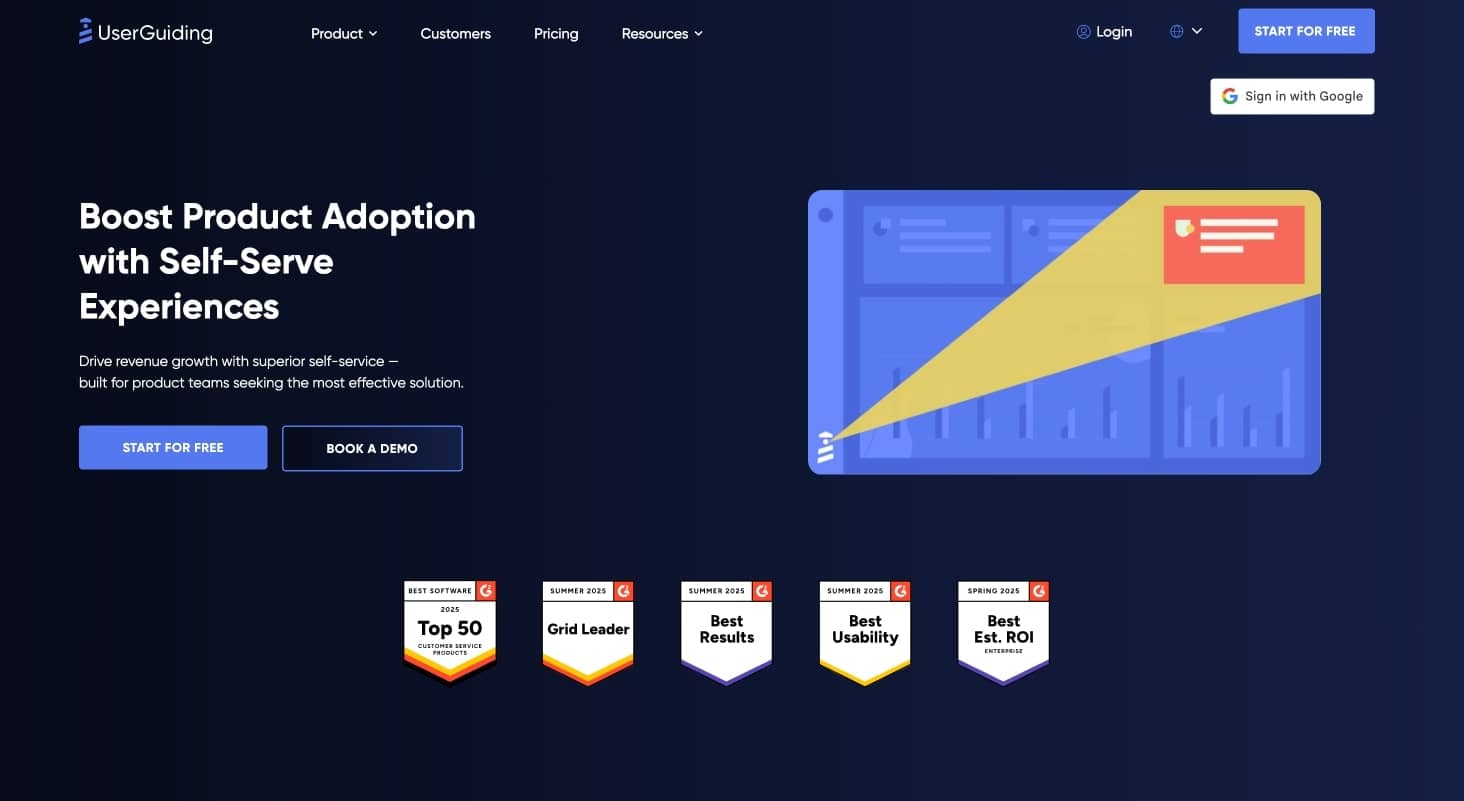
UserGuiding homepage
The decision in 60 seconds
Choose Support Essentials if you want a free self-serve support layer: knowledge base, product updates page, resource center, and AI assistant. It is not the plan to evaluate if your main keyword is "UserGuiding pricing" for product onboarding.
Choose Starter if you have a web app, one main onboarding motion, a small internal team, and no immediate need for A/B testing, goal tracking, custom CSS, localization, or many parallel campaigns.
Budget for Growth if you have multiple personas, multiple onboarding journeys, more than two active checklists, more than five active surveys, localization needs, or a product team that wants to experiment with activation.
Start an Enterprise conversation if security review, SAML SSO, activity logs, compliance, custom limits, or dedicated support will decide the purchase.
Compare alternatives if the job is broader than guided onboarding. UserGuiding can help users discover features. It is not the same thing as a connected system for feedback, roadmap, changelog, announcements, help center, surveys, and adoption analytics.
How UserGuiding pricing works
UserGuiding pricing is driven by two things:
- Monthly active users, or MAU.
- Plan depth, meaning feature access, material caps, seats, environments, support, and admin controls.
That matters because your bill does not only reflect how many people on your team use UserGuiding. It reflects how many end users load your product where UserGuiding is installed.
UserGuiding describes MAU as users who signed into your platform in the previous 30 days. Its help center also explains a more implementation-specific version in its MAU calculation docs: unique users who load a page where the UserGuiding container is installed in a month.
If you enable User Identification, you send stable user IDs and UserGuiding calculates MAU from those IDs. If you do not, the default browser-session method can count the same person again when they switch devices, use incognito mode, or clear local storage.
The pricing page is useful. Your implementation plan is what makes it accurate.
Public UserGuiding pricing in 2026
At the public 2,000 MAU annual-billing example, UserGuiding lists these plans:
| Plan | Public price | Best for | Main planning risk |
|---|---|---|---|
| Support Essentials | Free | Knowledge base, product updates, resource center, AI assistant | Not a full product onboarding plan |
| Starter | $174/month billed yearly | Small SaaS teams launching web tours, checklists, surveys, and basic segmentation | Active material caps can arrive sooner than expected |
| Growth | $349/month billed yearly | Teams running onboarding as an ongoing activation workflow | Better operating room, but cost still scales with MAU |
| Enterprise | Custom | Larger teams with SSO, audit, compliance, custom limits, and dedicated support needs | Sales process and procurement review |
UserGuiding also publishes monthly billing. Its own comparison content says yearly billing saves 30%, with monthly billing starting at $249/month for Starter and $499/month for Growth.
The visible annual price is the starting point. The real budget depends on the MAU band, plan limits, add-ons, and whether you can avoid buying adjacent tools.
Scenario math: what a realistic account might budget
For planning, do not model only today's MAU. Model the account you expect to have after onboarding starts working.
UserGuiding has publicly described these annual-billing price points for Starter and Growth:
| MAU band | Starter | Growth | What this means |
|---|---|---|---|
| 2,000 MAU | $174/month | $349/month | Good initial comparison point |
| 5,000 MAU | $209/month | $409/month | Small growth still moves the budget |
| 10,000 MAU | $244/month | $489/month | Growth remains predictable, but the plan choice matters more |
A SaaS team with 2,000 active users today may not stay there for long. If you run launches, invite campaigns, lifecycle emails, or self-serve acquisition, the onboarding tool can become more important exactly when your MAU is rising.
Use a simple model:
| Scenario | Usage to model | Likely plan | Monthly planning number | Why |
|---|---|---|---|---|
| Today | 2,000 MAU | Starter or Growth | $174-$349 | Choose based on current workflow complexity |
| Six months | 5,000 MAU | Growth if campaigns multiply | $409 | Starter may still fit, but limits need review |
| Twelve months | 10,000 MAU | Growth or Enterprise conversation | $489+ | Security, support, and custom limits may enter the deal |
This is not a forecast. It is a sanity check. If the 12-month model already feels uncomfortable, the first contract should include a conversation about expansion terms, renewal increases, and temporary capacity during launches.
When Support Essentials works
Support Essentials is the free UserGuiding plan. It is useful if your near-term goal is self-serve support, not product onboarding.
It includes:
- knowledge base
- product updates page
- resource center
- AI assistant
- self-serve support surfaces
This can be valuable for a small team that wants customers to answer common questions inside the product. But it should not be confused with a paid onboarding plan.
If you want product tours, checklists, adoption campaigns, surveys, segmentation, and reporting, evaluate Starter or Growth instead.
Decision rule: use Support Essentials for support deflection, not activation strategy.
When Starter works
Starter is the first paid plan most teams should evaluate. It includes the core adoption features UserGuiding is known for:
- guides
- hotspots
- checklists
- surveys
- resource center
- banners
- reporting
- segmentation
- AI assistant access
- user identification and tracking
Starter works when the product journey is simple. A good Starter account might have one admin setup flow, one member invitation flow, one checklist, a few surveys, one resource center, and a small group of people managing the work.
The risk is not missing a basic feature. The risk is operational headroom.
| Starter limit | Why it matters |
|---|---|
| 25 active guides | Enough for early onboarding, but cramped if every feature launch becomes a guide |
| 20 active hotspots | Fine for focused education, less fine for many product areas |
| 2 active checklists | Quickly tight if admins, members, trial users, customers, and feature teams need separate checklists |
| 5 active surveys | NPS, CSAT, onboarding feedback, churn feedback, and product research can fill this fast |
| 1 active banner | Product, CS, and marketing cannot all run separate in-app announcements |
| 15 audience segments | Persona, plan, lifecycle, role, and behavior targeting can outgrow this |
| 5 seats | Cross-functional ownership can exceed this once PM, CS, marketing, and support get involved |
| 2 environments | Works for simple setup, but multi-product or staging-heavy teams should check fit |
Choose Starter if you can name the exact onboarding assets you need for the next quarter and those assets fit inside the caps.
Do not build your plan around Starter if your actual plan is "we will add more onboarding later." Later is usually when the limits start to matter.
When Growth is the real budget
Growth is the better planning number when onboarding is becoming part of how the business operates.
It adds or expands:
- A/B testing
- goal tracking
- custom CSS
- localization
- premium integrations
- more active materials
- more segments
- more themes
- more environments
- more seats
The important change is not one feature. It is operating room.
| Capability | Starter | Growth |
|---|---|---|
| Active guides | 25 | 100 |
| Active hotspots | 20 | Unlimited |
| Active checklists | 2 | Unlimited |
| Active surveys | 5 | 10 |
| Session replay recordings | 3,000 | 5,000 |
| Active resource centers | 1 | 1 |
| Active banners | 1 | 5 |
| Audience segments | Up to 15 | Up to 50 |
| Customizable themes | 1 | 5 |
| Seats | 5 | 15 |
| Environments | 2 | 5 |
Growth is usually the right comparison point when:
- onboarding has multiple personas
- product launches happen often
- experimentation matters
- localization is coming
- PM, CS, support, and marketing all want access
- in-app communication is becoming a shared internal channel
The practical takeaway: if onboarding is a one-time project, start with Starter. If onboarding is a growth system, model Growth first.
Where the bill can change
UserGuiding's public pricing is more transparent than many enterprise digital adoption tools. Still, the real bill can move on five axes.
- MAU growth: More active end users can move you into a higher pricing band.
- Counting accuracy: Without User Identification, browser sessions can inflate MAU in edge cases.
- Active material limits: Guides, checklists, surveys, banners, segments, themes, and seats can push you toward Growth.
- Add-ons: UserGuiding says teams can buy extra material quotas, extra team seats, extra containers, and white-label branding from the panel.
- Adjacent tools: Feedback boards, roadmap, changelog, customer portal, and deeper adoption analytics may require other products if they matter to your workflow.
This is the core buyer mistake: comparing UserGuiding Starter against another vendor's real package.
Compare the package you will actually use.
The hidden cost most buyers miss
The obvious hidden cost is MAU growth. The less obvious one is content sprawl.
Onboarding tools rarely stay limited to the first onboarding tour. Once they work, more teams want to use them:
- product wants feature discovery
- customer success wants retention prompts
- support wants deflection
- marketing wants launch banners
- growth wants experiments
- leadership wants activation reporting
That is good. It means the tool is useful. It also means Starter's limits can stop being a pricing detail and start becoming an operating constraint.
Before buying, map the next 90 days of planned material:
| Team | Likely material | Pricing implication |
|---|---|---|
| Product | Feature tours, hotspots, goal tracking | May need Growth for experiments and limits |
| Customer success | Checklists, lifecycle prompts, resource center | Checklist and banner caps matter |
| Support | Help content, AI assistant, troubleshooting surfaces | Support Essentials may help, but onboarding plans still matter |
| Marketing | Launch banners, product updates, campaigns | One active banner on Starter may be too tight |
| Growth | A/B tests, activation funnels, targeted experiences | Growth is usually the real plan |
If only one team owns UserGuiding, Starter may be enough. If several teams see it as a shared in-product channel, Growth is the more realistic starting point.
The MAU detail to fix before launch
MAU-based pricing is not bad by itself. It is common in onboarding and product adoption software because vendor value tends to scale with active product usage.
But MAU needs clean instrumentation.
UserGuiding's help center says User Identification removes dependency on browser sessions by letting you send precise user IDs. It also says users can be counted multiple times under the default method when they switch devices, use incognito, or clear local storage.
So the setup question is not only "where do we install the script?"
It is:
- Which pages should load UserGuiding?
- Should public pages be excluded?
- Will standalone knowledge base or product updates visitors count toward MAU?
- Are internal users, test users, QA accounts, and bots excluded?
- Will User Identification be enabled before launch?
- Who owns checking the MAU dashboard during campaigns?
The answer affects both price and reliability.
What happens when you exceed MAU
UserGuiding says it does not charge surprise automatic overages when you exceed your MAU quota.
That sounds buyer-friendly, and from a finance perspective it is. But the product tradeoff matters: UserGuiding says users will stop seeing guides and other materials until you increase the quota or MAU drops back under the limit.
For a product team, that can be a serious risk.
Imagine the week after a launch. Traffic spikes. Trial signups increase. New users arrive with the least context and the highest need for onboarding. If your quota is exceeded, the exact material that should guide those users may not show.
Ask these questions before signing:
- Do we get alerts before hitting quota?
- Is there a grace period?
- Can we pre-buy temporary capacity for a campaign?
- Can we raise quota without waiting on procurement?
- What happens to active experiments if material stops showing?
- Who on our team owns quota monitoring?
This is not only a billing question. It is an activation risk.
Two filters before the demo
Some requirements should be checked before comparing plan tables.
Native mobile
UserGuiding says it supports web apps and non-native mobile apps, but not native mobile apps. Its pricing page also says content can display in modern web browsers, while native mobile support is not currently available.
If your product is web-only, this may not matter. If your activation journey lives in native iOS or Android, compare tools with native mobile SDKs before you spend time on plan details.
Data residency and EU hosting
If EU hosting matters, check it before implementation. UserGuiding's help center includes EU server and customer data location resources, and the pricing page positions compliance features under Enterprise.
The timing matters because data residency decisions are much easier before you collect onboarding analytics, survey responses, and user activity data.
Where UserGuiding fits
UserGuiding is a sensible shortlist pick when the job is no-code web onboarding with transparent entry pricing.
It is strongest for:
- web product tours
- onboarding checklists
- tooltips and hotspots
- lightweight in-app surveys
- basic segmentation
- resource center content
- product updates
- small and mid-sized SaaS teams that want to move without engineering-heavy setup
It is less compelling when the buyer is really looking for a broader product adoption system.
That broader system usually includes feedback collection, roadmap communication, changelog workflows, announcements, help center content, surveys, and adoption analytics in one place.
UserGuiding can be part of that stack. It may not replace the stack.
Alternatives worth comparing
Pick alternatives based on the buying job, not the category label.
| Tool | Compare it when... | Watch for |
|---|---|---|
| UserGuiding | You need public entry pricing and fast web onboarding | Starter caps, MAU counting, native mobile limits |
| Userflow | You want a focused no-code onboarding builder | Adjacent feedback, roadmap, and release workflows may still need other tools |
| Appcues | You need lifecycle engagement across web, email, push, and mobile | Pricing can be more sales-led and use-case dependent |
| Userpilot | Analytics plus in-app engagement are both central | Higher tiers and advanced capabilities may require sales conversations |
| Chameleon | Customization, experimentation, and in-product campaigns matter most | Cost and configuration can rise as the program grows |
| Pendo | Enterprise analytics, portfolio reporting, and executive visibility matter | Larger contracts and sales-led pricing |
| Userorbit | You want onboarding connected with feedback, roadmap, announcements, help center, surveys, changelog, and analytics | Newer than older category incumbents |
If your need is narrow, choose a focused onboarding tool.
If your product team is already stitching together several customer-facing tools, compare the total stack before adding another point solution.
Buying checklist
Bring this checklist to the trial or sales call:
- What is our current MAU?
- What will MAU likely be in six and twelve months?
- Which pages will load the UserGuiding script?
- Will we enable User Identification from day one?
- Can we exclude internal users, test users, bots, and public pages?
- How many active guides do we need now?
- How many active guides will we need after the next two launches?
- How many active checklists do we need by persona or lifecycle stage?
- How many surveys will run at the same time?
- Who needs seats: PM, CS, support, marketing, growth, and leadership?
- Do we need A/B testing or goal tracking?
- Do we need custom CSS or localization?
- Do we need native mobile onboarding?
- Do we need SAML SSO, activity logs, or compliance review?
- Do we need EU hosting before launch?
- Do we need multiple products, containers, environments, or workspaces?
- Do we need feedback, roadmap, changelog, announcements, or customer portal workflows outside UserGuiding?
If the answers are simple, Starter can be a good buy.
If several answers involve scale, experimentation, localization, or many teams using the product, model Growth from the beginning.
If several answers point outside onboarding, compare broader platforms before you sign.
Bottom line
UserGuiding's $174/month Starter price is real. The question is whether it is real for your workflow.
Use Starter when you have a simple web onboarding motion, a small team, and clear limits on the number of active guides, checklists, surveys, banners, and segments you need.
Use Growth as the planning number when onboarding is becoming a repeatable product-led growth channel.
Compare alternatives when the buying job is no longer "help users find their way around the product." Once feedback, roadmap, changelog, announcements, help center, surveys, and analytics enter the same workflow, you are evaluating a product adoption system, not just a tour builder.
Need more than onboarding tours?
FAQ
How much does UserGuiding cost in 2026?
As of June 25, 2026, UserGuiding shows Support Essentials as free, Starter at $174/month billed yearly, Growth at $349/month billed yearly, and Enterprise as custom pricing at the public 2,000 MAU setting.
Does UserGuiding have a free plan?
Yes. UserGuiding has a free Support Essentials plan. It includes support-oriented features such as knowledge base, product updates page, resource center, and AI assistant. It is not the same as a full product onboarding plan.
What is included in UserGuiding Starter?
Starter includes core adoption features such as guides, hotspots, checklists, surveys, resource center, banners, reporting, segmentation, AI assistant access, and user identification. The main constraints are active material caps, seats, segments, themes, and environments.
What is included in UserGuiding Growth?
Growth includes everything in Starter plus A/B testing, goal tracking, custom CSS, localization, premium integrations, higher active material limits, more segments, more themes, more seats, and more environments.
Is UserGuiding pricing based on seats?
Seats matter because plans include different team-seat limits, but the main public pricing meter is MAU. Your internal user count is only one part of the package.
What happens if I exceed my UserGuiding MAU quota?
UserGuiding says your users stop seeing guides and other materials until you increase your quota or your MAU drops back under the existing quota. It says this avoids surprise invoice overages, but it can interrupt onboarding during traffic spikes.
Does UserGuiding support native mobile apps?
No. UserGuiding says it supports web apps and non-native mobile apps, but not native mobile apps. If native iOS or Android onboarding matters, evaluate mobile-capable alternatives.
Is UserGuiding cheaper than Appcues?
UserGuiding has a lower transparent public entry point than many Appcues buying paths. The better comparison depends on the job: UserGuiding is focused on web onboarding and support surfaces, while Appcues is broader for lifecycle engagement and native mobile.
Is UserGuiding better than Userpilot?
UserGuiding is often a better fit for lower-cost web onboarding. Userpilot is usually stronger when product analytics, behavior tracking, and engagement analytics are central to the purchase.
What is the best UserGuiding alternative?
The best alternative depends on the job. Userflow is strong for focused onboarding flows. Appcues is strong for lifecycle engagement. Userpilot is strong for analytics plus engagement. Chameleon is strong for customization. Pendo is strong for enterprise analytics. Userorbit is stronger if you want onboarding, feedback, roadmap, announcements, help center, surveys, changelog, and analytics in one system.