









You're not trying to memorize UserGuiding's plan names.
You're trying to avoid two common buying mistakes: choosing Starter because the price looks friendly, then hitting limits three months later, or jumping to Growth before your onboarding program is complex enough to need it.
As of June 25, 2026, UserGuiding's pricing page shows Support Essentials as free, Starter at $174/month billed yearly, Growth at $349/month billed yearly, and Enterprise as custom pricing at the visible 2,000 MAU setting.
My read: Starter is fine for one clear web onboarding motion. Growth is the safer planning number if onboarding is becoming a repeatable growth workflow. If you need native mobile, deep analytics, feedback boards, roadmap, changelog, or a connected customer portal, compare broader tools before you sign.
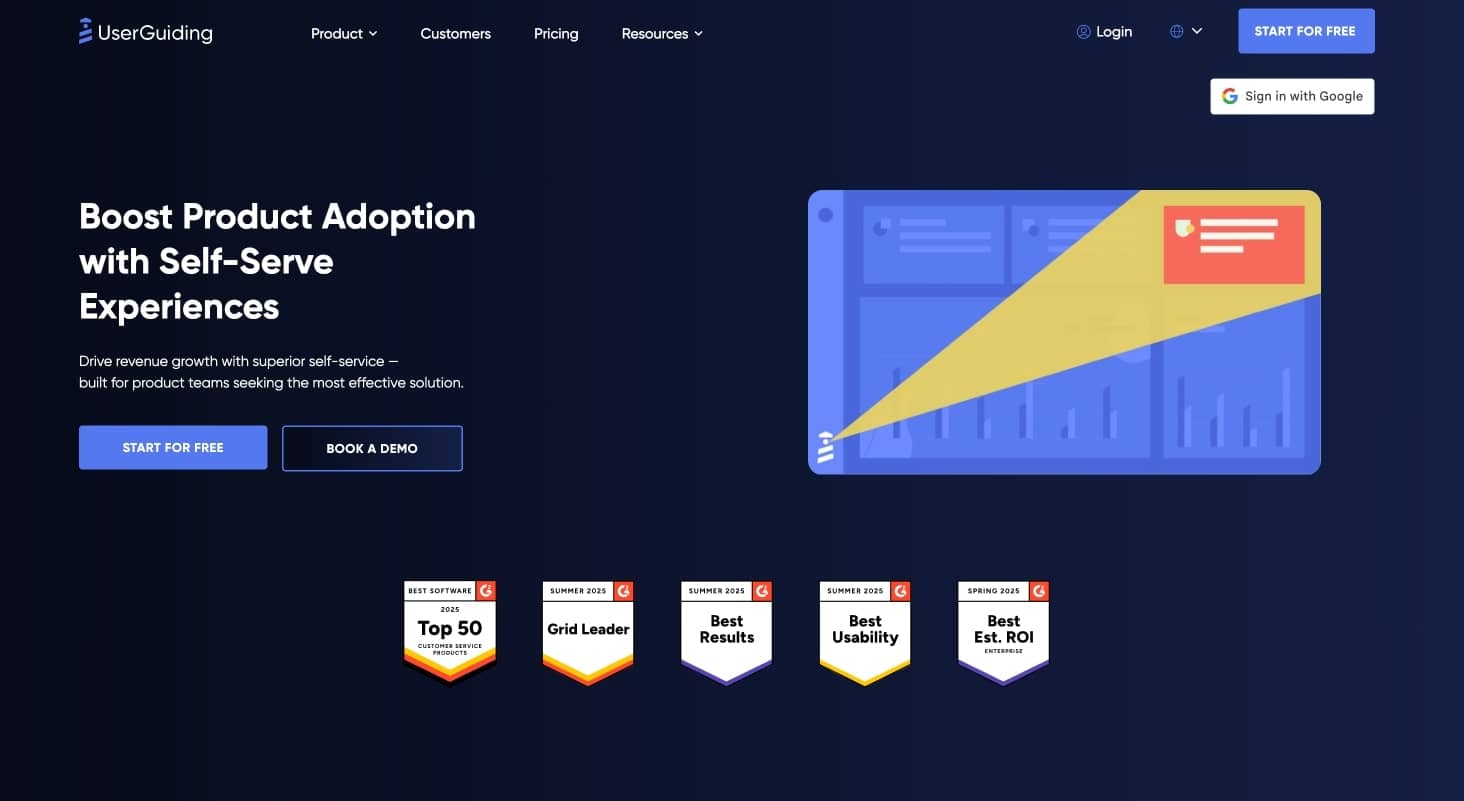
UserGuiding homepage
The decision in 60 seconds
Choose Support Essentials if you mainly want a free help center, product updates page, resource center, and AI assistant. Do not treat it as your onboarding plan.
Choose Starter if your product has one main onboarding path, a small team managing it, and no immediate need for A/B testing, localization, custom CSS, or many parallel campaigns.
Budget for Growth if you have multiple personas, more than two active checklists, more than five active surveys, several product areas, or a roadmap that includes experimentation.
Start an Enterprise conversation if SSO, activity logs, custom limits, security review, compliance, or dedicated support will decide the purchase.
Compare alternatives if the real job is broader than onboarding: feedback collection, roadmap, changelog, help center, surveys, announcements, and adoption analytics working together.
That is the whole decision tree.
The public price
UserGuiding prices by monthly active users and plan depth. At the visible 2,000 MAU setting, the public annual-billing prices are:
| Plan | Price | What it buys | Main catch |
|---|---|---|---|
| Support Essentials | Free | Knowledge base, product updates, resource center, AI assistant | Not a full onboarding plan |
| Starter | $174/month | Core web onboarding, surveys, banners, reporting, segmentation | Tight caps on active materials and team capacity |
| Growth | $349/month | More active materials, A/B testing, goal tracking, custom CSS, localization | Costs more as usage and needs expand |
| Enterprise | Custom | SSO, activity logs, compliance support, custom limits, higher-touch service | Requires a sales-led evaluation |
UserGuiding defines MAU as users who signed into your platform in the previous 30 days. That sounds simple until implementation enters the room.
Where the script loads, whether users are identified, and how quickly your active base grows all affect the number you should budget against.
A simple planning view of public annual-billing prices. Confirm the latest number before buying.
When Starter works
Starter is not a fake plan. It includes the core pieces most small SaaS teams expect from an onboarding tool:
- product guides
- hotspots
- checklists
- surveys
- resource center
- banners
- reporting
- segmentation
- AI assistant access
- user identification and tracking
It works best when your onboarding map is simple.
For example, imagine a B2B SaaS product with one admin setup flow, one member invitation flow, one onboarding checklist, and a few targeted surveys. Starter can cover that without much drama.
The plan starts to strain when your product team wants onboarding to become an ongoing operating channel.
| Starter limit | Why it can become a problem |
|---|---|
| 2 active checklists | Separate admin, member, trial, customer, and feature checklists will not fit |
| 5 active surveys | NPS, CSAT, onboarding feedback, churn feedback, and feature research can fill the limit fast |
| 1 active banner | Product, CS, and marketing cannot all run timely in-app communication |
| 15 audience segments | Persona-based targeting gets cramped as roles and lifecycle stages grow |
| 5 seats | Cross-functional adoption work can outgrow a small team allowance |
Starter is a good buy when you can name the exact onboarding flows you need now.
It is a risky buy when your plan is "we'll figure out onboarding as we go."
When Growth is the real budget
Growth is the plan to model when onboarding is no longer a one-time launch project.
It adds A/B testing, goal tracking, custom CSS, localization, premium integrations, and more room for active materials. The important difference is not one feature. It is operating space.
| Capability | Starter | Growth |
|---|---|---|
| Active guides | 25 | 100 |
| Active hotspots | 20 | Unlimited |
| Active checklists | 2 | Unlimited |
| Active surveys | 5 | 10 |
| Session replay recordings | 3,000 | 5,000 |
| Active banners | 1 | 5 |
| Audience segments | Up to 15 | Up to 50 |
| Customizable themes | 1 | 5 |
| Seats | 5 | 15 |
| Environments | 2 | 5 |
If you have multiple personas, Growth usually becomes the better comparison point. The same is true if you localize onboarding, run experiments, or support several teams using in-app messaging.
Starter is enough for simple onboarding. Growth becomes relevant when active materials, segments, seats, and experiments become operational constraints.
The MAU detail people miss
MAU pricing means your cost can rise as your product succeeds.
That is not automatically bad. It is only a problem when the buying team models today's usage and ignores the next 12 months.
Before buying, price these three versions of your account:
| Scenario | What to model | Why |
|---|---|---|
| Today | Current active users | Good for the first quote |
| Six months | Expected active users after launches and campaigns | Shows whether Starter still makes sense |
| Twelve months | Your realistic expansion case | Exposes renewal and Enterprise questions early |
The bigger issue is counting. UserGuiding's help docs explain that the default method can depend on browser sessions. The same person can be counted again if they switch devices, use incognito mode, or clear local storage.
User Identification fixes much of that by letting you send precise user IDs. If you care about budget accuracy, enable it from the beginning.
The overage tradeoff
UserGuiding says it does not charge automatic surprise overages when you exceed your MAU quota.
That sounds buyer-friendly, and in one sense it is. You avoid invoice shock.
The tradeoff is product risk. UserGuiding says guides and other materials stop showing until you increase the quota or your MAU drops back under the limit.
Picture a launch week. Your signup volume spikes, new users enter the product, and onboarding is suddenly one of the most important surfaces in the business. That is exactly when quota-related invisibility would hurt.
Ask these questions before signing:
- Will we get alerts before hitting quota?
- Is there a grace period?
- Can we pre-buy temporary capacity for launches?
- Can internal users, test users, bots, or public pages be excluded?
- Who on our team owns quota monitoring?
This is not just a billing question. It is an activation question.
Add-ons to ask about
UserGuiding lists add-ons for extra material quotas, extra seats, extra containers, and white-label branding.
That does not make the pricing bad. It means you should compare the package you will actually run, not the lowest public number.
Ask about add-ons if you need:
- more teammates than your plan includes
- more containers, products, projects, or environments
- branding removal
- extra survey or material capacity
- rate limiting
- localization
- custom CSS
- SSO or admin controls
The fastest way to get a bad comparison is to compare UserGuiding Starter against another vendor's plan without matching the real workflow.
Two filters before the demo
Some requirements should be checked before you spend time comparing feature lists.
Native mobile
UserGuiding is built for browser-based web applications. Its help docs say it supports web apps and non-native mobile apps, but not native mobile apps.
If your product is web-only, fine. If iOS or Android onboarding matters now or soon, compare tools with native mobile support first.
EU hosting
UserGuiding lists optional EU data hosting and says switching to an EU server in Frankfurt can cause data loss.
If EU hosting matters for compliance or security review, decide that before implementation. Do not wait until after you have collected onboarding, survey, or analytics data.
Where UserGuiding fits
UserGuiding is a sensible shortlist pick when the job is no-code web onboarding.
It is strongest for:
- product tours and walkthroughs
- tooltips and hotspots
- onboarding checklists
- lightweight in-app surveys
- banners
- resource center content
- product updates and support content
- teams that want visible entry pricing
It is less compelling when the buyer is really looking for a broader product adoption system.
That broader job usually includes feedback collection, roadmap communication, changelog workflows, help center content, surveys, announcements, and adoption analytics in one connected place.
Alternatives worth comparing
Pick the comparison set based on the job, not the category label.
| Tool | Compare it when... | Watch for |
|---|---|---|
| UserGuiding | You need web onboarding and support content with public entry pricing | Plan caps, web-first limits, broader workflow gaps |
| Userflow | You want a focused no-code onboarding builder | Adjacent workflows may still need separate tools |
| Appcues | You need lifecycle messaging across more channels, including mobile | Pricing can require more sales involvement |
| Userpilot | Product analytics and in-app engagement are both central | Higher tiers often require a sales conversation |
| Chameleon | Customization and experimentation matter most | Cost can rise with scale and complexity |
| Pendo | Enterprise analytics, adoption, feedback, and portfolio reporting matter | Larger contracts and sales-led pricing |
| Userorbit | Onboarding must connect with feedback, roadmap, announcements, help center, surveys, changelog, and analytics | Newer than older category incumbents |
If your need is narrow, a focused onboarding tool can be the right answer.
If your product team is already stitching together four or five customer-facing tools, compare the total stack before buying another point solution.
Buying checklist
Bring these questions to the trial or sales call.
- What is our current MAU?
- What will MAU likely be in six and twelve months?
- Which pages will load the UserGuiding script?
- Will we enable User Identification from day one?
- How many active guides do we need?
- How many active checklists do we need?
- How many surveys will run at once?
- Do we need A/B testing or goal tracking?
- Do we need custom CSS or localization?
- Do we need native mobile onboarding?
- Do we need SSO, activity logs, or security questionnaires?
- Do we need EU hosting before launch?
- How many teammates, products, containers, and environments need access?
- Do we need feedback, roadmap, changelog, or a customer portal outside onboarding?
If the answers are simple, Starter may be enough.
If several answers involve scale, experimentation, localization, or parallel campaigns, budget for Growth.
If several answers involve workflows outside onboarding, compare broader platforms before committing.
Bottom line
The $174/month Starter price is real. It is just not the right planning number for every team.
Use Starter when you have a simple web onboarding motion and can live inside the active material limits. Use Growth as the planning number when onboarding is becoming a repeatable growth channel.
Compare alternatives when the buying job is no longer "show users around the product." Once feedback, roadmap, changelog, help center, surveys, announcements, and analytics enter the same workflow, you are evaluating an adoption system.
Want onboarding, feedback, roadmap, announcements, help center, surveys, and analytics in one place?
FAQ
How much does UserGuiding cost in 2026?
As of June 25, 2026, UserGuiding shows a free Support Essentials plan, Starter at $174/month billed yearly, Growth at $349/month billed yearly, and Enterprise as custom pricing at the public 2,000 MAU setting.
Does UserGuiding have a free plan?
Yes. Support Essentials is free and includes support-oriented features such as knowledge base, product updates, resource center, and AI assistant. It is not the same as a full product onboarding plan.
Is UserGuiding free forever?
UserGuiding positions Support Essentials as free forever. Product adoption features such as guides, checklists, and surveys are part of the trial and paid onboarding plans.
What is included in UserGuiding Starter?
Starter includes guides, hotspots, checklists, surveys, resource center, banners, reporting, segmentation, AI assistant access, and user identification. The main constraints are active material limits, seats, segments, and environments.
What is included in UserGuiding Growth?
Growth includes everything in Starter plus A/B testing, goal tracking, custom CSS, localization, premium integrations, higher limits, more segments, more themes, more seats, and more environments.
What happens if I exceed my UserGuiding MAU quota?
UserGuiding says users stop seeing guides and other materials until you increase your quota or your MAU drops back under the limit. It says this avoids surprise overage invoices.
Does UserGuiding support native mobile apps?
No. UserGuiding says it supports web apps and non-native mobile apps, but not native mobile apps.
Is UserGuiding cheaper than Appcues?
UserGuiding has a lower transparent public entry point than many Appcues buying paths. Compare the tools by use case, though, because Appcues is broader for lifecycle engagement and native mobile.
Is UserGuiding cheaper than Userflow?
At the visible entry point, UserGuiding Starter is lower than Userflow's Startup plan. Compare both at your actual MAU, team member count, AI credits, workspace needs, and feature requirements.
Is UserGuiding better than Userpilot?
UserGuiding is often a better fit for lower-cost web onboarding. Userpilot is usually stronger when product analytics and behavior tracking are central to the buying decision.
What is the best UserGuiding alternative?
The best alternative depends on the job. Userflow is strong for onboarding flows. Appcues is strong for lifecycle engagement. Userpilot is strong for analytics plus engagement. Chameleon is strong for customization. Userorbit is stronger if you want onboarding, feedback, roadmap, announcements, help center, surveys, changelog, and analytics together.