








We rebuilt this guide after seeing more people search for Hermes Agent setup, skills, profiles, memory, and cron workflows.
The practical outcome: by the end of this post, you'll know how to install Hermes, give it a clear identity, add skills, create multiple profiles, schedule recurring jobs, and connect it to real product-management work.
Here is the playbook.
Step 0: Understand what Hermes is good at
Hermes Agent is a local-first agent runtime from Nous Research.
You can use it like a normal terminal agent, but the useful part starts after the first session. Hermes can remember short facts, write reusable skills, run scheduled jobs, and expose the same agent through gateways like Telegram, Slack, Discord, WhatsApp, Signal, and email.
The core pieces:
- Agent loop: plans, calls tools, reads results, and keeps going until the task is done.
- Memory: stores short notes about you, your environment, and recurring preferences.
- Skills: turns repeatable workflows into Markdown playbooks.
- Profiles: lets you run separate agents for developer, product, researcher, design, or support work.
- Cron and gateways: lets those agents run on a schedule or respond through messaging apps.
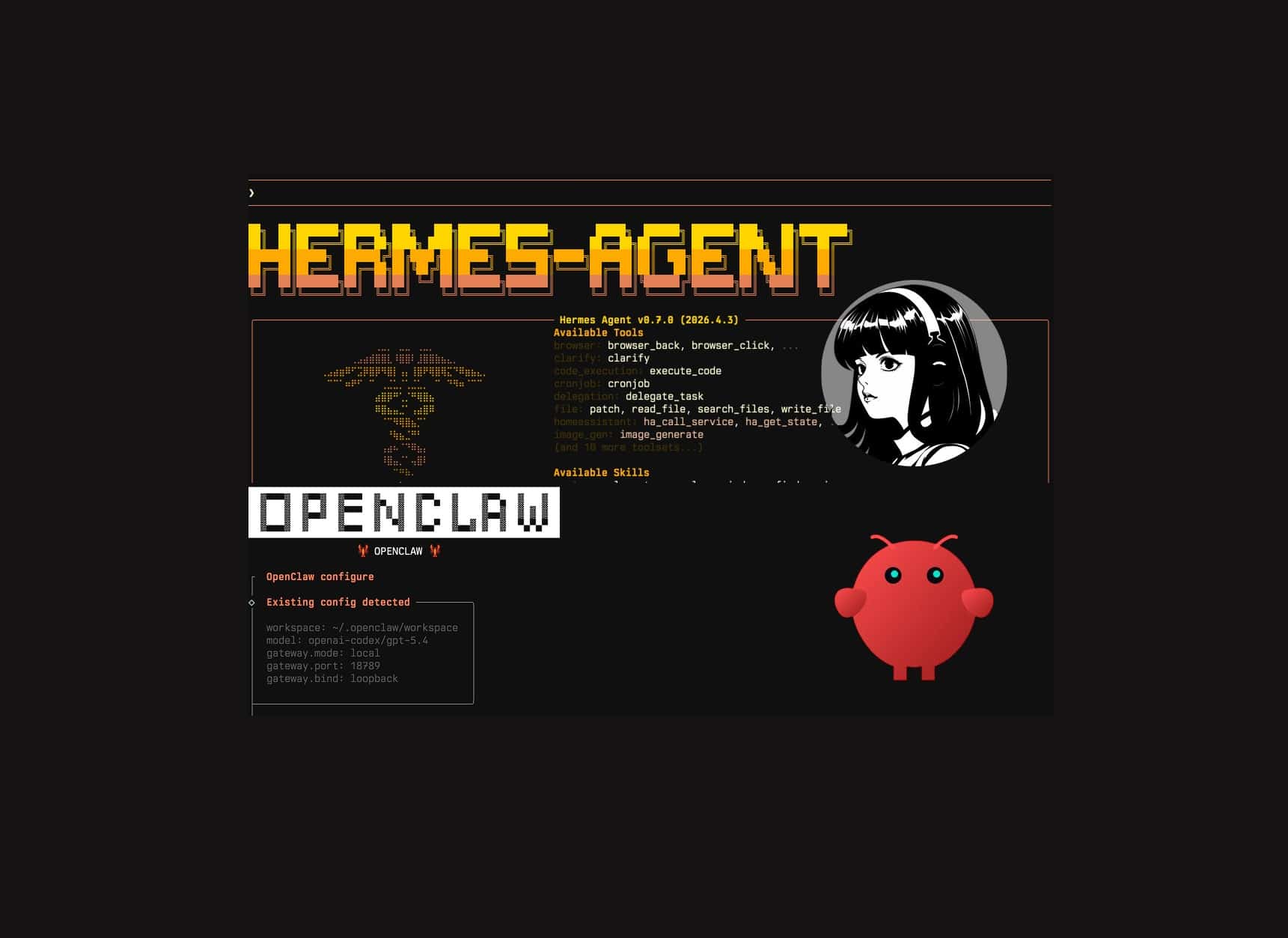
If you're comparing Hermes with OpenClaw, the split is simple: Hermes is agent-first, while OpenClaw is gateway-first. Hermes works well for a few personalized agents that improve through repeated work. OpenClaw is usually a better fit for broad multi-user gateway orchestration.
| Dimension | OpenClaw | Hermes Agent |
|---|---|---|
| Architecture | Gateway-first: routing, sessions, and channels sit at the center. | Agent-first: the learning runtime sits at the center, with gateways as entry points. |
| Channel breadth | Optimized for broad multi-channel orchestration. | Focused on common gateways plus local CLI/TUI, cron, and profile-specific agents. |
| Skill ecosystem | Larger marketplace-style surface, stronger when you want curated shared capabilities across many agents. | Bundled skills, skills hub, GitHub taps, and agent-authored skills that can improve from repeated work. |
| Learning loop | More explicit and manually governed. | Skills can self-evolve, the Curator keeps the library clean, and GEPA-style evaluation can optimize skills offline. |
| Memory | More explicit file-backed context. | Small durable notes plus session history, with skills carrying repeatable procedures. |
| Best fit | Multi-user, multi-channel deployments with central control. | Deeply personalized agents that compound across recurring workflows. |
Under the hood, CLI, TUI, gateways, batch jobs, IDE integrations, and cron all enter the same agent runtime. The loop is straightforward: build context from identity, memory, tools, and skills; call the configured model; execute tool calls; feed results back; repeat until the task is done or the turn limit is hit.
A few details are useful from day one:
- Hermes can run commands locally, in Docker, over SSH, or in remote execution environments.
- It can use Nous Portal, OpenRouter, OpenAI-compatible endpoints, Ollama, or vLLM.
- It has hard task limits so broken tool loops do not run forever.
For a deeper comparison, read Hermes Agent vs OpenClaw.
Step 1: Install Hermes
Hermes supports Linux, macOS, WSL2, and server environments. For API-based usage, you do not need a GPU.
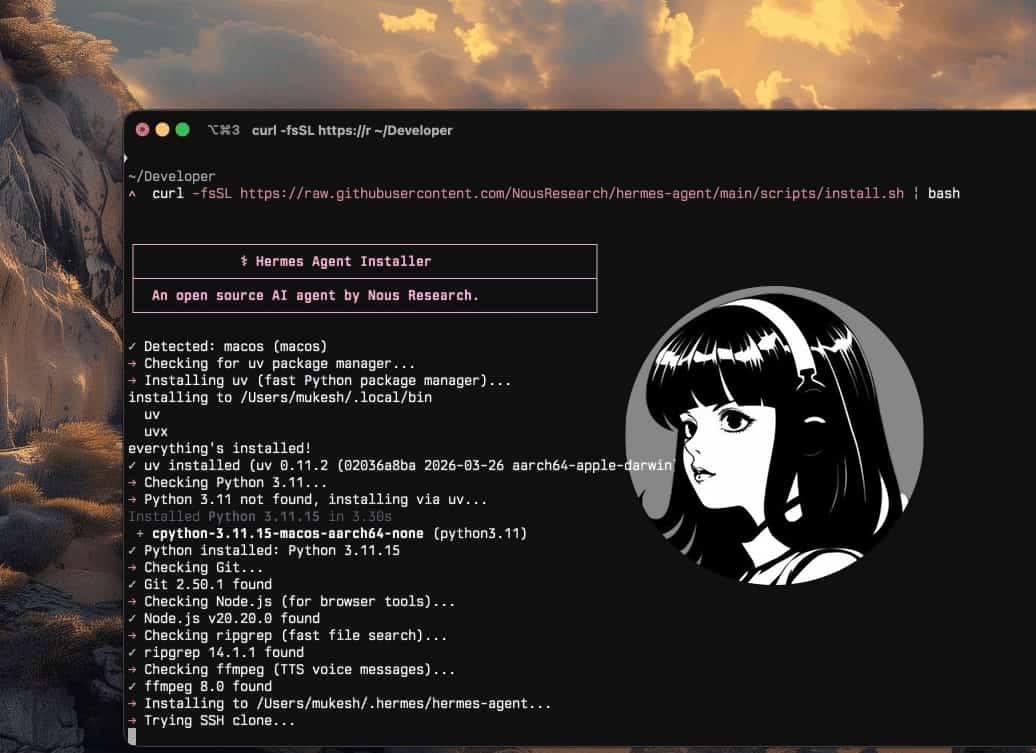
Run the installer from the official repository:
curl -fsSL https://raw.githubusercontent.com/NousResearch/hermes-agent/main/scripts/install.sh | bashReload your shell:
source ~/.zshrc
# If you use Bash, run: source ~/.bashrc
# If you use Fish, run: source ~/.config/fish/config.fish
Then run setup:
hermes setupThe wizard walks through provider, API key, model, tools, and basic configuration.
Start a terminal session:
hermesIf you prefer the newer terminal interface:
hermes --tuiBefore adding gateways, cron, or custom skills, verify one simple task:
Check my current directory and tell me what looks like the main project file.If that works, continue. If it does not, fix the model/provider setup first.
Step 2: Set up identity and memory
After setup, Hermes stores its runtime state under ~/.hermes/.
~/.hermes/
├── config.yaml
├── .env
├── SOUL.md
├── memories/
│   ├── MEMORY.md
│   └── USER.md
├── skills/
├── sessions/
├── state.db
├── cron/
│   ├── jobs.json
│   └── output/
└── logs/
The files you'll touch most often:
config.yamlstores non-secret runtime settings..envstores API keys, bot tokens, and other secrets.SOUL.mddefines the agent's identity.memories/stores short notes the agent should remember.skills/stores bundled, installed, and agent-created skills.cron/stores scheduled jobs and outputs.logs/helps debug gateway, scheduler, or agent-loop issues.
Start with SOUL.md. For the default profile, edit:
~/.hermes/SOUL.mdSOUL.md should define the agent's role, tone, standards, and boundaries. Keep it short.
A product-operations version might look like this:
# Soul

You are the product operations agent for this workspace.
Prioritize customer evidence, cite the Userorbit record you used,
draft customer-facing updates without publishing them, and ask for
approval before changing roadmap status.
Then keep memory short:
~/.hermes/memories/MEMORY.md
~/.hermes/memories/USER.md
Good memory entries are short:
This project uses pnpm.Release notes must stay in draft until approved.Enterprise feedback should be escalated before status changes.
Bad memory entries are long product specs, API docs, and step-by-step workflows. Put those in skills. For product work, the rule is simple: memory holds preferences, skills hold procedures, and Userorbit, your repo, or your docs remain the source of truth.
Step 3: Add and maintain skills
Skills are the part of Hermes that makes repeated work less repetitive.
A skill is a Markdown playbook with frontmatter and instructions. It tells Hermes how to handle a specific workflow.
Example:
---
name: feedback-triage
description: Use when reviewing, grouping, routing, or closing product feedback.
version: 1.0.0
---

## Procedure
1. Fetch new feedback.
2. Group items by theme.
3. Identify duplicates.
4. Route items to the right board.
5. Add private reasoning comments before changing status.

## Pitfalls
- Do not close similar-looking enterprise feedback without checking account context.
- Do not publish customer-facing comments without approval.

## Verification
- Every changed item has a clear internal note.
- Ambiguous items remain in human review.
Explore available skills:
hermes skills list
hermes skills browse
hermes skills search roadmap
hermes skills inspect openai/skills/k8s
Install a skill:
hermes skills install openai/skills/k8sAdd a private skill collection:
hermes skills tap add yourname/your-skills-repo
hermes skills install yourname/your-skills-repo/<skill-name>
Private taps are useful for team workflows. You can maintain product procedures, coding standards, support policies, and launch checklists without pasting giant prompts into every session.
Hermes can create or patch skills after it solves a complex task, finds the working path after errors, receives a correction, or discovers a repeatable workflow. That is useful, but it needs maintenance.
For important workflows:
- Pin critical skills.
- Review agent-authored skill changes.
- Archive narrow duplicates.
- Keep a small evaluation set of real edge cases.
For example, a feedback-triage skill should be tested against similar-looking items that are not duplicates, vague reports that should stay in human review, enterprise feedback that should trigger escalation, and customer-facing comments that should stay as drafts.
Hermes also has Curator and GEPA-style workflows for cleanup and offline skill evaluation. You can skip those at the start. The practical habit is what matters: review skills like operational playbooks, not throwaway prompts.
Step 4: Create profiles for different jobs
One Hermes agent is useful. Multiple profiles are better for real work.
Each profile has its own config, memory, skills, sessions, and SOUL.md. They share nothing by default unless you clone configuration at creation time.
Create three profiles:
hermes profile create product --clone
hermes profile create researcher --clone
hermes profile create developer --clone
hermes profile list
Use them like this:
productowns roadmap reviews, release notes, announcements, and customer-facing drafts.researchermonitors competitors, market changes, research papers, GitHub repos, and social signals.developerturns specs into issues, implementation plans, tests, code reviews, and release checks.
Edit each profile's SOUL.md:
~/.hermes/profiles/product/SOUL.md
~/.hermes/profiles/researcher/SOUL.md
~/.hermes/profiles/developer/SOUL.md
For a researcher profile:
# Soul

You are a research agent for an AI-native product team.
Lead with what changed since yesterday. Cite every claim with a URL.
Flag thin evidence. Use parallel research when streams are independent.
Never state a contested claim as settled.
For a developer profile:
# Soul

You are a pragmatic staff engineer for this product team.
Read the existing code before proposing changes. Break product specs
into small issues, call out risks, write test scenarios, and ask before
making destructive changes.
This keeps context clean. Your developer agent should not inherit the behavior of your release-writing or market-research agent.
Step 5: Run a multi-agent workflow
Profiles let you run a practical multi-agent workflow without giving every agent the same authority.
Here is the setup we recommend for product teams:
| Agent profile | Job | Tools and data | Output |
|---|---|---|---|
researcher | Monitor market, competitor, GitHub, paper, and social signals. | Web search, browser, GitHub, saved sources, daily cron. | A cited daily digest with what changed and why it matters. |
product | Turn market and customer evidence into product decisions. | Userorbit feedback, roadmap, announcements, help docs, analytics, researcher digests. | PRDs, roadmap tradeoffs, release notes, help updates, and launch drafts. |
developer | Turn approved product work into implementation plans. | Repo, issues, PRDs, test suite, architecture notes, release checklist. | Issue breakdowns, risk notes, test scenarios, implementation plans, and review comments. |
Keep permissions different:
researcherstays read-only.productcan draft product artifacts and suggest roadmap changes, but publishing still needs approval.developercan read code and draft plans by default; code changes and destructive commands should require explicit permission.
A useful cadence:
researchersends a weekday market digest at 8 AM.productcombines the digest with feedback, roadmap, and analytics data.productdrafts or updates the PRD, acceptance criteria, and launch plan.developerreviews the PRD, grills unclear assumptions, splits the work into issues, and proposes test coverage.- On release day,
productdrafts the changelog, help-doc updates, and in-app announcement whiledeveloperchecks implementation notes and release risk.
The product profile can use this prompt:
Use this week's researcher digest, Userorbit roadmap data, and recent
feedback to prepare a roadmap review. Identify which planned items gained
evidence, which requests are missing roadmap coverage, and which items
need an updated PRD or launch note. Draft updates only.
Do not publish or change roadmap status without approval.
Then hand the output to the developer profile:
Review this PRD like a staff engineer. Identify unclear requirements,
missing edge cases, risky assumptions, and test scenarios. Then split the
work into small implementation issues with acceptance criteria.
Do not edit code yet.
This is the safe version of multi-agent work: separate roles, separate memories, separate permissions, and a clear handoff from research to product to engineering.
Step 6: Add gateways and cron
Hermes can run through messaging gateways. This is useful when you want a phone-accessible agent or scheduled digest delivery.
For Telegram, create a bot with BotFather and get your user ID. Then run:
hermes gateway setupFor profile-specific bots, run setup per profile:
hermes -p product gateway setup
hermes -p researcher gateway setup
hermes -p developer gateway setup
Use a separate bot token per profile. Telegram only allows one active connection per token, and separate bots make audit trails easier to read.
Hermes also has a built-in scheduler. Jobs survive restarts and live under ~/.hermes/cron/jobs.json, with outputs under ~/.hermes/cron/output/.
You can describe a schedule in plain English:
Every weekday at 8am PT, prepare a digest of what changed
in AI and machine learning over the last 24 hours. Cover GitHub repos,
lab announcements, research papers, and social discussions. Cite every
claim with a URL. Keep it under 800 words. Deliver to Telegram.
Set this up as a recurring cron job.
Verify jobs:
hermes -p researcher cron listYou can also use direct commands:
/cron add 30m "Remind me to check the build"
/cron add "every 2h" "Check server status"
/cron add "0 9 * * 1-5" "Send the weekday product digest"
Attach a skill when the job needs a specific procedure:
/cron add "every 1h" "Summarize new feed items" --skill blogwatcherCron is where Hermes becomes more than a terminal assistant. It can monitor, summarize, draft, and alert without waiting for a manual prompt.
Step 7: Connect Hermes to product work
Once Hermes is running, the next step is not "give it every permission." The next step is giving it a clear product workflow.
We like to start with five workflow families:
| Workflow | Useful skills to model | What Hermes should produce |
|---|---|---|
| Discovery | Interview scripts, interview summaries, opportunity-solution trees, assumption mapping, experiment design. | Research briefs, risky assumptions, experiment ideas, and follow-up questions. |
| Feedback triage | Feature-request analysis, sentiment analysis, user segmentation, prioritization frameworks. | Theme clusters, duplicate candidates, escalation flags, and prioritized follow-ups. |
| Strategy and roadmap | Product strategy canvas, value proposition, North Star metric, outcome roadmap, OKRs. | Strategy notes, metric trees, roadmap tradeoffs, and draft quarterly priorities. |
| Execution handoff | PRDs, user stories, job stories, test scenarios, pre-mortems, stakeholder maps. | Build-ready specs, risks, acceptance criteria, and stakeholder updates. |
| Launch and learning | Release notes, GTM strategy, battlecards, cohort analysis, A/B test analysis. | Draft announcements, help-doc updates, launch checklists, and post-launch review notes. |
Those patterns map well to public skill libraries like phuryn/pm-skills, which organizes PM work across discovery, strategy, execution, research, analytics, GTM, and growth, and mattpocock/skills, which adds useful engineering habits such as plan grilling, PRD creation, issue breakdown, TDD, diagnosis, and architecture review.
You do not need to install every skill. Use the ideas to shape your own Hermes procedures:
- Start discovery with assumptions, not feature lists.
- Ask the agent to grill unclear product plans before drafting specs.
- Convert repeated feedback analysis into a triage skill.
- Turn product decisions into PRDs, then split them into small engineering issues.
- Require test scenarios before handing work to engineering.
- Add diagnosis and architecture-review skills for code-facing profiles.
- Keep launch work tied to release notes, help docs, and post-launch metrics.
If you use Userorbit, the product profile can read feedback, roadmaps, announcements, analytics, and docs through one source of truth.
Install the Userorbit skill in the product profile:
hermes -p product skills tap add userorbit/skill-repo
hermes -p product skills install userorbit/skill/userorbit
Set credentials:
export USERORBIT_API_KEY=sk_live_...
export USERORBIT_WORKSPACE_ID=ws_...
Add them to the profile's .env so cron and gateway sessions can use them:
~/.hermes/profiles/product/.envVerify the connection:
hermes -p productThen ask:
List my Userorbit feedback sorted by votes.Start with read-only prompts:
Using Userorbit, pull all new feedback, reactions, and survey responses
from the last 24 hours. Group them by feature and segment. Highlight
churn risks and high-impact opportunities. Summarize in under 10 bullet
points and propose concrete follow-ups.Pull the current roadmap for the next two quarters, vote counts,
comment volume, and associated feedback. Identify the top 5 items with
the highest combined user demand and strategic impact. For each,
recommend accelerate, keep, or de-prioritize with reasoning.Review the drafts generated for the last deploy. Make the changelog more
user-friendly, ensure the help article explains what changed and why it
matters, and draft an in-app announcement for power users only. Mark
everything ready for review. Do not publish.For scheduled feedback work:
Every morning at 8am, fetch all feedback submitted in the last 24 hours,
group items by theme, route each item to the right board, flag ambiguous
items for human review, close only obvious duplicates with private
internal comments, and send a digest to Telegram.
For the full workflow, read Automated Feedback Triage on Autopilot with Hermes + Userorbit.
Roll out write access slowly:
- Read-only mode: Hermes reports what it would do.
- Draft mode: Hermes creates drafts but does not publish or change statuses.
- Narrow write mode: Hermes can update low-risk internal fields.
- Approved write mode: Hermes can make broader changes after human confirmation.
- Scheduled mode: Hermes runs trusted workflows on cron.
For customer-facing work, encode the guardrails in the skill:
Never publish announcements without approval.
Never close ambiguous feedback.
Always add a private reasoning comment before changing status.
Escalate enterprise feedback instead of silently grouping it.
Then keep a few evaluation examples for workflows that matter. A self-improving agent is only useful if its improvements survive real edge cases.
Common troubleshooting
Hermes installs but does not respond. Run hermes setup again and verify the selected provider, model name, and API key.
The wrong profile is answering. Run hermes profile list, then start the profile explicitly with hermes -p product.
Telegram stops receiving messages. Check that no two profiles are using the same bot token.
Cron did not run. Check hermes -p <profile> cron list, then inspect ~/.hermes/profiles/<profile>/cron/output/ and the gateway logs.
The agent keeps rediscovering the same workflow. Turn the workflow into a skill or ask Hermes to create one after a successful run.
Skills are getting noisy. Pin critical skills, archive narrow duplicates, and review agent-authored changes before they touch production workflows.
What to do next
You now have the full Hermes foundation: install, model setup, identity, memory, skills, profiles, gateways, cron, and a practical path into product work.
Start here:
- Run the product profile in read-only mode for a week.
- Convert repeated prompts into skills.
- Move stable workflows into cron.
- Keep customer-facing writes behind approval.
- Review skill changes like code.
Reference links
- Hermes Agent documentation — official setup and runtime docs
- Hermes Agent Masterclass — deeper walkthrough of architecture, memory, profiles, Curator, and GEPA
- Agent Skills ecosystem — reusable skill format and examples
- phuryn/pm-skills — PM skill patterns for discovery, strategy, execution, analytics, GTM, and growth
- mattpocock/skills — engineering skill patterns for plan clarification, PRDs, issues, TDD, diagnosis, and architecture review
- Userorbit — product growth platform for feedback, roadmaps, announcements, and docs